
Every week on our production floor, we hear the same concern from buyers worldwide. They invest in advanced agricultural drones, only to find their data exports fail to communicate with existing farm software. This frustration costs time, money, and trust.
To evaluate shapefile and data export compatibility, verify the drone exports WGS 84 coordinate system shapefiles, confirm ISOXML support for your equipment brands, test integration with your GIS software through demo flights, and request technical documentation covering all supported export formats and file specifications.
The following sections break down each critical evaluation step. You will learn exactly what to ask vendors, what documents to demand, and how to test compatibility before committing to a purchase.
How do I confirm that the drone's Shapefile exports will work seamlessly with my existing farm management software?
Our engineering team has spent years refining export protocols after watching customers struggle with incompatible data. The pain of reformatting files manually or losing critical field data is real and preventable.
Confirm seamless shapefile compatibility by verifying WGS 84 coordinate system support, polygon geometry output, and direct integration with your specific farm management software. Request a demo flight with sample exports tested in your actual GIS platform before purchase.

Understanding Shapefile Components
Shapefiles consist of multiple files working together. Shapefile components 1 The .shp file contains geometry data. The .dbf file holds attribute information. Both must be present and correctly formatted for your software to read them.
When our team tests export compatibility, we check three things first. Does the drone output true polygon geometries? Some systems export points or lines instead. This breaks prescription map workflows entirely.
Coordinate System Verification
WGS 84 is the universal standard for agricultural drone shapefiles. If your drone exports in a different coordinate reference system, your farm management software may place field boundaries in the wrong location. This causes spray drift, missed zones, and wasted inputs.
| Coordinate System | Compatibility Level | Common Issues |
|---|---|---|
| WGS 84 | Universal | None when properly implemented |
| Local projections | Begrenzt | Requires conversion, potential data loss |
| Custom CRS | Poor | Manual reprojection needed |
Software Integration Testing Protocol
Before finalizing any purchase, demand a live demonstration. Fly the drone over a test field. Export the shapefile. Import it directly into your existing software. Check that field boundaries align with your baseline maps.
Our customers in the United States often use John Deere Operations Center, Trimble Ag Software, or Climate FieldView. Each platform has specific import requirements. A shapefile that works in one may fail in another without proper formatting.
Multi-Polygon Handling
Large operations often work with multi-polygon files containing dozens of fields. The DJI Agras app, for example, splits these into separate field entries automatically. Verify your drone's software handles this splitting correctly. Otherwise, you may need manual editing for every imported file.
Test with your actual field boundary files. Upload them to the drone via SD card. Check that each polygon imports as a distinct, editable zone. This step prevents headaches during busy spray seasons.
Can I request custom data export protocols to match the specific software needs of my local agricultural customers?
When we work with distributors across Europe and the Americas, customization requests arrive daily. Each market has unique software ecosystems. A one-size-fits-all export rarely satisfies everyone.
Yes, reputable manufacturers offer custom data export protocols through OEM partnerships. Request specific format modifications, API access for deeper integration, and dedicated engineering support to match your local customers' software requirements exactly.

Standard vs. Custom Export Options
Most agricultural drones support standard formats out of the box. Shapefiles, GeoTIFF 4, KML, and CSV cover ninety percent of use cases. But the remaining ten percent often represents your most valuable customers with specialized needs.
| Export Type | Standard Support | Custom Available |
|---|---|---|
| Shapefile (.shp/.dbf) | Yes | Attribute customization |
| ISOXML | Yes | Brand-specific profiles |
| GeoTIFF | Yes | Resolution adjustment |
| Custom API | Variiert | Full integration possible |
| Proprietary formats | No | OEM development required |
ISOXML Customization for Equipment Brands
ISOXML follows the ISO 11783 standard 5 for agricultural equipment communication. ISOXML support 6 This format enables your drone data to flow directly into tractors, sprayers, and combines from John Deere, Case IH, New Holland, AGCO, CLAAS, Trimble, Topcon, and Kubota.
Our development team can modify ISOXML output to match specific brand requirements. Some equipment requires particular attribute fields. Others need specific file naming conventions. These details matter when your customers operate mixed fleets.
API and SDK Access
For distributors building integrated solutions, API and SDK access 7 becomes essential. These tools let your software developers pull drone data directly into proprietary platforms. They can automate workflows, customize reports, and create branded user interfaces.
Ask potential suppliers about their developer resources. Do they provide documentation? Is there a sandbox environment for testing? How quickly can they respond to integration issues? These factors determine long-term partnership success.
OEM Branding and Software Modification
Beyond data formats, many manufacturers offer OEM software branding. Your company logo appears in the app interface. Export files carry your naming conventions. This creates a seamless experience for your end customers.
Discuss these options early in negotiations. Custom software development takes time. Plan for a minimum of three to six months from specification to delivery. Rush jobs risk bugs and compatibility failures.
What technical documentation should I ask for to ensure my drone data integrates perfectly with my GIS platforms?
Our export engineering team maintains detailed documentation for every supported format. We learned long ago that undocumented features cause integration nightmares. Your suppliers should provide the same transparency.
Request complete technical documentation including file format specifications, coordinate system details, attribute field definitions, API references, supported software compatibility lists, and sample export files for testing in your GIS platform before purchase.
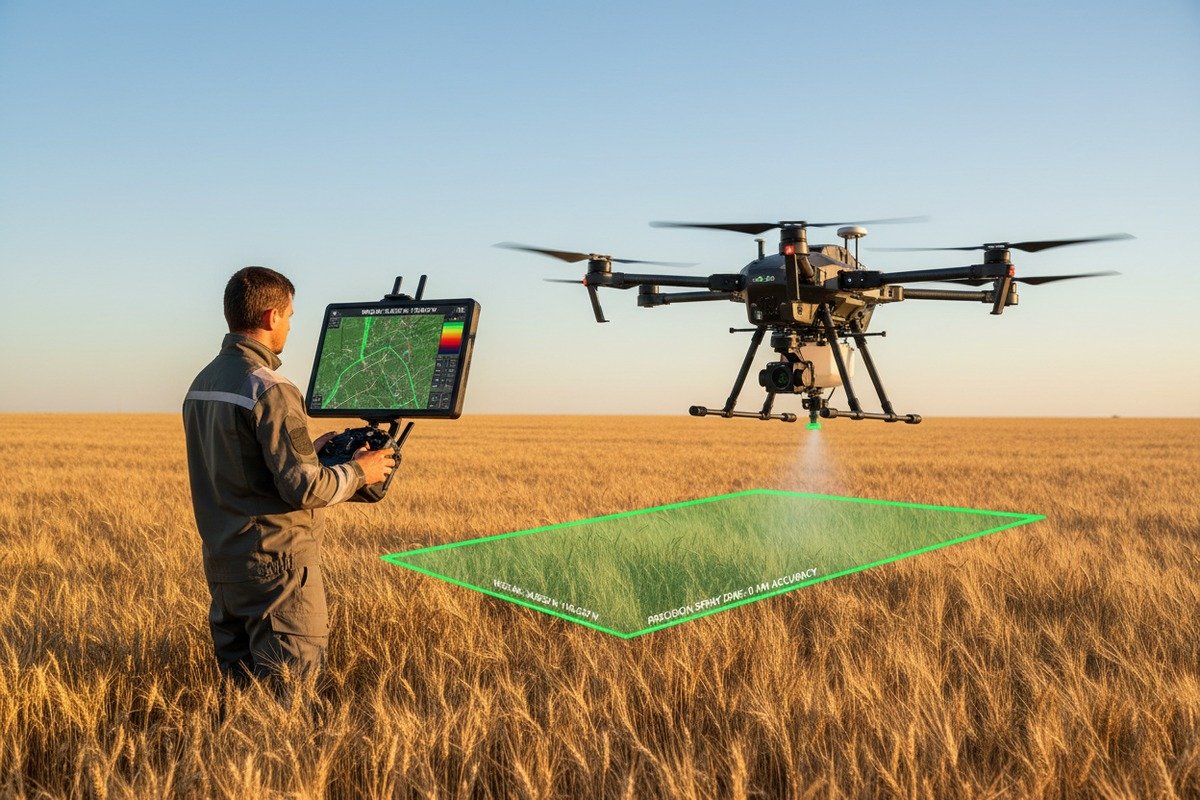
Checkliste für wichtige Unterlagen
Every serious agricultural drone manufacturer should provide comprehensive technical documents. Missing documentation signals potential integration problems and inadequate engineering support.
| Dokumenttyp | Zweck | Red Flag if Missing |
|---|---|---|
| Format specification sheets | Details every export field and data type | High risk of compatibility issues |
| Coordinate system declaration | Confirms WGS 84 or other CRS support | Georeferencing failures likely |
| Software compatibility matrix | Lists tested platforms and versions | Unknown integration success rate |
| API-Dokumentation | Enables custom software development | Limited automation capability |
| Sample export files | Allows pre-purchase testing | Vendor may hide problems |
File Format Specification Details
Good documentation describes every field in exported shapefiles. You should know exactly what attributes appear in the .dbf file. Prescription maps need zone identifiers, application rates, and boundary coordinates. Missing fields break downstream processes.
Ask for data dictionaries that define field names, data types, and acceptable value ranges. This information helps your GIS team configure import routines correctly the first time.
GPS and Sensor Specifications
Your drone's GPS accuracy directly affects shapefile quality. Documentation should specify horizontal and vertical accuracy ratings. It should confirm whether GPS data embeds in image EXIF headers or requires separate CSV files.
Some sensors output TIFF files without embedded coordinates. This requires manual CSV matching during processing. Other systems embed everything automatically. Know the difference before you buy.
Software Compatibility Testing Reports
Request documented compatibility testing results for platforms your customers use. Has the manufacturer tested exports in ArcGIS Pro? QGIS? Pix4Dfields? DroneDeploy? Climate FieldView?
Undocumented compatibility means you become the test subject. Your customer complaints become the testing feedback. This is expensive and damaging to your reputation.
Processing Requirements Documentation
High-quality orthomosaics 8 require proper flight parameters. Documentation should specify recommended image overlap percentages, flight altitudes, and resolution targets. General guidelines suggest 70-75% overlap, 60-120 meter altitude, and resolution below 3.5 inches per pixel.
Your processing software has limits too. ArcGIS Drone2Map accepts images up to 105 megapixels. Projects max out at 100 gigapixels for Standard licenses or 300 gigapixels for Advanced. Make sure your drone's output stays within these bounds.
How do I evaluate the stability of the data export process to avoid technical failures in my field operations?
On our testing fields in Xi'an, we push every drone through harsh conditions before shipping. Temperature extremes, vibration stress, and repeated export cycles reveal weaknesses that destroy field reliability.
Evaluate export stability by testing multiple consecutive flights with full data exports, verifying file integrity after each operation, checking SD card reliability under temperature variations, and confirming the drone maintains consistent output quality over extended operational periods.

Stress Testing Protocols
A single successful export means nothing. Your field operations require hundreds of reliable cycles. Test the drone with repeated flights over several days. Export after each flight. Verify every file opens correctly.
Watch for corruption patterns. Some drones fail when battery levels drop below certain thresholds. Others produce incomplete files when SD cards fill past ninety percent capacity. Identify these boundaries before your customers discover them.
SD Card and Storage Reliability
SD card failures cause the most common export problems in the field. Temperature cycling stresses flash memory. Cheap cards fail faster than quality alternatives. Dirt and moisture damage contacts.
| Storage Factor | Impact on Stability | Strategie zur Risikominderung |
|---|---|---|
| Card quality | Direct correlation with reliability | Use manufacturer-recommended cards only |
| Temperature exposure | Causes write errors | Store cards in climate-controlled cases |
| Fill level | Fragmentation slows writes | Keep below 80% capacity |
| Cycle count | Memory degrades over time | Replace cards on schedule |
GPS Signal Stability
Export accuracy depends on consistent GPS locks during flight. Urban environments with tall structures cause signal reflections. Valleys block satellites. Tree canopy interferes with reception.
Test in conditions matching your customers' actual operating environments. A drone that performs perfectly in open test fields may struggle in real agricultural settings with windbreaks, power lines, and variable terrain.
Software Update Impact Assessment
Firmware updates sometimes break previously working export functions. Before deploying updates across your fleet, test thoroughly on a single unit. Verify that all export formats still function correctly.
Keep rollback procedures documented. If an update causes problems, you need to restore the previous version quickly. Downtime during spray season costs your customers money and damages your reputation.
Environmental Durability Factors
Agricultural drones face dust, moisture, and chemical exposure constantly. These conditions affect sensor accuracy and data quality over time. Request information about environmental ratings and recommended maintenance schedules.
Our hexacopter drones feature sealed electronics and corrosion-resistant components specifically for these challenges. Ask potential suppliers about their environmental testing procedures and durability certifications.
Schlussfolgerung
Evaluating shapefile and data export compatibility requires systematic verification before purchase. Test coordinate systems, demand complete documentation, verify software integration, and stress-test export stability. These steps protect your investment and ensure reliable field operations.
Fußnoten
1. Details shapefiles as Esri vector data storage format, composed of multiple mandatory files. ︎
2. Defines WGS 84 as a global geodetic reference system for navigation, positioning, and mapping. ︎
3. Describes GIS software as a tool for bringing together maps and data for analysis. ︎
4. Describes GeoTIFF as an interchange format for georeferenced raster imagery, based on TIFF. ︎
5. Explains ISO 11783 as a standardized communication protocol for agricultural and forestry machinery. ︎
6. Explains ISOXML as the data format for data exchange between agricultural machinery and software. ︎
7. Authoritative source (IBM) providing a clear and comprehensive explanation of the difference between API and SDK. ︎
8. Defines an orthomosaic map as a highly accurate, geometrically corrected aerial image from drones. ︎

 English
  Spanish
  German
  French
  Dutch
Dutch  Arabic
