
We understand the frustration when a new shipment of high-tech hardware arrives, yet it refuses to communicate with your existing network. In our factory, we often see clients struggle because they purchased excellent flying platforms that effectively become data silos, isolated from their command centers.
Most modern supplier drones do not offer plug-and-play integration with specific local US dispatch systems out of the box. Instead, compatibility relies on middleware software like DroneSense, standard protocols like RTSP, or custom SDK development to bridge hardware feeds into platforms like Motorola CommandCentral or ATAK.
Let’s break down exactly how you can ensure your new fleet connects seamlessly with your operations software.
What specific communication protocols should I look for to ensure compatibility with my existing dispatch software?
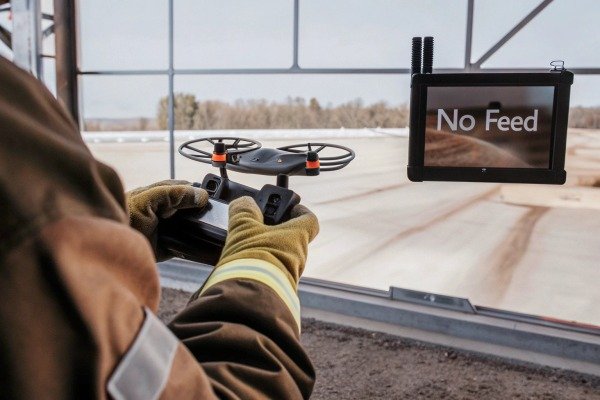
During our flight controller calibration process, we frequently encounter proprietary video feeds that stay locked on the remote controller screen, which is useless for a commander miles away. This isolation creates a dangerous gap in situational awareness during critical fire events. situational awareness 1
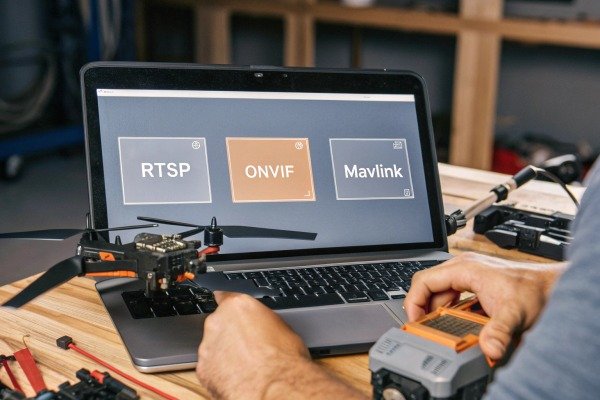
You must prioritize drones that support open standards such as RTSP (Real-Time Streaming Protocol) and ONVIF for video transmission. Additionally, look for hardware compatible with MAVLink for telemetry data, as these universal protocols allow video management systems and command dashboards to ingest feeds without proprietary decoders.
The Importance of Universal Standards
When we build industrial drones, we have a choice: lock the data to our own app or open it up. For US firefighting operations, "open" is the only viable option. Your dispatch software, whether it is a Computer-Aided Dispatch (CAD) system or a Video Management System (VMS) like Milestone Video Management System 2 Computer-Aided Dispatch 3, cannot support hundreds of different proprietary drivers. It relies on universal languages.
The most critical language for video is RTSP (Real-Time Streaming Protocol). If the drone or its controller can output an RTSP stream, your command center can likely see it. This is akin to a universal power outlet; if the plug fits, the electricity flows. Without this, you are often forced to point a cell phone at the drone controller's screen to stream video back to HQ, which is unprofessional and low quality.
Telemetry and Data Overlays
Video is only half the story. Fire commanders need to know where the drone is looking. This is where MAVLink comes in. It is a lightweight lightweight messaging protocol 4 messaging protocol for communicating with drones. If your supplier's drone supports MAVLink, your GIS (Geographic Information System) software can read the drone's GPS coordinates Geographic Information System 5, altitude, and battery voltage in real-time Real-Time Streaming Protocol 6.
For example, widely used platforms in the US, such as the Android Android Team Awareness Kit 7 Team Awareness Kit (ATAK), thrive on these open protocols. If you buy a system that uses a closed, encrypted signal that only the manufacturer's app can read, you will never get that blue dot on your team's map.
Comparison of Common Streaming Protocols
We have compiled a comparison of protocols we encounter in the industry to help you identify what to ask for in your technical requirements document.
| Protocol | Compatibility Level | Latency | Verdict for Fire Ops |
|---|---|---|---|
| RTSP | High (Industry Standard) | Low to Medium | Essential. The baseline for most command centers. |
| RTMP | Medium (YouTube/Facebook) | High (3-10 seconds) | Avoid. Too slow for tactical decision-making. |
| WebRTC | High (Browser-based) | Ultra-low (<500ms) | Excellent. Best for real-time remote piloting. |
| Proprietary | Low (Brand Specific) | Variable | Risk. Requires specific vendor software to view. |
The Role of Middleware
Often, the drone hardware itself does not connect directly to the dispatch server. Instead, it connects to "middleware" software installed on the remote controller. Companies like DroneSense or Axon Air act as the translator. They take the video from our drone cameras and format it so your dispatch system can understand it. Therefore, when asking about protocols, also ask: "Is your drone compatible with major US public safety software platforms?"
Can I obtain SDK access to customize the drone's integration with my command center platform?
We frequently receive requests from systems integrators who need to unlock our flight algorithms to make the drone behave autonomously within their specific software environment. Without this access, your IT team is essentially blocked from creating the automated workflows that save seconds during emergency response.
Most reputable industrial drone suppliers offer a Software Development Kit (SDK), specifically a Mobile SDK or Onboard SDK, to authorized partners. This access allows your development team to write custom code that pushes flight data, battery status, and live video directly into your proprietary command center interface.

Understanding the SDK Hierarchy
An SDK (Software Development Kit) is a set of tools that allows your developers to build applications for the drone. However, not all SDKs are created equal. In our engineering department, we distinguish between two main types that you might need.
- Mobile SDK: This allows you to build a custom Android or iOS app that replaces the standard flight app. This is the most common integration. Your developers can create an app that looks exactly like your department's dispatch software, but it controls the drone.
- Onboard SDK: This is deeper access. It allows you to connect a small computer (like a Raspberry Pi or NVIDIA Jetson) directly to the drone to process data mid-flight. This is vital for AI processing or connecting to specialized fire sensors that the manufacturer didn't originally plan for.
Why You Need SDK Access
Why should a fire department care about coding? Because standard apps are generic. You might want the drone to automatically launch when a CAD call comes in for a "Structure Fire." The standard app cannot do that. With SDK access, your integrator can write a script: If CAD sends Alert X, Drone performs Action Y.
We have worked with clients who used the SDK to integrate thermal data directly into their water deployment systems. The drone identifies the hotspot, and the coordinates are sent instantly to the digital dashboard of the water cannon operator. This level of automation is impossible with a "closed" system.
Potential Barriers and Costs
While we offer SDKs to our partners, be aware that some large consumer-brand manufacturers have closed their ecosystems or charge thousands of dollars for access.
| Feature | Mobile SDK Capabilities | Onboard SDK Capabilities |
|---|---|---|
| Primary Function | Customizing the App Interface | Adding Hardware/Computing Power |
| Typical User | App Developer / UI Designer | Robotics Engineer / Hardware Integrator |
| Fire Use Case | Streaming video to private server | On-board AI fire detection logic |
| Complexity | Moderate | High |
Security Considerations
Opening an SDK does introduce security questions. If you are importing drones, ensure the SDK documentation is in English and that the data transmission paths are clear. You need to verify that using the SDK does not inadvertently route data through servers you do not control. A clean SDK simply provides the controls; it should not force a cloud connection. cloud connection 8
How do I verify that real-time video and telemetry will stream correctly to my US-based operations dashboard?
Nothing is worse than a frozen video feed during a critical live fire event, which is why our quality assurance team simulates poor network conditions to test stability. If you rely on marketing claims without testing the stream in your actual operating environment, you risk operational failure when it matters most.
Verification requires a live latency test using a cellular bonding device or the drone’s native 4G/5G module connected to a US server. You should request a remote demonstration where the supplier streams footage directly to your specific IP address or utilizes a middleware platform like DroneSense for validation.
The "Glass-to-Glass" Latency Test
The most important metric for integration is "glass-to-glass" latency. This measures the time it takes for an image to travel from the drone's camera lens (glass) to your command center monitor (glass).
In our testing lab, we consider anything under 500 milliseconds acceptable for piloting. However, when streaming to a dispatch center via the internet, latency often jumps to 3-5 seconds. You need to verify this yourself. Do not accept a video file of a flight; ask for a live link. Open the link on your dispatch computer. Have the pilot wave their hand. Count the seconds until you see the wave. If it is more than 5 seconds, tactical decision-making becomes dangerous. tactical decision-making 9
Connectivity Hardware
Integration fails most often due to the network, not the software. Does the drone rely on a simple Wi-Fi connection to the controller, which then uses a phone's hotspot? Or does the drone have a built-in 4G/5G module?
For US operations, we recommend drones that support Cellular Bonding. This technology combines signals from multiple carriers (e.g., Verizon and AT&T) simultaneously. If one tower is overloaded by emergency traffic, the other picks up the stream. When verifying integration, ask: "Does your system support SIM cards from US carriers, or is it locked to international bands?"
Troubleshooting Integration Issues
When the stream fails, it is usually one of three culprits. We have created a checklist based on our support tickets to help you diagnose integration potential before you buy.
| Symptom | Likely Cause | Solution to Verify |
|---|---|---|
| Black Screen / No Video | Firewall blocking RTSP port | Ask IT to whitelist standard video ports (554, 1935). |
| High Latency (>5s) | Server location is overseas | Ensure the relay server is hosted in the US (AWS/Azure). |
| Pixelated / Choppy Video | Low upload speed at the drone | Require LTE bonding Cellular Bonding 10 or lowering bitrate in settings. |
| Telemetry Missing | Metadata format incompatibility | Verify KLV (Key-Length-Value) metadata support. |
Data Sovereignty and Servers
This is a delicate but necessary topic. If you are integrating a drone into a secure US command system, you cannot route data through foreign servers. You must ask the supplier if their streaming solution allows for Local Data Mode or Offline Mode. This ensures the video goes from the drone -> controller -> your server, without bouncing through a third-party cloud in another country.
Will the manufacturer collaborate with my team to develop custom software features for our local systems?
When we design custom payloads for international clients, we realize that off-the-shelf products rarely fit every unique department protocol perfectly. Relying on a rigid supplier who refuses to modify their code means you will spend more time fighting the technology than fighting the fire.
Collaboration availability depends heavily on the manufacturer’s business model and your order volume. While large consumer brands typically refuse custom requests, industrial OEMs often dedicate engineering teams to co-develop features, such as integrating specific GIS overlays or automated dispatch triggers, provided the project meets minimum quantity requirements.

The Difference Between Consumer and Industrial Suppliers
If you buy a drone from a massive consumer electronics brand, you are buying a finished product. It is "take it or leave it." Their engineering teams are focused on the next million units, not your specific integration with a niche CAD system.
However, as an industrial OEM (Original Equipment Manufacturer), our business model is different. We expect customization. We understand that a fire department in California has different GIS mapping layers than a department in Texas. If you are purchasing a fleet, you have leverage. You can negotiate for NRE (Non-Recurring Engineering) time. This means you pay a one-time fee, or commit to a certain order volume, and our engineers will work with your IT team to build a custom plugin.
Common Collaboration Requests
What should you ask for? Here are the most valuable custom features we have developed for clients:
- Automated Geofencing: We can hard-code your city's no-fly zones or jurisdiction boundaries into the drone's firmware, ensuring pilots never accidentally violate airspace restrictions.
- Custom GIS Overlays: We can integrate your local hydrant map so that it appears as a layer on the pilot's screen. This requires us to open our map engine to accept your shapefiles.
- One-Click Dispatch: We can modify the controller software to listen for a specific signal from your dispatch center. When that signal is received, the drone powers up and uploads the flight path automatically.
The Roadmap to Implementation
Successful collaboration requires a roadmap. It is not as simple as sending an email.
- Phase 1: API/SDK Exchange. We provide documentation; your team reviews feasibility.
- Phase 2: Prototype Testing. We provide a "dev unit" drone for your engineers to hack and test.
- Phase 3: Field Trials. The custom software is loaded onto a small batch of drones for real-world fire testing.
- Phase 4: Fleet Rollout. The verified software is flashed onto all units before shipping.
Budgeting for Customization
Do not assume this is free. Custom software development is time-intensive. When planning your budget, set aside funds for "Integration Services." A drone might cost $10,000, but ensuring it talks to your $5 million command center might require an additional investment. However, this investment often pays for itself in the first major incident where data flows seamlessly.
Conclusion
Purchasing a firefighting drone is no longer just about flight time or camera resolution; it is about data interoperability. To ensure success, you must verify the support for open protocols like RTSP and MAVLink, demand SDK access for deeper customization, and test live streaming latency in real-world conditions. While integration requires upfront effort, partnering with a manufacturer willing to collaborate on software development will transform your drone from a simple flying camera into a fully integrated asset in your incident command structure.
Footnotes
1. Official DHS resource highlighting the role of technology in enhancing situational awareness for responders. ↩︎
2. Manufacturer site for a leading VMS platform used in large-scale security and dispatch operations. ↩︎
3. DOJ resource describing the integration of computer systems in emergency dispatch centers. ↩︎
4. Official technical documentation for the MAVLink protocol used in unmanned vehicle communication. ↩︎
5. Academic guide explaining how GIS technology integrates spatial data for mapping applications. ↩︎
6. The official technical specification for the RTSP protocol used in video streaming. ↩︎
7. Official government site for the ATAK platform used for real-time team coordination. ↩︎
8. Provides documentation on secure cloud infrastructure and connectivity for enterprise software integrations. ↩︎
9. Research paper from Stanford University discussing the effects of latency on real-time system performance. ↩︎
10. Wikipedia entry explaining the concept of channel bonding for improved network reliability. ↩︎

 English
  Español de México
  Deutsch
  Français
  Русский
  العربية
