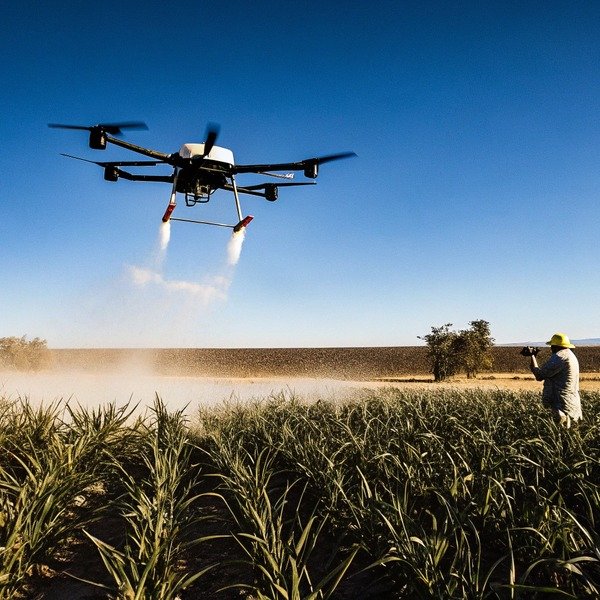
We frequently encounter clients who struggle with spotty connections in rural fields spotty connections in rural fields 1, so our engineering team prioritizes rigorous testing of disconnected flight modes on our assembly lines.
To confirm offline map support, verify the flight app allows manual map caching via Wi-Fi and check if the remote controller has sufficient storage for local data. Ensure the system accepts imported GeoTIFF or KML files and supports RTK positioning without requiring a constant cellular network connection during active missions.
Here is a detailed guide on how to validate these specific capabilities before you invest in your next fleet.
How can I verify the offline map caching features in the flight control app?
During software development at SkyRover, we specifically code our applications to handle “dead zones,” knowing that interrupted signals can ruin a full day of work for operators interrupted signals 2.
You can verify offline caching by checking the app settings for a “Map Library” or “Offline Mode” where specific regions are downloaded beforehand. Disconnect all internet sources on the controller and attempt to zoom into the saved area; if the details remain sharp, the caching feature is fully functional.
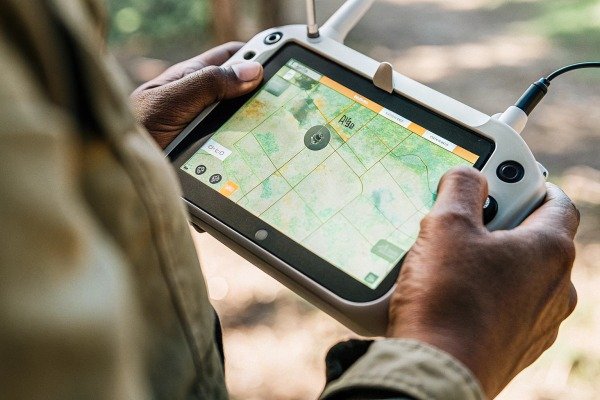
When evaluating the software interface of a potential agricultural drone, it is crucial to look beyond simple map visibility. Many standard flight apps rely on "soft caching," which temporarily stores map tiles only while you view them. This is dangerous for field operations because the system might purge this data automatically to save space. What you need is "hard caching" or a dedicated offline map manager.
The Difference Between Temporary Cache and Permanent Downloads
In our testing facility, we distinguish between two types of offline data. Temporary cache is volatile; it disappears when you restart the controller or when the storage fills up. Permanent offline maps are user-defined regions that remain locked in the memory until you manually delete them. When testing a demo unit, look for a specific menu option often labeled "Offline Maps," "Map Management," or "Download Region."
If the app only allows you to browse the map to "save" it, this is unreliable. You must look for a bounding box tool that allows you to select a specific acreage and download it permanently.
Testing Protocol for Buyers
Before finalizing a purchase order, we recommend performing a "Simulation Mode" test with the dealer’s demo unit. Follow this simple procedure:
- Connect the remote controller to Wi-Fi.
- Navigate to a random rural location on the map (not your current location).
- Use the download function to save high-resolution tiles for that area.
- Completely disable Wi-Fi and Cellular Data on the controller.
- Reboot the controller to clear any temporary RAM.
- Navigate back to that rural location.
If the map renders with high detail (showing trees, fences, and ditches), the offline system is robust. If it appears blurry or gray, the system lacks true offline support.
Understanding Map Providers
Different drone manufacturers use different map sources. Some integrate Google Maps, while others use Mapbox or proprietary satellite data. This matters because some providers have stricter terms regarding offline storage.
Checklist for App Verification
The following table outlines the features you must look for in the flight control settings to ensure true offline capability.
| Feature Name | Description | Necessity for Offline Ops |
|---|---|---|
| Manual Region Selection | Ability to draw a box around a field and trigger a download. | Critical |
| Zoom Level Control | Option to choose how detailed the map is (e.g., Level 18 vs. Level 20). | High |
| Cache Locking | Prevents the system from auto-deleting maps when storage is low. | Medium |
| Auto-Update Toggle | Stops the app from trying to refresh maps when a weak signal is detected. | High |
| Satellite vs. Vector | Ability to switch between photo view and street view offline. | Low |
In our experience with customized software, the ability to control the "Zoom Level" is vital. Downloading a massive area at low resolution is useless for precision spraying. You need high-resolution tiles (Zoom Level 18+) to see obstacles like power lines or irrigation pivots.
What steps should I take to pre-load map data onto the remote controller?
Our export teams always advise US clients to check storage specifications carefully, as high-resolution satellite maps consume gigabytes high-resolution satellite maps 3 of space on the ground station hardware.
Pre-loading map data involves connecting the remote controller to a stable Wi-Fi network, navigating to the specific field location within the app, and selecting the “Download” or “Make Available Offline” option. Ensure the controller has an SD card slot or at least 128GB of internal storage to accommodate large, high-resolution map tiles.
The physical hardware of the remote controller is just as important as the software. When we design our ground stations, we have to balance processor speed with storage capacity. High-quality satellite imagery is heavy. A single high-definition map of a large farm can easily exceed several hundred megabytes.
Storage Hardware Requirements
Do not overlook the specifications of the remote controller (RC). Many entry-level agricultural drones come with controllers that have limited internal storage (e.g., 16GB or 32GB), much of which is taken up by the Android operating system and the flight app itself.
We recommend looking for controllers that support expandable storage via MicroSD cards. This allows you to build a library of maps for different clients or seasons without worrying about running out of space. If the controller does not support SD cards, ensure the internal storage is at least 128GB. This is particularly important if you plan to store "Orthomosaic" maps (stitched maps created from previous drone flights), which are significantly larger than standard satellite tiles.
The Pre-loading Workflow
The process of pre-loading must be done systematically. You cannot rely on doing this in the truck on the way to the field, as cellular hotspots are often too slow for bulk data.
- Office Preparation: Perform all downloads at the office using high-speed fiber or broadband.
- Naming Conventions: When you download a region, the system often assigns a default name like "Region_001." Rename this immediately to the client's name or field ID (e.g., "Smith_Farm_North"). This organization is crucial when you are offline and cannot search by address.
- Regular Updates: Satellite imagery changes. A field that was empty in winter might have new structures in spring. We suggest refreshing your offline map cache at the start of every season.
Estimating Your Data Needs
To help you decide on the hardware, we have calculated the approximate storage usage based on typical agricultural scenarios. This helps you understand why 16GB is never enough for professional operators.
| Field Size (Acres) | Map Type | Resolution (cm/pixel) | Est. File Size |
|---|---|---|---|
| 100 Acres | Standard Satellite | ~50 cm/pixel | ~20 MB |
| 100 Acres | HD Satellite | ~15 cm/pixel | ~150 MB |
| 100 Acres | Custom Orthomosaic | ~5 cm/pixel | ~1.2 GB |
| 1000 Acres | HD Satellite | ~15 cm/pixel | ~1.5 GB |
| 1000 Acres | Custom Orthomosaic | ~5 cm/pixel | ~12 GB |
As you can see, if you are using custom drone-generated maps (Orthomosaics) for precision agriculture, the data size explodes. If you import a 12GB map onto a controller with only 10GB of free space, the system will crash or fail to load the map during the mission. This is a common hardware bottleneck that buyers often ignore until it is too late.
Does the ground station allow me to plan missions without any network signal?
When we configure flight parameters for our customized OEM drones, we ensure the mission planning interface functions independently of the cloud database to support remote operations.
Yes, a capable ground station allows mission planning without a signal by using pre-cached maps or simple blank-canvas boundary definitions. To test this, switch the controller to airplane mode and attempt to create a new polygon route; the software should calculate flight paths and spray lines instantly without requesting server validation.

Validation of the flight path is a critical step in the drone's operation. Some manufacturers rely on cloud computing to optimize the route—meaning the drone sends the boundary points to a server, the server calculates the most efficient path, and sends it back. In a rural field with zero bars of signal, this architecture fails completely.
Onboard Processing vs. Cloud Computing
You must confirm that the drone uses "Edge Computing." This means the processor inside the remote controller is powerful enough to run the path-planning algorithms locally. path-planning algorithms locally 4 When you draw a polygon around a field, the tablet should instantly generate the green spray lines. If you see a "Connecting…" spinner or a "Server Timeout" error when you try to generate a route, that system is not truly offline-capable.
RTK Positioning Without Internet
A major misconception we see in the market is about RTK (Real-Time Kinematic) accuracy. Many users believe RTK requires the internet. This is only true if you are using a Network RTK (NTRIP) service Network RTK (NTRIP) service 5 which pulls correction data from a web server.
For true offline operations, you should purchase a D-RTK Mobile Station (a local base station). D-RTK Mobile Station 6 The base station sits on the edge of the field and talks directly to the drone via radio frequency, not the internet. When verifying the system, ask the seller: "Can this drone use a local mobile base station for centimeter-level accuracy without a SIM card?" If the answer is no, you will struggle in remote areas.
Local Terrain Following
Another complex aspect is terrain following. If you are spraying a hilly field, the drone needs to know the elevation changes to maintain a constant height above the crop.
- Online Mode: The drone downloads SRTM (Shuttle Radar Topography Mission) data from the internet. Shuttle Radar Topography Mission 7
- Offline Mode: You must import a DEM (Digital Elevation Model) file beforehand, or the drone must have "Terrain Radar" to sense the ground in real-time.
If the drone relies solely on downloaded terrain maps, and you forget to download them, the drone may refuse to fly in "Terrain Follow" mode when offline. We highly recommend drones equipped with millimeter-wave radar, as they read the terrain live and do not depend on map data files.
Mission Planning Capabilities Comparison
| Feature | Online Dependent System | Offline Capable System |
|---|---|---|
| Route Generation | Calculated on Cloud Server | Calculated on Remote Controller |
| Boundary Editing | Requires Satellite Map Load | Can use GPS walking/flight points |
| Obstacle Marking | Requires visual map reference | Can use radar/remote marking |
| Elevation Data | Downloads live DEM | Uses Radar or Local DEM file |
| License Check | Periodic login required | Permanent offline license key |
Pay close attention to the "License Check" row. Some software requires you to log in every 3 to 7 days to verify your subscription. If you are on a month-long project in a remote area, this "heartbeat check" can lock you out of the drone. Always ask for a "Permanent Offline Certificate" if available.
Can I import external map files to the system for operations in remote areas?
Our R&D team frequently integrates third-party GIS protocols, realizing that many farmers prefer preparing prescription maps on desktop software before heading to the field.
Most professional agricultural drones support importing external map files like KML, KMZ, or GeoTIFF directly via SD card or USB. This feature allows you to use precise prescription maps created on desktop software, ensuring the drone can operate autonomously in remote areas where satellite imagery might be outdated or unavailable.

The ability to import maps is the ultimate safety net for offline operations. If the built-in Google or Mapbox satellite imagery is five years old, or simply will not load, you can create your own map using a smaller scouting drone and import it into the sprayer drone.
The Import Workflow
For our advanced users, we design systems systems use WGS84 8 that support the "Scout and Spray" workflow.
- Scout: Fly a small phantom-style drone to take photos of the field.
- Process: Use a laptop with software like Pix4Dfields or DJI Terra to stitch these photos into a 2D Orthomosaic map. This does not require internet; it is done locally on the laptop's GPU.
- Export: Save the map as a GeoTIFF or KML file.
- Import: Put this file on a USB stick, plug it into the large agricultural drone's controller, and select "Import Map Layer."
This method gives you a map that is only 30 minutes old, showing the exact current condition of the crop, weeds, and moisture.
File Format Compatibility
Not all "offline" drones can read all file types. It is vital to check the technical manual for the following formats:
- KML/KMZ: These are vector files. They contain lines and polygons (boundaries). They are small and easy to import. They tell the drone where to fly but do not show you a picture of the ground.
- GeoTIFF: This is a raster GeoTIFF: This is a raster 9 file (an image with GPS coordinates). This shows you the actual picture of the field. These are large files and require powerful controllers to render.
- MBTiles: A convenient container format that holds map tiles. It is very stable for offline use but less common in consumer drones.
- Shapefile (SHP): An older GIS standard. Some industrial controllers support it, but it often requires conversion.
Coordinate Systems and Projections
A technical detail that often frustrates our customers is the "Coordinate Reference System" (CRS). Most drone GPS systems use WGS84 (EPSG:4326). However, many land surveyors work in local state plane coordinate systems.
If you try to import a map saved in a local coordinate system into a drone that only understands WGS84 WGS84 (EPSG:4326) 10, the map will not appear, or it will appear in the wrong country. When verifying the drone, ask: "Does the import tool automatically convert coordinate systems, or do I need to re-project my maps manually?" A system that handles conversion automatically is much more user-friendly for offline workflows.
Precision Agriculture and Prescription Maps
If you are doing Variable Rate Application (VRA)—where the drone sprays more chemical on bad spots and less on good spots—you need offline support for ISOXML or Shapefiles. This data tells the drone exactly how much to spray at every meter. Since this is a complex data set, it must be loaded locally. A cloud-only drone cannot reliably execute VRA missions because any packet loss could result in the wrong dosage being applied, potentially burning the crop or wasting expensive chemicals.
Conclusion
Selecting the right offline-capable hardware ensures your spraying missions never stop due to poor connectivity, securing your investment and operational efficiency. Always verify manual caching, storage capacity, local processing power, and external file import support before purchasing to guarantee seamless performance in the most remote fields.
Footnotes
1. USDA data highlights the challenges of broadband connectivity in rural agricultural areas. ↩︎
2. FCC documentation explains wireless coverage limitations and factors causing signal interruptions. ↩︎
3. USGS provides technical standards and data sources for high-resolution satellite imagery. ↩︎
4. Technical explanation of edge computing from a leading engineering organization. ↩︎
5. RTCM establishes the international standards for NTRIP and network-based RTK corrections. ↩︎
6. Official product page for a common local RTK base station mentioned. ↩︎
7. NASA JPL is the official source for SRTM global elevation data documentation. ↩︎
8. Background on the global geodetic standard used by GPS. ↩︎
9. General background on the GeoTIFF metadata standard for satellite imagery. ↩︎
10. NGA maintains the World Geodetic System 1984 standard used for GPS coordinates. ↩︎

 English
  Español de México
  Deutsch
  Français
  Русский
  العربية
