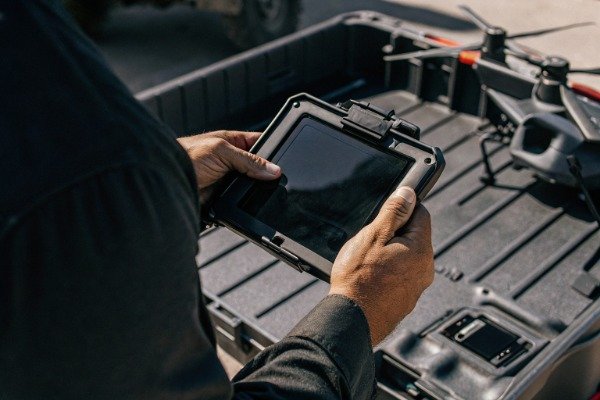
At SkyRover, we see how outdated software grounds critical missions. You cannot afford system failures during a blaze. Here is how to keep your fleet combat-ready.
Firefighting drones typically receive firmware updates every one to three months to address bugs, enhance flight stability, and ensure regulatory compliance. Operators obtain these updates primarily through the manufacturer's flight control mobile application or desktop software, requiring a synchronized update of the aircraft, controller, and batteries.
Let's explore the specific schedules and methods for maintaining your equipment's software health to ensure peak performance.
Are Firmware Updates Delivered Over-the-Air (OTA) or Via Manual Download?
When our engineers release patches, we know field teams need simplicity. Complex update procedures waste valuable time. You need a reliable method that works anywhere.
Most modern industrial drones support Over-the-Air (OTA) updates via the flight control app when connected to the internet. However, manual downloads via encrypted SD cards or desktop software are essential for high-security agencies requiring offline installation to prevent unauthorized data transmission or for remote areas without connectivity.

Updating the "brain" of a firefighting drone is not as simple as updating a smartphone app. The process involves synchronizing multiple components—the aircraft, the remote controller, the payload (like thermal cameras), and even the intelligent batteries. If these components run on mismatched versions, the system may fail to take off.
thermische camera's 1
The Two Main Update Methods
In the industrial drone sector, we generally provide two distinct pathways for updates. The choice depends on your operational environment and security protocols.
- Over-the-Air (OTA): This is the most common method for commercial users. You connect the remote controller to Wi-Fi. The flight app checks the server, downloads the package, and transfers it to the drone wirelessly. It is fast and convenient but requires a stable internet connection.
- Offline/Manual Updates: This method is critical for fire departments operating in remote wilderness areas or high-security zones. You download the firmware package from the manufacturer's website onto a computer, transfer it to an SD card, and insert it into the drone. This ensures no data leaks out during the process.
Comparing Update Workflows
To help you decide which method fits your department's Standard Operating Procedures (SOPs), we have broken down the differences below.
| Functie | Over-the-Air (OTA) | Manual / Offline Update |
|---|---|---|
| Primary Requirement | Stable Wi-Fi or Cellular Data | PC/Mac and SD Card Reader |
| Beste gebruikscasus | Urban stations with good internet | Remote base camps or secure IT networks |
| Complexiteit | Low (One-click process) | Medium (File management required) |
| Security Level | Standaard | High (Air-gapped capability) |
| Risk of Failure | Moderate (If connection drops) | Low (Files are verified locally) |
Critical Post-Update Procedures
Once the software is installed, the job is not finished. We always advise our clients to perform a "health check" before the next emergency call. A firmware update often resets internal sensor parameters.
You must recalibrate the IMU (Inertial Measurement Unit) and the compass. If you skip this, the drone might drift or fly erratically. Additionally, always perform a short, low-altitude test flight in a non-emergency setting. This confirms that the new code communicates correctly with the motors and cameras. Never update a drone immediately before deploying it to an active fire; always leave a buffer time for testing.
Inertial Measurement Unit 2
Is There a Subscription Fee for Future Software Upgrades and New Features?
We believe safety features should not hide behind paywalls. Budget constraints should never compromise a firefighter's safety. You deserve transparent pricing models for long-term operation.
Standard firmware updates for bug fixes, flight stability, and security patches are generally free for the product's life. However, advanced software features, specialized mapping capabilities, or premium fleet management platforms often require a paid annual subscription or a specific enterprise service contract separate from the hardware purchase.
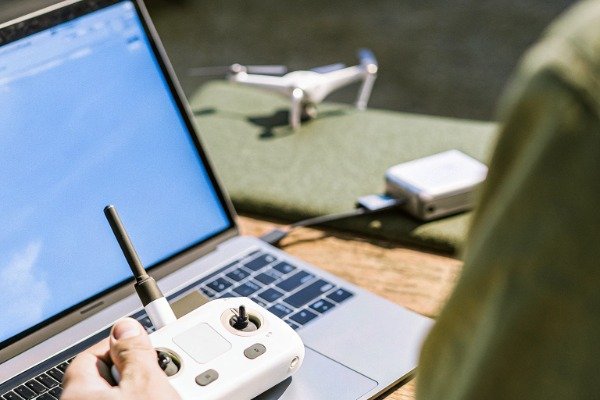
When you purchase an industrial drone, you are buying a hardware platform, but the software ecosystem defines its capabilities. It is vital to distinguish between "firmware" (the operating system) and "software services" (the applications you use to manage data).
What You Get for Free
As a manufacturer, we consider the core stability of the aircraft a fundamental right of the user. Therefore, updates that fix glitches, improve battery management, or adjust flight algorithms to handle high winds better are almost always free. If a security vulnerability is discovered, the patch to fix it is provided at no cost. You do not pay to keep the drone safe and flyable.
When You Might Pay Extra
The industry is shifting toward a "Software as a Service" (SaaS) model for high-level data processing. While the drone flies for free, the tools that analyze the data might cost money.
Software as a Service 3
For example, if your fire department wants to use cloud-based fleet management software to track 50 drones across the state in real-time, that usually requires a subscription. Similarly, advanced 3D mapping software that stitches thermal images together instantly often involves a license fee.
fleet management software 4
Cost Breakdown for Procurement
To help Procurement Managers like Olivia Smith plan their budgets, here is a typical breakdown of software costs in the industry.
| Software Category | Typical Cost Structure | Examples |
|---|---|---|
| Core Firmware | Free (Included with hardware) | Flight stability, obstacle avoidance, battery logic |
| Basic Flight App | Free | Pilot interface, camera view, basic telemetry |
| Cloud Fleet Management | Annual Subscription | Live streaming to HQ, flight log syncing, team management |
| Advanced Mapping | One-time or Subscription | 2D/3D modeling, thermal analysis reports |
| SDK Access | Varies (Free or Licensed) | Custom software development for specialized payloads |
The Value of Maintenance Contracts
Some suppliers offer "Enterprise Care" packages. While not strictly a software fee, these contracts often prioritize your access to beta features or dedicated software support. If your department relies heavily on custom features—like integrating the drone's video feed into a specific command center system—you might need to budget for a service contract. This ensures that when the manufacturer updates the core code, your custom integrations do not break.
How Does the Supplier Notify Customers About Critical Security Patches?
Our support team prioritizes communication when security risks arise. Missing a critical alert endangers your data and drone. You must stay informed to protect your operations.
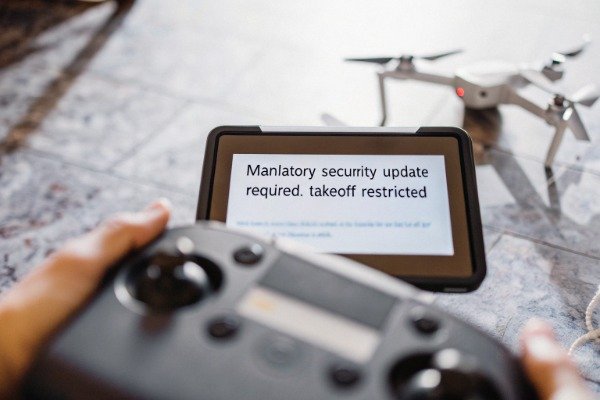
Suppliers notify customers about critical security patches through in-app pop-up alerts, official email newsletters to registered owners, and announcements on manufacturer support websites. For high-priority safety issues, the flight control app may restrict takeoff or ground the aircraft until the mandatory update is successfully installed.
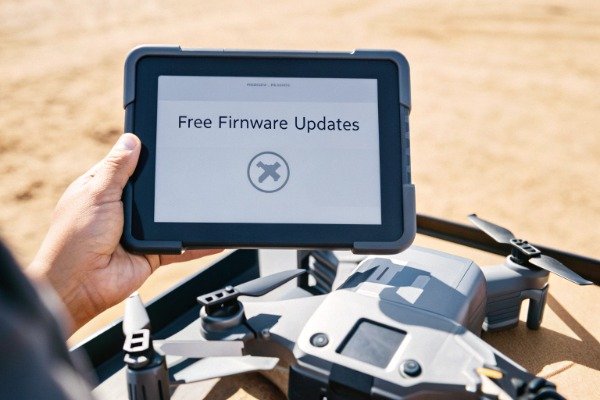
Communication is the lifeline of safety. In the fast-paced world of firefighting, you might not check the manufacturer's website every day. That is why we use multiple channels to ensure you know when an update is available.
In-App Notifications
The most direct method is through the flight controller. When you power on the tablet or controller and connect to the internet, the app queries the server. If a new version is available, a prompt appears.
For routine updates, you can usually dismiss this and fly (though we recommend updating soon). However, for Critical Security Patches, the system acts differently. These updates often address severe vulnerabilities, such as battery safety issues or remote ID compliance. In these cases, the app may prevent the motors from starting until the update is applied. This "mandatory grounding" is a safety feature, not a bug.
Email and Dealer Communication
Since many fire departments keep their equipment offline (air-gapped) for security, in-app notifications might not reach them immediately. This is where your relationship with the supplier matters.
offline (air-gapped) 5
We maintain a registry of owners. When a critical patch releases, we send email bulletins to procurement managers and fleet leads. Furthermore, authorized dealers and distributors play a huge role. A good local dealer will call their clients to inform them of urgent updates. This human element is crucial for government clients who may filter out automated emails.
Managing "Update Fatigue"
Frequent notifications can be annoying, leading some pilots to ignore them. This is dangerous. To manage this, we recommend designating one person in your unit as the "Fleet Manager." Their job is to:
- Subscribe to the manufacturer's technical newsletter.
- Check the release notes weekly.
- Schedule a specific time (e.g., every Friday morning) to power up all units and check for updates.
This proactive approach prevents the nightmare scenario: arriving at a fire scene, powering up the drone, and being forced to wait 20 minutes for a mandatory update before you can launch.
How Many Years of Software Support Are Guaranteed for This Specific Model?
We design our industrial frames to last for years. Abandoning hardware due to software obsolescence is frustrating. You need assurance that your investment remains viable long-term.
Industrial firefighting drones typically receive active software support for three to five years after their release. While manufacturers guarantee critical security patches during this period, the ability to roll back to previous firmware versions varies by brand and is often restricted to prevent compatibility issues with new regulations.
When you buy a fleet of drones, you are making a capital investment. You need to know that the manufacturer won't walk away next year. Unlike consumer drones, which might be replaced annually, industrial tools need longevity.
The Lifecycle of Support
Typically, an industrial drone product line follows a specific support curve.
- Years 1-2: Frequent updates (monthly or bi-monthly). New features are added, and performance is optimized based on user feedback.
- Years 3-4: Stable phase. Updates become less frequent (quarterly), focusing mainly on bug fixes and compatibility with new accessories.
- Year 5+: Maintenance phase. Updates are rare and strictly for critical security or major regulatory changes (like Remote ID laws).
After this period, the product reaches "End of Life" (EOL). The hardware still works, but no new software is written.
End of Life 6
The Problem with Rollbacks
A common question we get is: "If the new update has a bug, can I go back to the old one?"
No Fly Zone 7
The answer is complicated. Many manufacturers enable Anti-Rollback Protection. This prevents users from downgrading firmware. The primary reason is safety and compliance. For instance, if a new update enforces a new "No Fly Zone" database required by the FAA, allowing a user to downgrade would violate the law.
However, for enterprise clients, some manufacturers provide special "offline tools" that allow version management. If a specific update causes an incompatibility with your third-party software, you may be able to request a rollback utility from support. This is rarely available to the general public but is a common courtesy for industrial clients.
remote ID compliance 8
Support Lifecycle Stages
Here is what you can expect regarding software longevity for a typical industrial drone model.
firmware package 9
| Stage | Duur | Bijwerkfrequentie | Focus |
|---|---|---|---|
| Active Development | Launch to Year 2 | High (1-2 months) | New features, performance tuning |
| Mature Support | Year 2 to Year 4 | Medium (3-6 months) | Bug fixes, payload compatibility |
| Extended Support | Year 4 to Year 5 | Low (As needed) | Critical security patches only |
| End of Service | Year 5+ | Geen | Hardware works, but no new code |
Conclusie
Regular firmware updates are the heartbeat of a safe drone program. Always verify the update method, check for subscription costs, and confirm the support lifecycle before purchasing to ensure your fleet remains mission-ready for years.
Over-the-Air (OTA) 10
Voetnoten
1. Explains the specific payload technology referenced. ↩︎
2. Defines the critical flight sensor requiring calibration. ↩︎
3. Defines the subscription business model mentioned. ↩︎
4. Explains the software category for tracking multiple assets. ↩︎
5. Defines the security practice of network isolation. ↩︎
6. Defines the product lifecycle stage mentioned. ↩︎
7. Provides official information on airspace restrictions. ↩︎
8. Links to official FAA regulations regarding drone identification. ↩︎
9. Provides a definition for the core software component. ↩︎
10. Defines the wireless update method mentioned. ↩︎

 English
  Spanish
  German
  French
  Dutch
Dutch  Arabic
