
When our engineering team first tested drone controllers during wildfire simulations 1 in the Nevada desert, we quickly learned that standard screens become nearly useless under intense sunlight. Pilots squinted, missed critical thermal readings, and risked losing situational awareness at the worst possible moments.
To ensure firefighting drone controller screen visibility in bright light, you need displays with at least 1000-2000 nits brightness, physical sun hoods or shades, anti-glare screen protectors, optimized software settings with high-contrast color palettes, and proper operator positioning. These combined solutions prevent pilot fatigue and maintain mission safety.
In this guide, I will walk you through practical hardware choices, software tweaks, and field-tested accessories 2 that keep your controller screen readable even in 100,000 lux sunlight conditions. Let’s dive into the specifics.
How many nits of brightness do I actually need for my drone controller to be sunlight-readable?
Our R&D team spent months testing various display panels in outdoor conditions ranging from overcast skies to direct midday sun. The difference between 500 nits and 2000 nits is not just noticeable—it can determine mission success or failure.
For reliable sunlight readability during firefighting operations, your drone controller needs a minimum of 1000 nits brightness, with 1500-2000 nits being ideal for direct sunlight exposure. Standard consumer screens at 300-500 nits will wash out completely, making thermal feeds and flight data unreadable in bright conditions.

Understanding Nits and Outdoor Visibility
Nits measure luminance—how much light a screen emits per square meter. To put this in perspective, your typical smartphone screen 3 outputs around 400-600 nits. A standard laptop sits at 250-350 nits. These work fine indoors but fail completely when competing against direct sunlight, which can reach 100,000 lux on a clear day.
For firefighting operations, you face additional challenges. Reflected glare from water spray, bright flames creating contrast problems, and smoke particles 4 scattering light all compound the visibility issue. Our clients in California wildfire response teams consistently report that anything below 1000 nits becomes unusable after 10 AM.
Brightness Benchmarks for Different Conditions
| Light Condition | Ambient Lux Level | Minimum Nits Needed | Recommended Nits |
|---|---|---|---|
| Overcast/Cloudy | 1,000-10,000 | 500 | 800 |
| Partly Sunny | 10,000-25,000 | 800 | 1,200 |
| Direct Sunlight | 30,000-100,000 | 1,000 | 1,500-2,000 |
| Fire Scene (glare) | 50,000+ | 1,500 | 2,000+ |
Real-World Controller Specifications
When we design custom remotes for our clients, we always specify industrial-grade displays. The DJI RC Plus offers a 7-inch screen at 2000 nits, which handles most daylight conditions 5 without sun hoods. The Autel Smart Controller provides 7.9 inches at similar brightness levels with Android integration for custom apps.
However, brightness alone does not solve everything. You also need high contrast ratios. A 2000-nit screen with poor contrast will still look washed out. Look for displays with at least 1000:1 contrast ratio alongside high brightness. Our engineering team found that combining 1500+ nits with 1200:1 contrast produces the best results for thermal overlay visibility.
Why Thermal Feeds Demand Higher Brightness
Thermal imaging presents unique challenges. The monochrome or false-color palettes used in thermal views have less visual contrast than standard RGB video. When ambient light washes out your screen, you lose the subtle temperature gradients that identify hotspots. This is dangerous in firefighting contexts where missing a hidden ember pocket can lead to flashover incidents.
We recommend testing any controller by viewing thermal feeds outdoors at noon before committing to a purchase. If you cannot clearly distinguish temperature variations, that display is not adequate for professional firefighting use.
What physical accessories can I use to block direct sunlight from my controller screen?
Even with high-brightness displays, physical light blocking remains the most cost-effective visibility solution. When we ship controllers to clients in desert regions, we always include sun hood recommendations because hardware accessories provide immediate, reliable results.
Physical accessories for blocking sunlight include clip-on sun hoods or shades, polarized filter overlays, matte anti-glare screen protectors, and FPV goggles for complete light isolation. Sun hoods alone can improve effective visibility by 40-60%, making even 1000-nit screens usable in direct sunlight.
Sun Hoods and Shades
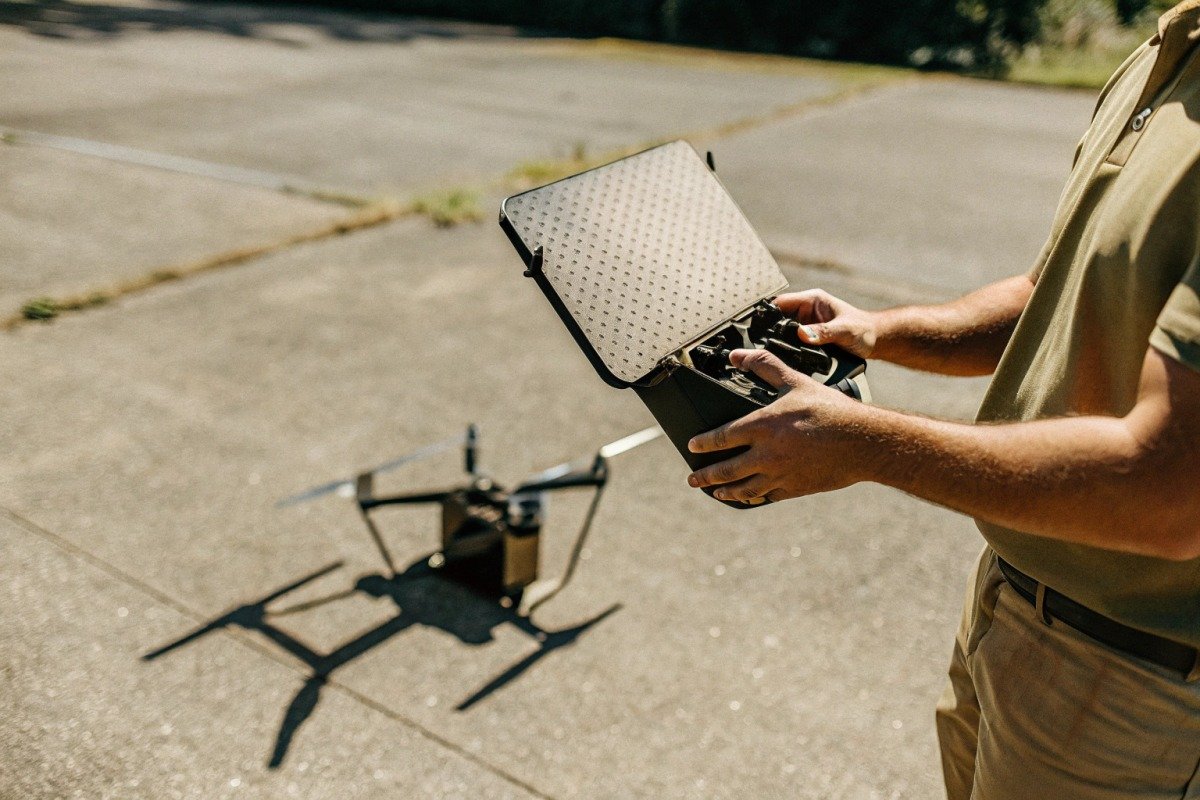
Sun hoods attach to your controller and create a shaded viewing tunnel. They come in collapsible designs for portability or rigid versions for maximum light blocking. Our production team tested multiple styles and found that hoods with side flaps provide superior performance over simple top-only designs.
The key is ensuring the hood matches your controller dimensions exactly. A poorly fitting hood allows light leaks that create glare spots worse than no hood at all. When we manufacture custom remotes, we design matching hoods as integrated accessories because aftermarket options often fit poorly.
Screen Protection Options
| Accessory Type | Light Reduction | Voordelen | Nadelen |
|---|---|---|---|
| Matte Screen Protector | 30-40% glare | Cheap, permanent | Slight clarity loss |
| Polarized Filter | 50-60% glare | Excellent glare cut | Viewing angle limits |
| Sun Hood (basic) | 50-60% ambient | Portable | Bulky |
| Sun Hood (full) | 70-80% ambient | Best visibility | Heavy, awkward |
| FPV Goggles | 100% ambient | Perfect isolation | Disorienting, costly |
Anti-Glare Screen Protectors
Matte finish screen protectors scatter reflected light rather than bouncing it directly into your eyes. They reduce apparent glare significantly without reducing screen brightness. The tradeoff is a slight softening of the image—fine details appear less sharp.
For firefighting controllers where you need to read text overlays and telemetry data, this tradeoff is usually acceptable. However, if your primary task involves detailed visual inspection via RGB camera, you might prefer a clear protector with good hydrophobic coating to reduce fingerprint smudges instead.
Polarized Filters and Their Limitations
Polarized filters block light waves oriented in specific directions. They work exceptionally well for reducing glare from water, glass, or horizontal surfaces. Fire scenes often involve such reflective elements, making polarizers valuable.
The limitation is viewing angle. Polarized screens become darker when viewed from oblique angles. If you share your controller screen with a visual observer standing beside you, they may see a nearly black display. Our solution for multi-viewer setups is using high-nit screens without polarization plus aggressive sun hoods.
FPV Goggles for Complete Isolation
First-person-view goggles eliminate ambient light entirely by enclosing your eyes in a display housing. This provides perfect visibility regardless of external conditions. Many professional operators prefer goggles for complex precision tasks.
However, goggles disconnect you from your physical environment. In firefighting scenarios where situational awareness extends beyond the drone's camera view, this isolation becomes dangerous. You might miss approaching personnel, changing wind directions, or evacuation signals. We recommend goggles only for dedicated pilots with full ground crew support, not solo operators.
How do I adjust my software settings to improve visibility during intense outdoor missions?
Software optimization is often overlooked, yet it costs nothing and provides immediate improvements. When we configure controllers before shipping, we always set up visibility-optimized profiles that clients can activate with one touch during bright conditions.
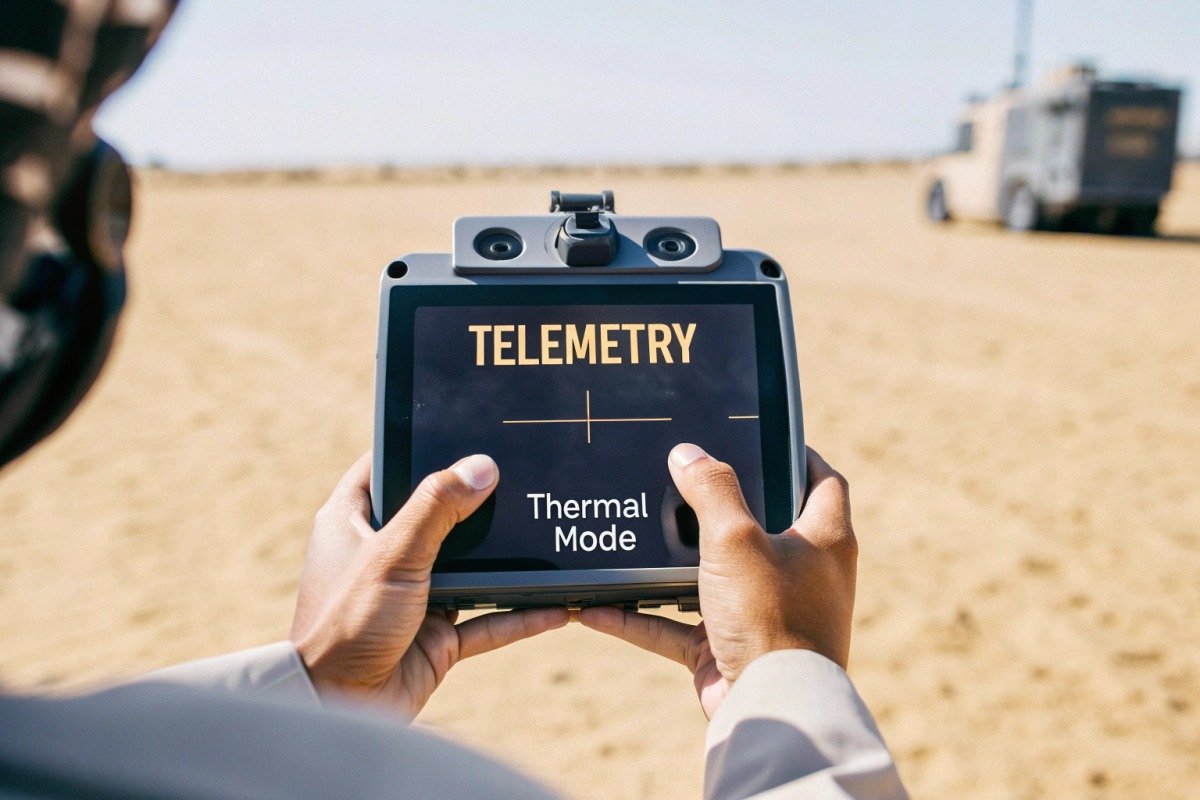
To improve controller visibility through software, maximize screen brightness, enable high-contrast display modes, select thermal color palettes with strong differentiation like White Hot or Iron, activate picture-in-picture overlays, and enable AI-assisted alerts for critical data. These settings reduce eye strain and ensure vital information remains readable.
Display Brightness and Auto-Adjustment
Most controllers offer automatic brightness adjustment based on ambient light sensors. While convenient, these auto modes often underperform in extreme conditions. The sensor might be shaded while your screen faces direct sun, causing incorrect calibration.
We recommend manual brightness control 6 during missions. Set brightness to 90-100% before launch and leave it there. Battery drain increases, but visibility is not something you can compromise during emergency operations. Bring extra batteries or portable power banks to compensate.
Thermal Color Palette Selection
Thermal cameras offer multiple color palettes that represent temperature data differently. The choice of palette dramatically affects visibility in bright light.
| Palette Name | Appearance | Best Conditions | Worst Conditions |
|---|---|---|---|
| White Hot 7 | Grayscale, hot=white | Bright sunlight | Night ops |
| Black Hot | Grayscale, hot=black | Moderate light | Direct sun |
| Iron/Rainbow | Color gradient | Overcast | Bright sun |
| Isotherm | Highlighted temp band | All conditions | Geen |
For bright conditions, White Hot and Isotherm palettes work best. White Hot provides maximum contrast because the human eye distinguishes grayscale variations well even on washed-out screens. Isotherm mode highlights specific temperature ranges in bright colors against a neutral background, making hotspots impossible to miss.
Dual-View and Picture-in-Picture Modes
Modern controllers support simultaneous RGB and thermal displays. In bright light, running both feeds in split-screen can be overwhelming. Picture-in-picture (PiP) mode places a small thermal overlay on your primary RGB feed, reducing visual clutter.
Configure PiP to show thermal in a corner with high-contrast coloring. This way, your main view handles navigation while the thermal thumbnail highlights heat anomalies. You can glance at the thumbnail without losing your primary visual reference.
Enabling AI-Assisted Alerts
Advanced drone software includes AI features that analyze feeds and generate alerts. Enable audio and haptic alerts for critical events like battery warnings, obstacle proximity, and temperature thresholds. These non-visual notifications ensure you receive vital information even when screen visibility is compromised.
Our controllers support custom alert programming. Clients configure specific temperature triggers—for example, an audible alarm when any pixel exceeds 200°C—so they never miss a hotspot regardless of screen conditions.
Reducing Screen Clutter
Every on-screen element competes for visibility. Disable non-essential overlays during bright-light operations. Turn off decorative elements, minimize telemetry displays to critical data only, and use large fonts for remaining text.
A clean screen with just altitude, battery, and temperature data is far more readable than a cluttered display showing every possible parameter. You can always enable additional data during shaded breaks or post-mission review.
Can my supplier integrate high-lumen industrial displays into my custom drone remote?
This question comes up frequently from our distribution partners who want differentiated products for their markets. The answer depends heavily on your supplier's engineering capabilities and willingness to customize beyond catalog offerings.
Yes, qualified suppliers can integrate high-lumen industrial displays into custom drone remotes, but this requires hardware redesign, thermal management solutions, power system upgrades, and software calibration. Expect 3-6 month development timelines and minimum order quantities. Choose suppliers with proven OEM experience and in-house engineering teams.

What to Look for in a Customization Partner
Not every drone manufacturer can handle display integration. Screen replacement involves far more than swapping panels. You need mechanical redesign for different dimensions, thermisch beheer 8 for high-brightness heat output, power regulation for increased current draw, and software drivers for proper communication.
When our clients request custom displays, our engineering team evaluates several factors: physical compatibility with existing chassis, power budget within battery constraints, heat dissipation requirements, and software integration complexity. We provide detailed feasibility assessments before committing to projects.
Technical Requirements for High-Nit Integration
| Component | Standard Controller | High-Nit Upgrade | Challenge Level |
|---|---|---|---|
| Display Panel | 500-800 nits | 1500-2000 nits | Matig |
| Power Supply | 5V/2A | 12V/3A+ | Matig |
| Koelsysteem | Passief | Active fan/heatsink | Hoog |
| Batterijcapaciteit | 5000mAh | 8000mAh+ | Matig |
| Firmware | Stock | Custom calibration | Hoog |
Heat Management Challenges
High-brightness displays generate significant heat. A 2000-nit panel can output 15-20 watts, compared to 5 watts for standard screens. Without proper thermal management, this heat degrades the display, shortens battery life, and can cause system shutdowns during extended operations.
Our thermal engineering approach includes aluminum heat spreaders behind the panel, ventilation channels in the housing, and intelligent brightness throttling that reduces output when internal temperatures exceed safe thresholds. These solutions add cost but ensure reliable field performance.
Power System Upgrades
Brighter screens demand more power. Upgrading from an 800-nit to a 2000-nit display roughly triples power consumption for that component. Your controller battery must accommodate this increase while maintaining acceptable flight time monitoring duration.
We typically recommend increasing battery capacity by 50-100% when integrating high-nit displays. This adds weight and bulk, so mechanical design must balance portability against capability. For stationary command post controllers, weight is less critical than for handheld field units.
Minimum Order Quantities and Timelines
Custom display integration is not economical for small quantities. Tooling costs, engineering time, and certification requirements spread across few units make per-piece pricing prohibitive. Our minimum for custom display projects is typically 200-500 units depending on complexity.
Development timelines range from 3-6 months for straightforward panel swaps to 9-12 months for complete controller redesigns. Factor certification time if your market requires specific approvals like FCC or CE-markering 9 on the modified product.
Questions to Ask Potential Suppliers
Before committing to a customization project, verify your supplier's capabilities:
- Do you have in-house display integration engineers or outsource this work?
- Can you provide references from previous custom display projects?
- What thermal testing do you perform on high-brightness configurations?
- How do you handle warranty claims on custom products?
- What documentation do you provide for regulatory certification?
Suppliers who answer these questions confidently with specific examples are better partners than those offering vague assurances. Our approach is complete transparency—we show clients our testing facilities, introduce them to engineering team members, and provide detailed technical specifications before project kickoff.
Conclusie
Ensuring firefighting drone controller screen visibility in bright light requires a multi-layered approach. Combine high-nit displays with physical sun blocking accessories and optimized software settings. When standard solutions fall short, work with capable suppliers who can integrate industrial displays into custom configurations for your specific operational needs.
Voetnoten
1. Reference to the National Interagency Fire Center for wildfire simulation context. ↩︎
2. Link to DHS resources for first responder technology and equipment testing. ↩︎
3. Wikipedia background on smartphone display technology and common brightness levels. ↩︎
4. EPA information on smoke particles and their effect on light scattering. ↩︎
5. ISO standard for ergonomics of human-system interaction regarding display legibility. ↩︎
6. NIST sensor science resources for understanding light measurement and calibration. ↩︎
7. Authoritative guide on thermal imaging palettes from industry leader FLIR. ↩︎
8. Wikipedia explanation of thermal management principles in electronic devices. ↩︎
9. Official European Commission page defining the CE marking standard. ↩︎

 English
  Spanish
  German
  French
  Dutch
Dutch  Arabic
