
Last year, our engineering team received an urgent call from a European client SD card formats 1. Their firefighting drone stopped recording mid-mission during a forest fire. The culprit? An incompatible SD card that couldn’t handle the thermal camera’s data throughput.
When sourcing firefighting drones, ask suppliers about supported SD card formats (microSDXC), required speed classes (minimum UHS-I U3/V30), tested brand lists, slot durability ratings for high temperatures, and firmware compatibility guarantees. These questions prevent mission-critical recording failures.
This guide breaks down the exact questions you should ask your drone supplier. We’ll cover technical specifications, environmental durability, customization options, and after-sales support.
How do I verify which SD card speed and capacity are required for my firefighting drone's thermal camera?
Our production team tests hundreds of SD card combinations each quarter. We've seen cards fail within minutes under heavy thermal imaging workloads. The wrong card doesn't just cause inconvenience—it causes data loss during life-saving operations.
Verify SD card requirements by asking for the drone's maximum supported capacity (typically 128-256GB), required Video Speed Class (V30 minimum for 4K thermal), UHS interface type (UHS-I or UHS-II), and file system format (FAT32 or exFAT). Request the supplier's official tested card list.

Understanding Speed Class Standards
Speed classes confuse many procurement managers. Here's what matters for firefighting drones.
Video Speed Class 2 (V30, V60, V90) indicates minimum sustained write speed. V30 means 30MB/s minimum. Thermal cameras recording 4K video need at least V30. Some high-end thermal payloads recording at higher bitrates require V60.
UHS Speed Class 3 (U1, U3) is an older standard. U3 equals V30 in write speed. Most suppliers list both ratings.
| Speed Class | Min. Write Speed | Beste gebruikscasus |
|---|---|---|
| V30 / U3 | 30 MB/s | 4K thermal video, standard missions |
| V60 | 60 MB/s | 5.1K/8K video, high-bitrate thermal |
| V90 | 90 MB/s | Cinema-grade payloads, RAW recording |
| UHS-I | Up to 104 MB/s bus | Most firefighting drones |
| UHS-II | Up to 312 MB/s bus | Professional mapping rigs |
Capacity Requirements for Fire Missions
Firefighting missions generate massive data. A typical thermal imaging flight produces 8-15GB of footage. Here's what we recommend based on mission profiles:
Short reconnaissance flights (15-20 minutes): 32GB handles 2-4 flights safely.
Extended monitoring missions (45+ minutes): 64-128GB provides buffer room.
Multi-day operations: Multiple 64GB cards beat single large cards. If one fails, you lose less data.
Key Questions for Your Supplier
Ask these specific questions:
- "What is the maximum supported microSD capacity?"
- "Does this drone require UHS-I or support UHS-II?"
- "What Video Speed Class does the thermal payload need?"
- "Which file system should I format—FAT32 or exFAT 4?"
- "Can you provide your tested and approved SD card list?"
File System Matters
FAT32 works universally but caps practical capacity at 32GB. ExFAT supports larger cards but some older sensors reject it. Our Zenmuse-compatible payloads accept exFAT. Always confirm with your supplier.
What questions should I ask about the SD card slot's durability in high-temperature environments?
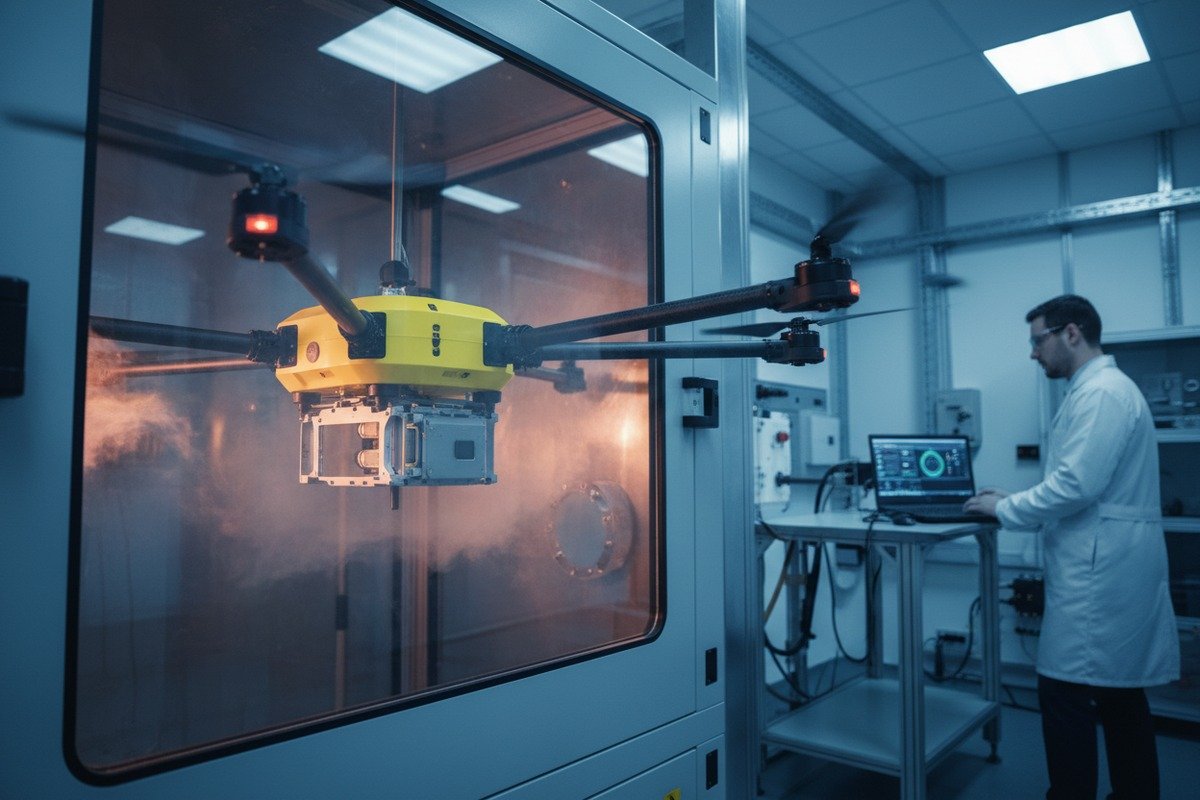
When we design firefighting drones at our Xi'an facility, thermal stress testing is mandatory. Our engineers expose card slots to 70°C for extended periods. Standard consumer-grade slots fail. Industrial slots survive.
Ask suppliers about the SD card slot's operating temperature range (should exceed 60°C), connector material (gold-plated contacts resist corrosion), vibration rating, and whether the slot uses spring-loaded or friction-fit retention. Request documentation of thermal cycling tests.
Temperature Ratings to Request
Consumer SD cards rate for 0-70°C operation. Firefighting environments exceed this regularly. Industrial-grade cards handle -25°C to 85°C.
The card slot matters equally. Cheap plastic housings warp under heat. Quality slots use high-temperature polymers or metal reinforcement.
| Component | Consumer Grade | Industrial Grade |
|---|---|---|
| Card Operating Temp | 0°C to 70°C | -25°C to 85°C |
| Slot Material | Standard plastic | High-temp polymer/metal |
| Contact Plating | Nickel | Gold |
| Vibration Rating | Basic | MIL-STD-810G compliant 5 |
| Insertion Cycles | 1,000-5,000 | 10,000+ |
Vibration and Shock Resistance
Firefighting drones face severe vibration. Rotor wash, wind gusts, and rapid maneuvers stress the card slot. A poorly secured card can disconnect mid-flight.
Ask your supplier:
- "What is the card slot's vibration rating?"
- "Does the slot use spring-loaded ejection or friction retention?"
- "Have you tested card retention during aggressive flight maneuvers?"
- "Is there a secondary latch or cover securing the card compartment?"
Corrosion Considerations
Smoke contains corrosive particles. Salt air in coastal operations accelerates corrosion. Gold-plated contacts resist degradation better than nickel.
We use conformal coating on circuit boards around card slots. This protects against moisture and particulates. Ask if your supplier applies similar protection.
Recommended Industrial SD Cards for Harsh Environments
Based on our testing, these brands perform well:
- SanDisk Extreme Pro (temperature-proofed)
- Samsung Pro Endurance (designed for continuous recording)
- Lexar Professional 1066x
- ProGrade Digital (verified for professional workflows)
Avoid generic cards. Counterfeits flood the market. Genuine industrial cards include warranties and verification codes.
Can I customize the onboard storage or SD card encryption features during the OEM design process?
Our OEM clients often request storage customization. A government contractor recently needed AES-256 encryption 6 for all recorded data. Another client wanted dual redundant card slots. Both were achievable during the design phase.
Yes, OEM customization for storage is possible. You can request encrypted SD card support, internal SSD integration, redundant card slots, custom file naming conventions, and automatic backup protocols. Discuss these requirements early in the design phase as they affect hardware and firmware.

Encryption Options
Data security matters for government and emergency services. Sensitive operational footage requires protection.
Hardware encryption uses dedicated chips. It's faster and doesn't burden the flight controller. Software encryption relies on the main processor. It's cheaper but can impact performance.
| Encryption Type | Pros | Cons |
|---|---|---|
| Hardware AES-256 | Fast, no CPU load | Higher component cost |
| Software Encryption | Lower cost, flexible | Processor overhead |
| Self-Encrypting Drive (SED) | Automatic, transparent | Requires compatible SSD |
| SD Card with Built-in Encryption | Easy replacement | Limited options |
Internal SSD vs. SD Card
High-end firefighting drones increasingly use internal SSDs. They offer faster write speeds, larger capacities, and better shock resistance.
Tradeoffs exist. SSDs cost more. They're harder to swap in the field. SD cards remain practical for quick data retrieval between flights.
Ask your supplier:
- "Can we integrate an internal NVMe SSD 7 alongside the SD slot?"
- "What SSD capacities are supported?"
- "Does the firmware support automatic mirroring to both storage devices?"
Redundant Storage Systems
Mission-critical operations benefit from redundancy. If one storage device fails, the other continues recording.
Dual card slots are common in professional cinema drones. We've implemented similar designs for fire department clients. Data streams simultaneously to both cards.
Hot-swapping capability lets operators replace a full card without stopping the recording. The second slot takes over seamlessly.
Aanpassing firmware
Storage behavior depends on firmware. Custom options include:
- Automatic file segmentation by time or size
- GPS coordinate embedding in filenames
- Automatic low-space warnings
- Custom folder structures for multi-sensor payloads
These modifications require early coordination. Share your workflow requirements before production begins.
How can I confirm that the supplier provides technical support for data recovery or SD card compatibility issues?
We maintain a dedicated support team for storage-related issues. Last month, we helped a US distributor recover thermal footage from a corrupted card. Without proper support, that data would have been lost permanently.
Confirm technical support by requesting the supplier's written support policy, response time guarantees, data recovery service availability, and firmware update schedule for compatibility fixes. Ask for references from existing clients who experienced storage issues.

What Support Documentation to Request
Before signing contracts, gather these documents:
- Technical support policy (hours, languages, contact methods)
- Warranty terms covering storage-related failures
- Firmware update history showing compatibility fixes
- Data recovery service offerings and pricing
- Spare parts availability for card slot replacement
Response Time Expectations
Firefighting operations can't wait. Your supplier should offer tiered response times.
| Issue Severity | Expected Response | Resolution Target |
|---|---|---|
| Critical (drone grounded) | 4 hours | 24-48 uur |
| Major (recording issues) | 24 hours | 3-5 days |
| Minor (formatting questions) | 48 hours | 1 week |
| General inquiry | 72 hours | As needed |
Data Recovery Capabilities
Not all suppliers offer data recovery. Ask specifically:
- "Do you have in-house data recovery services?"
- "What types of card failures can you recover?"
- "What is the success rate for physically damaged cards?"
- "Do you partner with professional recovery labs?"
Our team uses specialized hardware to read damaged cards. We recover approximately 85% of corrupted footage. Physical damage (fire, water) reduces success rates.
Firmware Support for New Cards
SD card technology evolves. New cards may not work with older firmware. Your supplier should:
- Test new card models quarterly
- Release firmware updates adding compatibility
- Maintain a public list of tested cards
- Notify customers of compatibility issues
Ask for the firmware changelog. Look for entries mentioning "SD card compatibility" or "storage fixes." Active maintenance indicates ongoing support commitment.
Red Flags to Watch
Avoid suppliers who:
- Have no dedicated technical support contact
- Cannot provide firmware update history
- Refuse to document support terms in writing
- Lack references for storage-related support cases
- Only offer support during limited hours
Building Long-Term Support Relationships
We assign dedicated account managers to major clients. They learn your fleet configuration and common issues. This speeds resolution dramatically.
Request a named support contact. Establish communication preferences. Test the support system with a simple question before committing to large orders.
Conclusie
SD card compatibility determines mission success for firefighting drones. Ask suppliers specific questions about speed classes, temperature ratings, customization options, and support policies. Document their answers in writing before purchase.
Voetnoten
1. Official overview of SD standards and various card formats. ↩︎
2. Official SD Association page detailing Video Speed Class standards for recording. ↩︎
3. Official SD Association page explaining UHS Speed Class and other speed standards. ↩︎
4. Wikipedia provides a clear comparison of FAT32 and exFAT for SD card capacities. ↩︎
5. Wikipedia provides a comprehensive overview of the military standard for environmental testing. ↩︎
6. Replaced HTTP 404 with official NIST publication on Advanced Encryption Standard (FIPS 197), which includes AES-256. ↩︎
7. Wikipedia explains NVM Express (NVMe) technology and its use with SSDs. ↩︎

 English
  Spanish
  German
  French
  Dutch
Dutch  Arabic
