
Last year, our engineering team received an urgent call from a US distributor. Their fleet of agricultural drones failed to boot during peak harvest season. The culprit? A poorly integrated custom boot screen from an unverified supplier. This costly mistake taught us how critical supplier verification truly is.
To verify suppliers for custom software boot screens, you must evaluate their engineering expertise in secure boot chains, demand cryptographic signature samples and test documentation, confirm long-term technical support agreements, and validate that customizations won’t compromise drone stability through hardware-in-loop simulations.
The agricultural drone market is booming. Over 250,000 units shipped in 2025 alone. But with 70% featuring customizable firmware, supplier fraud incidents rose 15% year-over-year. Let me walk you through exactly how to protect your investment.
How can I evaluate a supplier's engineering team to ensure they can handle my custom software boot screen integration?
When we screen new firmware partners at our Xi'an facility, we've learned that technical credentials matter far more than sales promises. Many buyers focus on price. They overlook the engineering depth required for secure boot screen integration. This oversight leads to boot failures and fleet downtime.
Evaluate suppliers by requesting detailed boot flow documentation, verifying their experience with your drone’s specific processor architecture, checking their cryptographic signing capabilities, and reviewing at least three completed agricultural drone projects with verifiable references.

Understanding What Technical Expertise Actually Means
A boot screen might seem simple. It's just an image that appears when your drone powers on, right? Wrong. Modern agricultural drones use secure boot chains 1. Each stage verifies the next through cryptographic signatures. Your custom boot screen must integrate into this chain without breaking it.
Our engineers work with ARM-based processors 2 from Qualcomm. These chips use hardware-bound signatures tied to specific hardware IDs. A qualified supplier must understand this architecture deeply. They should explain how their boot image will be signed, what certificate chain they'll use, and how it integrates with your drone's existing security model.
Key Questions to Ask During Supplier Evaluation
Ask for their boot flow diagram. It should show the complete sequence from ROM stub through kernel loading to your custom screen display. If they can't produce this, walk away.
Request information about their signing infrastructure. Do they use SHA-2 hashing? RSA signatures? How do they manage private keys? Our team maintains air-gapped signing servers. Your supplier should demonstrate similar security consciousness.
Supplier Engineering Team Assessment Criteria
| Criteria | Sterke indicator | Rode vlag |
|---|---|---|
| Boot Flow Documentation | Complete diagram with all stages | Generic or missing documentation |
| Processor Experience | Proven work with your chip vendor | Claims "any processor" compatibility |
| Signing Infrastructure | Dedicated secure key management | Uses shared or cloud-based signing |
| Agricultural References | 3+ verifiable drone projects | Only consumer electronics experience |
| Reactietijd | Technical answers within 48 hours | Sales deflection to technical questions |
Verifying Claims Through Practical Testing
Don't just accept documentation. Request a demonstration. Our quality assurance process includes running supplier boot images in QEMU emulation environments 3 before any hardware testing. This catches compatibility issues early.
Ask if they can provide a test image for your specific flight controller model. A capable supplier will accommodate this request. They understand that verification builds trust. Suppliers who refuse practical testing often hide technical limitations.
What proof of testing should I demand to verify my custom branding works perfectly on the drone's flight controller?
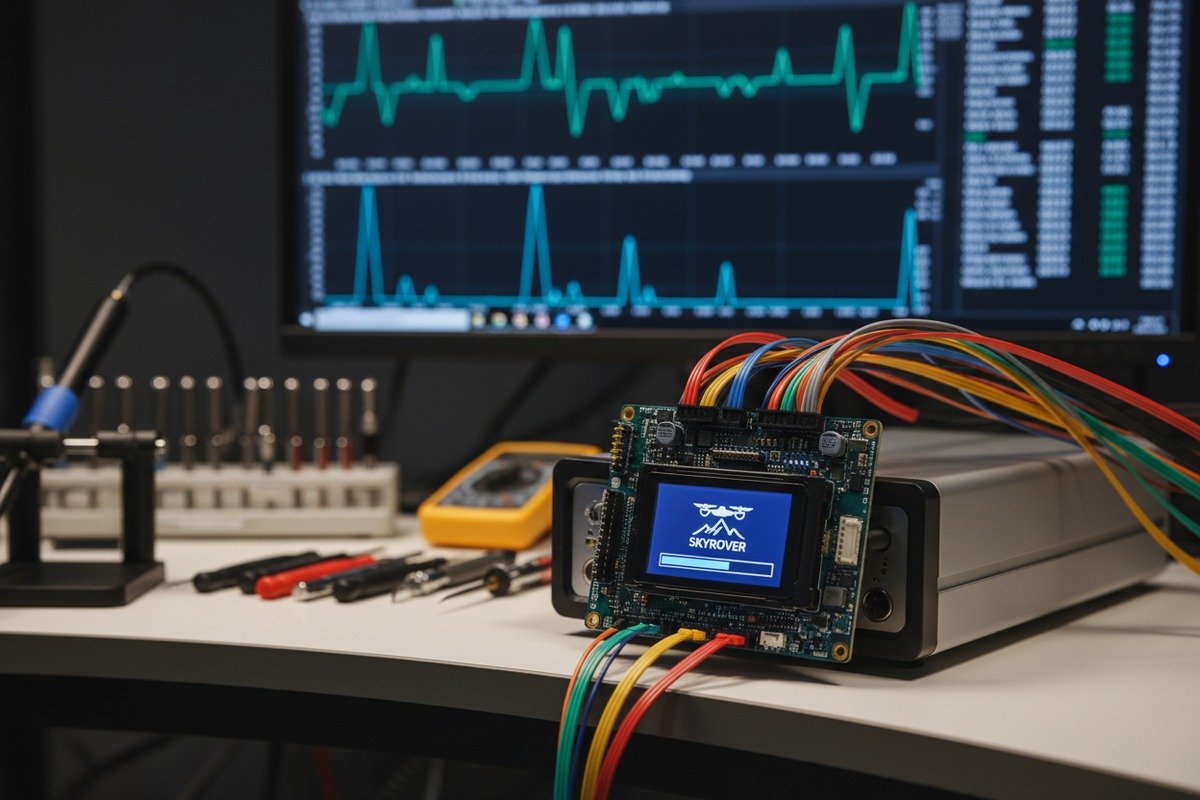
During our development cycles, we've seen beautiful boot screens fail spectacularly on actual hardware. The image looked perfect in simulation. But on the real flight controller, colors shifted, timing broke, and sometimes the drone wouldn't boot at all. Testing proof isn't optional. It's essential.
Demand hardware-in-loop test reports, flight controller compatibility certificates, boot timing measurements, power consumption data during boot sequence, and video documentation of successful boot cycles on your exact drone model under various temperature conditions.
The Difference Between Simulation and Reality
Emulation environments catch many problems. But they can't replicate everything. Agricultural drones face extreme conditions. Temperature swings from dawn to midday. Humidity variations. Vibration from transport. Your boot screen must work reliably through all of this.
Our testing protocols require boot verification at -10°C and +45°C. We run 100 consecutive boot cycles. We measure exact timing. A boot screen that adds two seconds might seem acceptable. But multiply that by 50 drones and 10 daily operations. You've lost significant productive time.
Essential Testing Documentation Checklist
| Documenttype | What It Should Include | Waarom het belangrijk is |
|---|---|---|
| Hardware-in-Loop Report | Test rig specs, pass/fail criteria, raw data | Proves testing on actual hardware |
| Timing Analysis | Boot sequence breakdown in milliseconds | Identifies performance impacts |
| Power Consumption Log | Current draw during boot phases | Affects battery life and reliability |
| Temperature Test Results | Performance at extreme temps | Agricultural conditions are harsh |
| Video Evidence | Recorded boot sequences | Visual proof of actual behavior |
Understanding Boot Screen Failure Modes
When our team analyzes failed integrations, we see patterns. Color depth mismatches cause display corruption. Incorrect image dimensions trigger fallback screens. Missing signatures halt boot entirely. Android-based drone systems show yellow warning screens for custom trust chains. Red screens appear when no valid OS is found.
Ask your supplier what warning states might appear. The Android Open Source Project verified boot system uses color-coded screens. Yellow indicates custom signing keys. Orange means the bootloader is unlocked. Red signals critical failures. Your supplier should explain exactly which states apply to your configuration.
Creating Your Testing Requirements Specification
Write down exactly what you need tested. Include your specific flight controller model. List the environmental conditions your drones will face. Specify acceptable boot time ranges. Define what constitutes a pass or fail.
Our export customers receive comprehensive test reports. These include 100% line coverage verification using automated toolchains similar to Cadence methodologies. We test dm-verity integrity checks 4. We verify the complete certificate chain. Your supplier should meet or exceed these standards.
Can the manufacturer provide long-term technical support if my custom software interface needs updates after the purchase?
One of the biggest complaints we hear from buyers switching to our products involves abandoned support. Their previous supplier delivered the initial boot screen. Then disappeared. When firmware updates broke compatibility, they had no recourse. This happens more often than you'd think.
Yes, reputable manufacturers provide long-term support through contractual service level agreements, secure OTA update mechanisms, documented API stability commitments, source code escrow arrangements, and dedicated technical account managers for ongoing customization needs.

Why Long-Term Support Matters More Than Initial Delivery
Boot screens don't exist in isolation. They integrate with flight controller firmware. That firmware updates regularly. Security patches arrive. New features deploy. Each update potentially affects your custom boot screen.
Our team releases firmware updates quarterly. Each release includes compatibility testing for existing custom integrations. But not all suppliers do this. Some treat boot screen delivery as a one-time transaction. When updates break your branding, you're left scrambling.
Support Agreement Essential Terms
| Term | Minimum Acceptable Standard | Ideal Provision |
|---|---|---|
| Support Duration | 3 years post-delivery | Lifetime of product line |
| Reactietijd | 72 hours for non-critical | 24 hours for all issues |
| Update Compatibility | Notification of breaking changes | Pre-tested compatibility |
| Source Code Access | Escrow for bankruptcy protection | Full source delivery |
| OTA Integration | Basic update capability | Secure cascading chain support |
The Rise of Over-the-Air Updates
Modern agricultural drone fleets need OTA update capabilities 5. You can't manually update 50 drones scattered across customer farms. Secure OTA systems verify each firmware layer before execution. Your boot screen must integrate into this cascading verification chain.
Ask suppliers about their OTA architecture. Do they support boot screen updates through the same secure channel? How do they handle rollback if an update fails? Our systems implement layer-by-layer authentication following patterns established by Promwad's industrial drone chains. This ensures your branded boot screen remains secure through every update.
Protecting Your Investment Through Contracts
Technical capability means nothing without contractual commitment. Include specific support terms in your purchase agreement. Define response time requirements. Specify who pays for compatibility updates when firmware changes. Establish escalation procedures.
Consider source code escrow 6. If your supplier goes bankrupt or stops supporting your product, you need access to the boot screen source code. This allows another developer to maintain it. Our agreements include escrow provisions through neutral third parties. Your supplier should offer similar protection.
How do I confirm that my custom boot screen won't compromise the stability or durability of my agricultural drone's operating system?
We've witnessed boot screen integrations that passed all visual tests but introduced subtle instabilities. Memory leaks 7 that crashed drones mid-flight. Timing conflicts that caused GPS initialization failures. These problems don't appear immediately. They emerge after weeks of field use. Confirming stability requires rigorous verification.
Confirm stability by requiring cryptographic signature verification documentation, demanding extended stress testing results, reviewing memory utilization reports, checking for compliance with FAA and EASA certification requirements, and conducting independent security audits of the supplied boot code.

Understanding How Boot Screens Can Affect System Stability
The boot process initializes critical flight systems. Your GPS module, IMU sensors, communication links, and motor controllers all start during this sequence. A poorly designed boot screen can delay or interfere with these initializations.
Our engineering team follows strict timing budgets. The boot screen display phase must complete within allocated milliseconds. Exceeding this budget cascades through subsequent initialization stages. In extreme cases, timeouts trigger safety shutdowns. Your drone won't take off.
Security Implications of Custom Boot Code
Verified boot chains exist for a reason. They prevent malicious code execution. When you add custom boot screen code, you're inserting elements into this security chain. Improper integration creates vulnerabilities.
Reports indicate 30% of IoT boot exploits target agricultural devices. Your boot screen could become an attack vector. Qualified suppliers use cryptographic signing that maintains chain-of-trust integrity. They don't just overlay images. They properly integrate signed components that pass verification checks.
Stability Verification Requirements
| Testcategorie | Verificatiemethode | Acceptable Threshold |
|---|---|---|
| Memory Integrity | Heap analysis during boot | Zero memory leaks |
| Timing Compliance | Microsecond-level profiling | Within 5% of baseline |
| Security Chain | Certificate chain validation | Complete chain verified |
| Stress Testing | 1000+ boot cycles | Zero failures |
| Field Simulation | 8-hour continuous operation | No boot-related errors |
Regulatory Compliance Considerations
FAA and EASA certification requirements affect boot screen implementations. Certified drones must maintain immutable boot chains in certain configurations. Your custom branding might conflict with these requirements depending on your certification status.
Discuss regulatory implications with your supplier before finalizing designs. Some jurisdictions require specific boot behaviors for commercial agricultural operations. A knowledgeable supplier understands these constraints. They'll design your boot screen to satisfy both branding goals and compliance requirements.
Conducting Independent Verification
Don't rely solely on supplier-provided test results. Consider independent security audits. Request access to build logs and source code for third-party review. Our customers can access detailed build documentation. This transparency enables independent verification.
Test the delivered boot screen on your own development hardware before fleet deployment. Run extended stress tests. Monitor system behavior over hundreds of boot cycles. Document any anomalies. This investment in verification prevents costly field failures.
Conclusie
Verifying suppliers for custom boot screens protects your agricultural drone investment. Focus on engineering credentials, testing documentation, long-term support commitments, and stability verification. These four pillars ensure your branded drones perform reliably season after season.
Voetnoten
1. Explains the concept of secure boot and chain of trust in embedded systems. ↩︎
2. Explains what ARM-based processors are and their characteristics in computing. ↩︎
3. The original QEMU Read the Docs link for ‘QEMU emulation environments’ resulted in an HTTP 404. This replacement is the official QEMU documentation for system emulation invocation, directly addressing the original content and is an authoritative source. ↩︎
4. Android Open Source Project documentation on dm-verity for block device integrity. ↩︎
5. The original TechTarget link for ‘OTA update capabilities’ returned an HTTP 404. This Wikipedia page provides a clear and comprehensive definition of ‘Over-the-air update’ (OTA update), making it a suitable and accessible replacement. ↩︎
6. Wikipedia provides a comprehensive overview of source code escrow arrangements. ↩︎
7. Wikipedia explains what memory leaks are and their impact on system performance. ↩︎
8. Provides a clear definition and purpose of digital signatures in data authenticity. ↩︎

 English
  Spanish
  German
  French
  Dutch
Dutch  Arabic
