
We see countless polished images online while our engineers are out in the mud testing our frames, yet buyers often struggle to distinguish marketing glitz from operational reality.
To identify real photos, conduct a reverse image search to spot duplicates, analyze background details for unnatural perfection typical of 3D renders, and verify metadata for camera timestamps. Additionally, request a live video call to see the physical inventory, ensuring the drone matches the advertised specifications.
Here is a straightforward guide to verifying image authenticity before you sign a procurement contract. procurement contract 1
Can I use reverse image search tools to verify if the drone photos are unique to the supplier?
When we upload photos of our latest SkyRover models, we often find them copied onto unauthorized reseller sites within days, confusing our potential partners about the true source.
Yes, reverse image search tools like Google Lens, TinEye, and Yandex are highly effective for verification. They allow you to track an image’s history across the web, helping you determine if the photo is a unique original from the manufacturer or a generic stock image used by multiple dubious sellers.
How Reverse Search Protects Your Budget
In the industrial drone market, a picture is worth thousands of dollars. Scammers often steal high-quality images from reputable manufacturers like DJI or Parrot DJI or Parrot 2 reputable manufacturers 3 and list them as their own proprietary technology. Using reverse image search tools is your first line of defense. reverse image search 4 It helps you see if that "exclusive" firefighting drone is actually a stock photo available for five dollars on Shutterstock.
Step-by-Step Search Process
To start, you do not need complex software. You can use free tools available in your browser.
- Save the Product Image: Right-click the drone image on the supplier's website and save it to your desktop.
- Upload to TinEye or Google Images: Drag the file into the search bar.
- Analyze the Results: Look at the dates. If the image appeared three years ago on a different site, the supplier is not being honest about their "new 2024 model."
Interpreting the Results
Not every match is a red flag. Sometimes, a legitimate distributor uses official marketing materials. However, you need to spot the danger signs.
Comparison of Image Search Tools
Different tools have different strengths. We use them internally to monitor our own brand assets.
| Functie | Google Lens | TinEye | Yandex Images |
|---|---|---|---|
| Best Used For | Finding similar products and visual matches. | Finding exact duplicates and tracking image usage history. | Finding images on Russian or Asian marketplaces. |
| Accuracy | High for identifying objects (e.g., specific camera payloads). | High for finding the original source file. | Very high for facial recognition and obscure tech. |
| Red Flag Indicator | Shows the same drone on AliExpress, Amazon, and eBay simultaneously. | Shows the image was first published in 2018. | Shows the image is from a completely different brand. |
The "Hero Shot" Trap
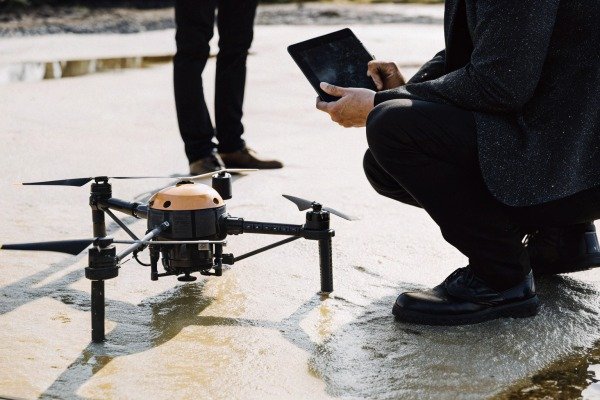
Be wary of the "Hero Shot." This is the main image of the drone flying against a beautiful sunset. These are the most commonly stolen images. If you see a black drone with an orange top casing flying perfectly over a forest fire, check it immediately. forest fire 5 Real operational photos often look less dramatic. They might show the drone sitting on a landing pad or in the back of a truck. If the only images available are cinematic masterpieces, run a search.
What visual clues in the background suggest a firefighting drone image is actually a 3D render?
Real flight tests at our Chengdu facility are messy affairs where cables hang loose and landing gear gets dusty, creating natural imperfections that computer-generated images rarely replicate.
Visual clues of a 3D render include unnaturally perfect lighting with no camera reflection, a sterile or generic background environment, and a lack of physical wear like dust or scratches. Additionally, look for “floating” components where cables or screws should naturally connect parts of the drone frame.

The "Too Perfect" Problem
Firefighting drones are heavy-duty tools. They get dirty. They have wires. They have scratches. When our team photographs a unit after a test flight, the tires on the landing gear look compressed because of the battery weight. In a 3D render, the drone often looks weightless. 3D render 6
Lighting and Shadows
Lighting is the hardest thing to fake. In a real photo, light bounces off the glossy orange casing and creates complex reflections. You might see the reflection of the photographer or the warehouse ceiling.
- Render: The light is uniform. Shadows are soft and fall in the same direction for every object. The surface looks like matte plastic even if it should be metal.
- Real Photo: Shadows are harsh if taken outside. You see glaring reflections on the camera lens.
The Background Environment
Where is the drone sitting? Authentic manufacturers usually take photos in three places:
- The Assembly Line: You see other drones, tools, or workers in the background.
- The Test Field: You see grass, pavement, or a specific takeoff mat.
- The Workbench: You see a cluttered desk with soldering irons or laptops.
If the drone is floating in a white void or flying over a generic "smoke" background that looks like a video game, be skeptical. Scammers use stock backgrounds to hide the fact that they do not have a factory.
Landing Gear and Physics
This is a detail most buyers miss. A firefighting drone carrying a thermal camera and heavy batteries is heavy. thermische camera 7
- Real Photo: The landing gear legs flex slightly outward. The rubber feet look squashed against the ground.
- Render: The drone sits perfectly rigid. It looks like it is hovering millimeters above the surface.
Component Connectivity
Zoom in on the motors and the camera gimbal. In our designs, you will see small wires connecting the motor to the arm (ESC cables). You will see screws holding the propellers. In cheap renders, these parts are often smooth. The propellers might just merge into the motor without any visible screws. If the mechanics do not make sense, the product does not exist.
Checklist for Visual Anomalies
| Visual Element | Real Photo Characteristics | 3D Render / Fake Characteristics |
|---|---|---|
| Cabling | Visible wires, cable ties, connectors. | Smooth surfaces, wireless connections. |
| Tires/Feet | Compressed, dusty, showing wear. | Perfect shape, floating, clean. |
| Symmetry | Slight misalignments, natural angles. | Mathematical perfection, exact mirror image. |
| Reflections | Complex, shows environment/photographer. | Generic "studio light" squares, too smooth. |
Should I request a live video call to confirm the drone inventory matches the website photos?
We invite clients to video chat with our floor managers because seeing a drone actually power up on the workbench builds instant trust and clears up technical questions immediately.
Yes, you should absolutely request a live video call. Ask the supplier to perform a “proof of life” test by showing the specific drone model, turning it on to demonstrate lights and gimbal movement, and displaying a handwritten note with the current date and your name.

The "Proof of Life" Strategy
In high-stakes procurement, trust is good, but verification is better. A static photo can be stolen. A video call is much harder to fake. We recommend treating this like a hostage negotiation for your budget. You need proof that the "hostage" (the drone) is alive and well in their custody.
What to Ask For During the Call
Do not just let them talk. Direct the show. If they are a real manufacturer or legitimate dealer, they will be happy to show off their gear.
- The Newspaper Trick: Ask them to write today’s date and your company name on a piece of paper and place it on the drone.
- Power Up: Ask them to plug in the battery. You want to see the LED sequence. You want to hear the startup tone.
- Gimbal Check: Ask them to move the camera gimbal with the remote controller. Renders cannot pan and tilt.
Inspect the Ground Control Station (GCS)
This is a major tell. During the video call, ask to see the screen of the remote controller. afstandsbediening 8
- Legitimate: You will see a complex interface (like QGroundControl or a proprietary app) showing telemetry data, camera views, and battery voltage.
- Fake: The screen is black, or they refuse to turn it on. Sometimes they paste a sticker on the screen to look like software.
Handling Excuses
Scammers have a script for avoiding video calls. You need to recognize these red flags.
Common Supplier Excuses and Your Response
| Supplier Excuse | What It Likely Means | Your Counter-Response |
|---|---|---|
| " The drone is in a sealed warehouse, we cannot open it." | They do not have the stock, or they are drop-shipping. | "I need to see a demo unit before approving the PO." |
| "Our camera is broken/internet is bad." | They are hiding their location or identity. | "We can reschedule. I cannot buy without a visual." |
| "We only have photos right now." | The product is still in concept phase (vaporware). | "Please notify me when a physical prototype is ready." |
Verify the Scale
Photos can be deceiving regarding size. A "heavy lift" drone might turn out to be a small hobby toy. In a video call, seeing the drone next to a person gives you an immediate sense of scale. Our orange-top firefighting drones are large; they span nearly a meter. blusdrones 9 If the drone on the video looks like it fits in a palm, it is not the heavy lifter you need.
How do I tell if the logo branding on the drone body has been photoshopped onto a stock image?
Applying our SkyRover decals to a curved fuselage requires precision handling, but digital overlays often miss the natural warping and lighting shifts that occur on physical surfaces. digital overlays 10
To spot a photoshopped logo, check for unnatural flatness on curved surfaces, inconsistent pixelation around the logo edges compared to the rest of the image, and a lack of texture or lighting interactions. A real logo will show light reflections and follow the physical geometry of the drone body.
Geometry and Perspective
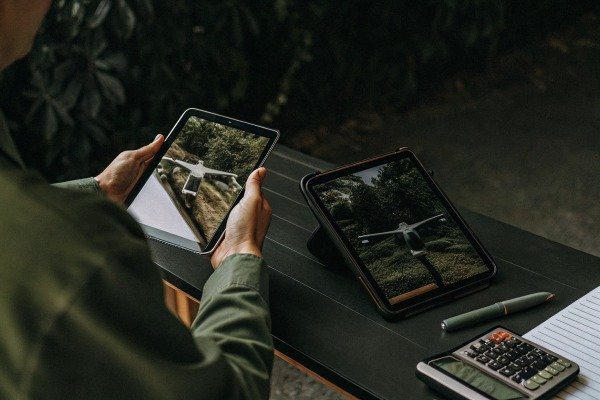
Logos are physical stickers or paint. They must obey the laws of physics. If our drone has a curved orange top casing, the logo must curve with it.
- The Flat Sticker Sign: Scammers often take a flat JPEG of a logo and paste it over the drone image. It looks like a 2D image floating on a 3D object. The edges will look too straight.
- Perspective Fails: If the drone is angled away from the camera, the logo should be skewed. If the logo looks like it is facing you directly while the drone is turning away, it is a fake.
Edge Artifacts and Pixelation
Zoom in—way in. Look at the edge where the logo meets the drone body.
- Real: The edge might be slightly imperfect. You might see the thickness of the sticker. The focus (blurriness) matches the rest of the drone.
- Fake: You often see a "halo" of stray pixels around the logo. Or, the drone image is blurry (low resolution) but the logo is crystal clear and sharp. This mismatch in resolution is a dead giveaway.
Lighting Consistency
Does the shadow cross the logo? If a shadow from a propeller falls across the body of the drone, it must also darken the logo. In bad Photoshop jobs, the logo sits on top of the shadow, remaining perfectly bright while the drone body underneath is dark. This is physically impossible.
Third-Party Component Branding
Authentic industrial drones use high-quality parts from recognized brands. We often use T-Motor motors or Gremsy gimbals.
- The "Blank" Look: Renders often remove third-party logos to avoid copyright issues or because the designer didn't bother.
- The Verification Tip: Look at the motors. Do they have a brand name or serial number printed on them? Look at the GPS puck. Does it say "Here" or another reputable brand? If every part is blank and generic, it is likely a 3D model, not a working machine assembled from real supply chain components.
Consistency Across the Gallery
Check all the images in the product listing. Does the logo stay in the exact same spot?
- Drifting Logos: In one photo, the logo is near the front. In the next, it is two inches back. This happens when different designers rush to Photoshop stock images.
- Color Shifts: Is the orange casing the exact same shade of orange in every photo? Renders often have perfect color consistency, while bad Photoshop jobs might show shifting colors due to different filters being applied to stolen images.
Conclusie
Protecting your procurement budget starts with skepticism. Always verify supplier images using reverse search tools, scrutinize the physics of light and shadow, and demand live video proof of inventory. Authentic manufacturers will transparently demonstrate their products, while scammers will hide behind perfect renders.
Voetnoten
1. Official federal acquisition regulations regarding the definitions and procedures for procurement contracts. ↩︎
2. Parrot provides specialized drone solutions for public safety and search and rescue operations. ↩︎
3. DJI is a leading manufacturer of enterprise-grade firefighting drones and aerial technology. ↩︎
4. Overview of how reverse image search technology identifies the original source of online images. ↩︎
5. News report on the increasing use of drone technology in modern firefighting efforts. ↩︎
6. Research from Stanford University on the computational techniques used in realistic 3D rendering. ↩︎
7. ISO standards for thermal imaging systems ensure accuracy in industrial and emergency applications. ↩︎
8. IEEE standards for communication protocols between the drone and its remote controller. ↩︎
9. NIST provides standard test methods for evaluating the capabilities of response robots and drones. ↩︎
10. General information on digital image editing and the techniques used to overlay graphics onto photos. ↩︎

 English
  Spanish
  German
  French
  Dutch
Dutch  Arabic
