
When our engineering team tests firefighting drones before shipment, video latency 1 ranks among the top concerns from our global buyers. A 400ms delay might seem trivial on paper, but in a real fire scenario, it could mean the difference between saving a structure and watching it collapse.
To evaluate multi-channel video stream latency for firefighting drones, measure end-to-end “glass-to-glass” delay using timestamp overlay methods, aim for under 150ms for responsive piloting, test across thermal and optical feeds simultaneously, and verify synchronization between channels to ensure accurate data fusion for real-time decision-making.
This guide walks you through practical measurement techniques, industry benchmarks, environmental testing protocols, and how to verify supplier claims. Let’s dive into each critical area.
How do I accurately measure the end-to-end latency of my multi-channel drone video feeds?
Our factory quality control team faces this challenge daily. Every firefighting drone leaving our facility must meet strict latency standards. Yet measuring video delay accurately is trickier than most buyers expect. The drone moves, networks fluctuate, and multiple camera feeds compete for bandwidth.
Accurate end-to-end latency measurement requires capturing the complete "glass-to-glass" path from camera sensor to display screen. Use timestamp overlay methods with millisecond-precision clocks, optical comparison techniques with high-speed cameras, or microcontroller-based systems to measure delays across all pipeline stages including capture, encoding, transmission, decoding, and rendering.

Understanding the Latency Pipeline
Video latency is not a single number. It accumulates across multiple stages. Our engineers break it down into five key components:
| Stage | Description | Typical Delay Range |
|---|---|---|
| Capture (Tcap) | Sensor exposure and readout | 5-15ms |
| Encoding (Tenc) | H.264/H.265 compression 2 | 16-50ms |
| Transmission (Ttx + Tnw + Trx) | Wireless link travel time | 20-200ms+ |
| Decoding (Tdec) | Ground station decompression | 15-40ms |
| Display (Tdisp) | Monitor refresh and rendering | 8-20ms |
Total latency equals the sum of all stages. For a standard 720p stream at 30fps, expect 100-150ms under ideal conditions. Real-world firefighting environments push this higher.
Practical Measurement Methods
The timestamp display capture method works best for field testing. timestamp overlay methods 3 Here is how we do it in our validation lab:
- Set up a high-precision digital clock showing milliseconds on a monitor.
- Point the drone's camera at this clock.
- Display the received video feed next to the reference clock.
- Photograph both displays simultaneously with a high-speed camera.
- Calculate the difference between displayed timestamps.
This method revealed our T-Mobile IoT cellular link averaged 380ms latency with a p95 of 402ms during SteelEagle testing. Direct radio links performed better at around 100ms.
Multi-Channel Synchronization Challenges
Firefighting drones typically carry thermal and visible light cameras 4. Each stream has different encoding demands. Thermal cameras often run at lower resolutions but require specialized processing. When both feeds arrive at your ground station, they must align temporally.
Test synchronization by filming a fast-moving object (like a swinging pendulum) with all cameras simultaneously. Compare the phase difference between feeds. More than 50ms offset between thermal and optical streams will cause confusion during fire mapping operations.
The barcode overlay technique helps here. Embed unique timestamps in each video stream using GStreamer. On the receiving end, decode these barcodes and compare arrival times. This isolates per-channel delays without external timing equipment.
What benchmarks should I use to evaluate if my firefighting drone's video lag is acceptable?
During client consultations, procurement managers often ask us: "What latency number should I accept?" The answer depends on your operational requirements. A drone conducting wide-area surveillance has different needs than one guiding precision water drops.
For firefighting drones, target under 150ms for responsive manual piloting, under 200ms for real-time AI-assisted tracking, and under 500ms for general situational awareness. Latency beyond 380ms significantly impairs the ability to track fast-moving flames or coordinate with ground personnel in dynamic smoke-filled environments.

Industry Benchmark Reference Points
Our R&D team compiled benchmark data from published UAV studies and our internal testing:
| Application | Maximum Acceptable Latency | Optimal Target | Notes |
|---|---|---|---|
| FPV Manual Flight 6 | 150ms | <100ms | Pilot reaction time critical |
| Fire Tracking (AI) | 200ms | <150ms | Fast flame movement |
| Thermal Mapping | 300ms | <200ms | Static area scanning |
| AR Overlay Display | 100ms relative | <50ms relative | Sync with base video |
| Situational Awareness | 500ms | <300ms | General monitoring |
| Emergency Alerts | 200ms | <100ms | Time-critical warnings |
The SteelEagle research project documented 380ms average latency over cellular networks. Their findings showed this delay hindered target tracking in dynamic conditions. Our customers operating in California wildfire zones report needing sub-200ms response to navigate unpredictable wind shifts.
Codec and Resolution Impact
Video codec selection directly affects latency. H.265 offers better compression than H.264 but introduces additional encoding delay. In 5G network tests, H.265 streams showed latency up to 1.2 seconds under poor conditions.
Resolution matters too. Our testing shows statistically significant latency increases at higher resolutions:
| Resolution | Typical Encoding Delay | Recommended Use Case |
|---|---|---|
| 480p | 15-25ms | Real-time piloting priority |
| 720p | 25-40ms | Balanced performance |
| 1080p | 35-60ms | Documentation and mapping |
| 4K | 50-100ms+ | Post-mission analysis only |
For firefighting operations, we recommend 720p30 as the optimal balance. This achieves around 118ms total pipeline latency with standard processing. Enabling 30-slice parallel encoding can reduce this to approximately 40ms.
Network Technology Comparison
Your transmission link is often the biggest variable. We have shipped drones to customers using everything from dedicated radio links to satellite connections. Each technology carries different latency characteristics.
Cellular networks (4G/LTE) typically deliver 100-200ms in good coverage areas. Rural fire zones with weak signals push this to 300ms or higher. 5G promises lower latency but shows inconsistent results in field deployments.
Direct radio links offer the lowest latency (under 50ms) but limit range. Satellite connections add significant delay (500ms+) and suit only non-critical applications.
For multi-channel setups, bandwidth contention becomes critical. Two 720p streams competing for a 2Mbps link will both suffer increased delay. Size your transmission capacity to handle all simultaneous feeds with margin.
How can I test the stability of my video stream latency across different environmental conditions?
When we ship firefighting drones to European and American markets, customers operate in vastly different conditions. A drone tested in our Xi'an facility behaves differently in Rocky Mountain terrain or Mediterranean coastal zones. Environmental stress testing before deployment prevents costly failures during actual emergencies.
Test video stream stability by conducting measurements across temperature extremes (-10°C to +50°C), varying signal interference levels, different network congestion scenarios, and simulated smoke/dust conditions. Monitor not just average latency but p95 values and jitter to identify intermittent spikes that could cause critical failures during firefighting operations.

Temperature and Environmental Stress
Electronic components behave differently at temperature extremes. Our thermal chamber testing revealed that encoding processors slow down at high temperatures, adding 15-30% latency overhead when ambient temperatures exceed 40°C. Fire proximity exacerbates this problem.
Create a testing protocol that covers:
- Cold start performance (drone powered on at -10°C)
- Hot environment sustained operation (45°C for 30 minutes)
- Rapid temperature transitions (simulating altitude changes)
- Humidity extremes (coastal moisture conditions)
Document latency measurements at 5-minute intervals throughout each test. Look for degradation patterns that indicate thermal throttling or component stress.
Electromagnetic Interference Testing
Fire environments generate significant electromagnetic interference (EMI). Electromagnetic Interference Testing 7 Active flames, electrical equipment, and radio communications from emergency responders create a noisy RF environment. Our customers have reported complete video dropouts when operating near high-voltage power lines damaged by fires.
Simulate EMI conditions in your testing:
| EMI Source | Frequency Range | Impact on Video |
|---|---|---|
| Fire service radios | 150-170 MHz | Packet loss spikes |
| Power line interference | 50-60 Hz harmonics | Baseline noise increase |
| Burning electronics | Broadband | Intermittent dropouts |
| Helicopter proximity | Various | Channel switching delays |
Use RF shielding enclosures and signal generators to create controlled interference conditions. Measure latency variance rather than just average values. A stream that delivers 150ms average but spikes to 800ms every 30 seconds is unreliable for firefighting.
Network Congestion Simulation
Major fire incidents attract multiple agencies, all competing for cellular bandwidth. We have seen customers experience 3-second latency spikes during large wildfire responses when cellular towers become overloaded.
Test your system under simulated congestion:
- Establish baseline latency on an uncongested network
- Introduce competing traffic loads (25%, 50%, 75%, 90% bandwidth consumption)
- Measure latency increase and packet loss at each level
- Identify the threshold where video becomes unusable
Adaptive streaming protocols 8 help here. Systems that automatically reduce bitrate under congestion maintain usable video when fixed-bitrate streams fail completely. Our drones support RTP with congestion control for this reason.
Long-Duration Stability Testing
Short tests miss intermittent issues. Run continuous video streams for 4-8 hours while logging latency measurements. Look for:
- Memory leaks causing gradual latency increase
- Thermal accumulation effects
- Network session timeouts and reconnection delays
- Buffer overflow events
The p95 latency value matters more than average for mission-critical applications. If your average latency is 150ms but p95 reaches 500ms, your operators will experience frustrating lag spikes during critical moments.
Can my drone supplier provide the technical documentation I need to verify their low-latency claims?
Our export customers frequently request detailed latency specifications before placing orders. As a manufacturer serving US and European distributors, we understand that procurement decisions require verifiable data. Marketing claims without supporting documentation should raise red flags.
Request these documents from your drone supplier: latency measurement methodology reports, test environment specifications, per-stage latency breakdowns (encoding, transmission, decoding), multi-channel synchronization data, third-party validation certificates, and real-world field test results. Reputable manufacturers provide detailed technical datasheets beyond simple "low latency" marketing claims.
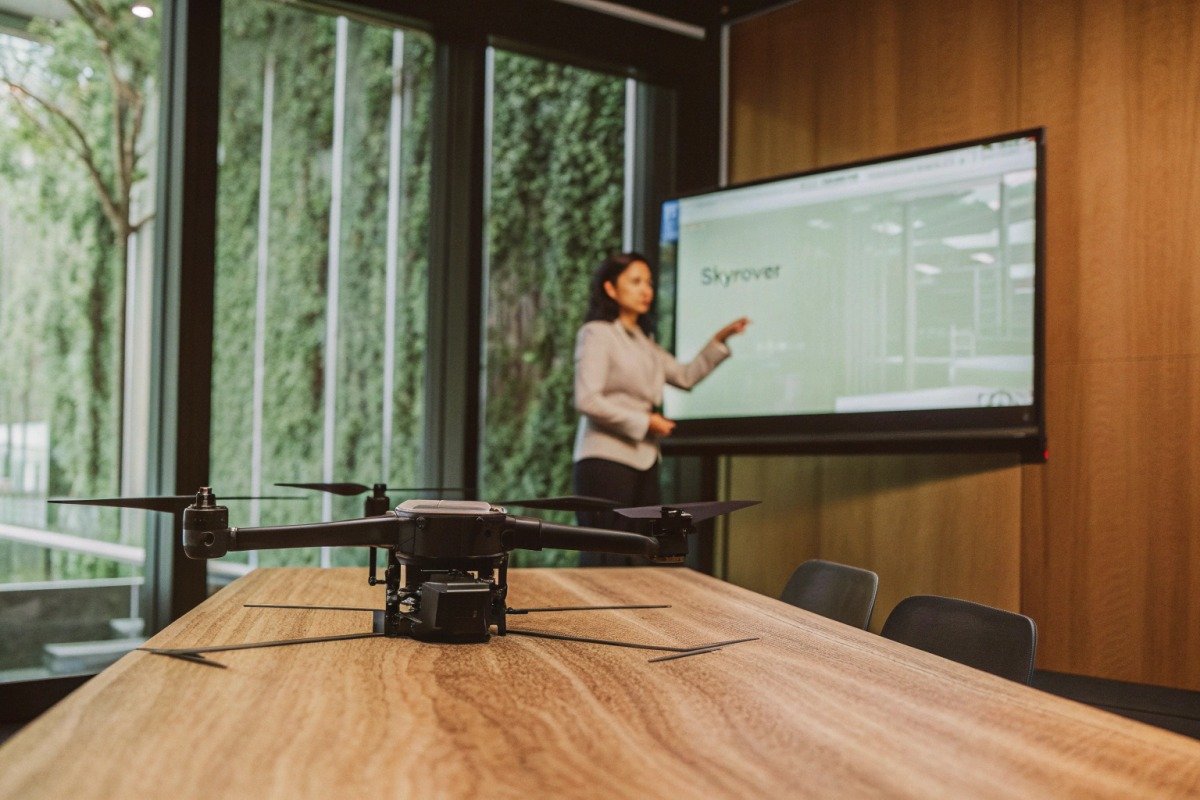
Essential Documentation Checklist
When evaluating supplier claims, request the following documentation package:
| Document Type | What It Should Contain | Red Flag If Missing |
|---|---|---|
| Latency Test Report | Methodology, equipment used, raw data | Cannot verify claims |
| Pipeline Breakdown | Per-stage timing measurements | Hiding bottlenecks |
| Network Test Results | Performance across cellular/radio links | Limited testing scope |
| Environmental Test Data | Temperature, EMI, congestion results | Untested conditions |
| Multi-Channel Sync Report | Cross-stream timing alignment | Integration problems |
| Third-Party Certification | Independent lab validation | Unverified claims |
Our company provides all these documents to distributors. We learned early that serious buyers need technical depth to make informed decisions. Suppliers who resist documentation requests may be hiding performance issues.
Questions to Ask Your Supplier
Beyond documentation, engage your supplier's engineering team with specific questions:
What encoding codec and settings do you use? This affects latency significantly. H.264 Baseline Profile with low-latency tuning differs from Main Profile optimized for compression.
What is your p95 latency, not just average? Marketing materials often cite best-case numbers. Real performance includes outliers.
How does latency change with range? Some systems maintain consistent delay. Others degrade rapidly beyond certain distances.
What happens when the network degrades? Does the system adapt gracefully or fail completely?
Can you demonstrate latency measurement live? Any manufacturer confident in their product should willingly conduct real-time testing.
Interpreting Supplier Data
Watch for misleading presentations in supplier documentation:
"Lab-tested latency" without field validation tells you nothing about real-world performance. Insist on outdoor testing data.
Latency measured on a single stream does not represent multi-channel behavior. When thermal and optical feeds run simultaneously, both may slow down.
Claims without test conditions are meaningless. "Under 100ms latency" needs qualification: at what resolution, bitrate, range, and network type?
Compare supplier claims against published research benchmarks. If a supplier claims 50ms end-to-end latency over cellular networks, this contradicts extensive academic research showing 100-200ms minimums. Such claims warrant skepticism.
Building a Verification Protocol
Before finalizing procurement, conduct your own verification:
- Request a demonstration unit for testing
- Replicate the supplier's stated test conditions
- Measure latency using your own equipment
- Compare results against documentation
- Test under conditions relevant to your operations
We welcome customer verification testing. Confidence in our specifications comes from rigorous internal testing. Suppliers who discourage independent verification may be overstating capabilities.
For high-value contracts, consider hiring an independent testing laboratory. The cost of third-party validation is minimal compared to purchasing drones that fail to meet operational requirements.
Conclusion
Evaluating video latency for firefighting drones requires systematic measurement, clear benchmarks, environmental stress testing, and thorough supplier verification. Target under 150ms for responsive operations and always validate claims with independent testing before procurement decisions.
Footnotes
1. Explains the fundamental concept of video latency in streaming. ↩︎
2. Compares H.264 and H.265 codecs, highlighting their compression efficiencies. ↩︎
3. Describes a practical method for measuring latency using timestamp overlays. ↩︎
4. Explains the function and application of thermal imaging technology in drones. ↩︎
5. Defines end-to-end delay as time for packet transmission from source to destination. ↩︎
6. Discusses the importance of low latency for precise control in FPV drone flying. ↩︎
7. Outlines standards and methods for testing electronic equipment’s electromagnetic compatibility. ↩︎
8. Describes how adaptive bitrate streaming adjusts video quality based on network conditions. ↩︎

 English
  Español de México
  Deutsch
  Français
  Русский
  العربية
