
When our engineering team first started exporting firefighting drones to European clients, we discovered that GIS compatibility 1 was their biggest headache. Fire departments purchased expensive drones only to find their 3D mapping data wouldn’t integrate with existing emergency response systems. This gap cost precious time during critical incidents.
To check firefighting drone 3D software compatibility with European GIS systems, verify your drone outputs standard formats like orthomosaics, LAS point clouds, shapefiles, and TIFF files. Confirm GPS data uses WGS84 or ETRS89 projections. Test exports to platforms like ArcGIS or QGIS before deployment.
In this guide, we’ll walk you through each step of verifying compatibility GeoTIFF format 2. We’ll cover data formats, API customization, security compliance, and supplier support requirements. Let’s dive into the specifics that matter for European firefighting operations.
How do I verify if my firefighting drone's 3D data formats are compatible with European GIS standards?
Our quality control team tests every drone against European GIS requirements before shipment. We've seen clients lose weeks trying to convert incompatible data formats. The frustration of watching 3D models fail to load in critical emergency systems is something no fire service should experience.
Verify compatibility by checking if your drone software exports LAS/LAZ point clouds, GeoTIFF orthomosaics, and shapefiles. Confirm GPS EXIF data uses decimal degrees in WGS84 format. Test sample outputs in ArcGIS or QGIS to ensure seamless integration with European emergency response platforms.

Understanding Core Data Format Requirements
European GIS systems accept specific file formats. Your drone's 3D software must produce these outputs natively. Manual conversion introduces errors and delays emergency response.
The most critical formats include orthomosaics 3 in GeoTIFF format. These provide georeferenced aerial imagery at high resolution. Point clouds in LAS or LAZ format 4 contain 3D spatial data essential for terrain modeling. Shapefiles store vector data like building footprints and hazard zones.
Essential Format Compatibility Table
| Data Type | Required Format | European Standard | Use Case |
|---|---|---|---|
| Orthomosaic | GeoTIFF (.tif) | 8-16 bit RGB | Incident mapping |
| Point Cloud | LAS/LAZ | ASPRS 1.4 | 3D terrain modeling |
| Vector Data | Shapefile (.shp) | OGC compliant | Hazard zones |
| Elevation | DSM/DTM | GeoTIFF | Fall zone calculation |
| Thermal | TIFF | 16-bit grayscale | Hotspot detection |
Checking GPS and Projection Systems
GPS data quality determines whether your 3D models align correctly with European maps. Your drone must record coordinates in EXIF metadata using decimal degrees format. The coordinate reference system should be WGS84 5 for global compatibility.
For European-specific applications, ETRS89 projection 6 provides better accuracy. This system aligns with official European mapping authorities. Many fire services, including London Fire Brigade, use ETRS89 for their GIS databases.
Check your drone's camera settings. Each captured image should contain latitude, longitude, and altitude in EXIF data. Missing or corrupted GPS information causes geolocation failures during processing.
Testing Workflow Before Deployment
We recommend a simple test protocol. Capture a small dataset at your test site. Process it through your 3D software. Export to each required format. Import into ArcGIS and QGIS. Verify measurements match ground truth.
This process takes about two hours. It prevents weeks of troubleshooting during actual firefighting operations. Document results for your procurement records.
Can I customize the drone software API to integrate seamlessly with my local GIS system?
During our development partnerships with European distributors, we've built custom API connections for over thirty different GIS configurations. Each fire service has unique database structures and workflow requirements. Off-the-shelf solutions rarely fit perfectly without some customization.
Yes, most professional firefighting drone software provides APIs for GIS integration. You can customize data export formats, automate uploads to your database, and create real-time streaming connections. Work with your drone manufacturer to develop specific endpoints matching your local GIS architecture.

API Integration Options Available
Modern firefighting drone platforms offer several integration pathways. REST APIs 7 allow your GIS to request data directly from drone processing servers. Webhook notifications push new datasets to your system automatically. Direct database connectors write processed outputs to your GIS storage.
Our engineering team typically recommends REST API integration for fire services. It provides flexibility without requiring deep technical modifications. Your IT department can build simple scripts to pull data on demand.
Common API Features Table
| Feature | Function | Benefit for Fire Services |
|---|---|---|
| REST Endpoints | Data retrieval on demand | Real-time incident updates |
| Webhooks | Automated notifications | Instant processing alerts |
| OAuth 2.0 | Secure authentication | Compliance with EU standards |
| Batch Export | Bulk data transfer | Post-incident analysis |
| Streaming | Live data feed | Active fire monitoring |
Working With Your Manufacturer
When you request API customization, prepare detailed specifications. Document your current GIS platform version. List required data fields and formats. Describe your authentication system. Provide sample database schemas.
Our development team uses these specifications to build tailored solutions. We test integrations against your staging environment before production deployment. This collaborative approach reduces implementation time significantly.
Open Source vs Proprietary Considerations
Some European fire services prefer QGIS for its open-source flexibility. Others use ArcGIS for its comprehensive support ecosystem. Your API integration approach differs based on this choice.
ArcGIS offers seamless connections through Esri's established pipelines. Tools like Site Scan Flight and Drone2Map connect directly. QGIS requires more custom scripting but avoids licensing costs.
We support both approaches. Our drones export to universal formats that work with either platform. API customization accommodates your specific technical environment.
What steps should I take to ensure my drone's mapping software meets European data security requirements?
When we prepared our certifications for EU market entry, data security consumed six months of engineering effort. European regulations treat drone-captured spatial data seriously. GDPR data handling procedures 8 Fire services handling citizen information face strict compliance obligations. Failing audits means operational shutdown.
Ensure compliance by verifying GDPR data handling procedures, securing encrypted data transmission, and confirming server locations meet EU sovereignty requirements. Your drone software must support user access controls, audit logging, and data deletion capabilities. Request compliance documentation from your manufacturer.

GDPR Compliance Essentials
Drone imagery captures personal information incidentally. License plates, faces, and property details appear in high-resolution orthomosaics. European law requires specific protections for this data.
Your drone software must enable image blurring or anonymization. Access controls limit who views sensitive datasets. Audit logs track every interaction with captured data. Retention policies automatically delete old information.
European Data Security Requirements Table
| Requirement | Regulation | Implementation |
|---|---|---|
| Data Encryption | GDPR Article 32 | AES-256 at rest and transit |
| Access Control | GDPR Article 25 | Role-based permissions |
| Audit Logging | GDPR Article 30 | Complete activity records |
| Data Sovereignty | EU Data Act | EU-based server storage |
| Right to Erasure | GDPR Article 17 | Automated deletion tools |
| Breach Notification | GDPR Article 33 | 72-hour alert systems |
Server Location and Data Sovereignty
European fire services increasingly require data storage within EU borders. This prevents foreign government access under conflicting jurisdictions. Your drone software cloud processing must use EU-based servers.
Ask your manufacturer explicitly: Where are processing servers located? Who has access to uploaded data? What certifications do data centers hold? ISO 27001 certification demonstrates security management commitment.
Our cloud processing infrastructure operates entirely within European data centers. We maintain separate environments for EU clients with no data transfer outside approved regions.
Security Audit Preparation
Before deployment, conduct internal security review. Verify encryption on all data pathways. Test access controls by attempting unauthorized logins. Confirm audit logs capture required events. Document everything for regulatory inspectors.
Fire services should request manufacturer security certifications. SOC 2 Type II reports demonstrate tested controls. ISO 27001 certificates prove management systems meet international standards. GDPR compliance statements should detail specific technical measures.
Ongoing Compliance Maintenance
Security isn't one-time verification. Software updates may change data handling. New regulations emerge regularly. Your drone fleet needs continuous compliance monitoring.
We provide security patch notifications to all European clients. Our compliance team tracks regulatory changes affecting drone operations. Firmware updates address identified vulnerabilities promptly.
Does my supplier provide the technical support I need to sync 3D drone models with my GIS database?
We've heard too many stories from European clients who purchased drones elsewhere and received no integration support. They spent months troubleshooting GIS connections alone. Some abandoned expensive equipment entirely. Technical support determines whether your investment delivers results.
Evaluate supplier support by requesting documented integration procedures, confirming availability of GIS-specialized technicians, and verifying response time commitments. Quality suppliers offer remote troubleshooting, on-site training, and ongoing software updates. Ask for references from European fire service clients using similar GIS platforms.
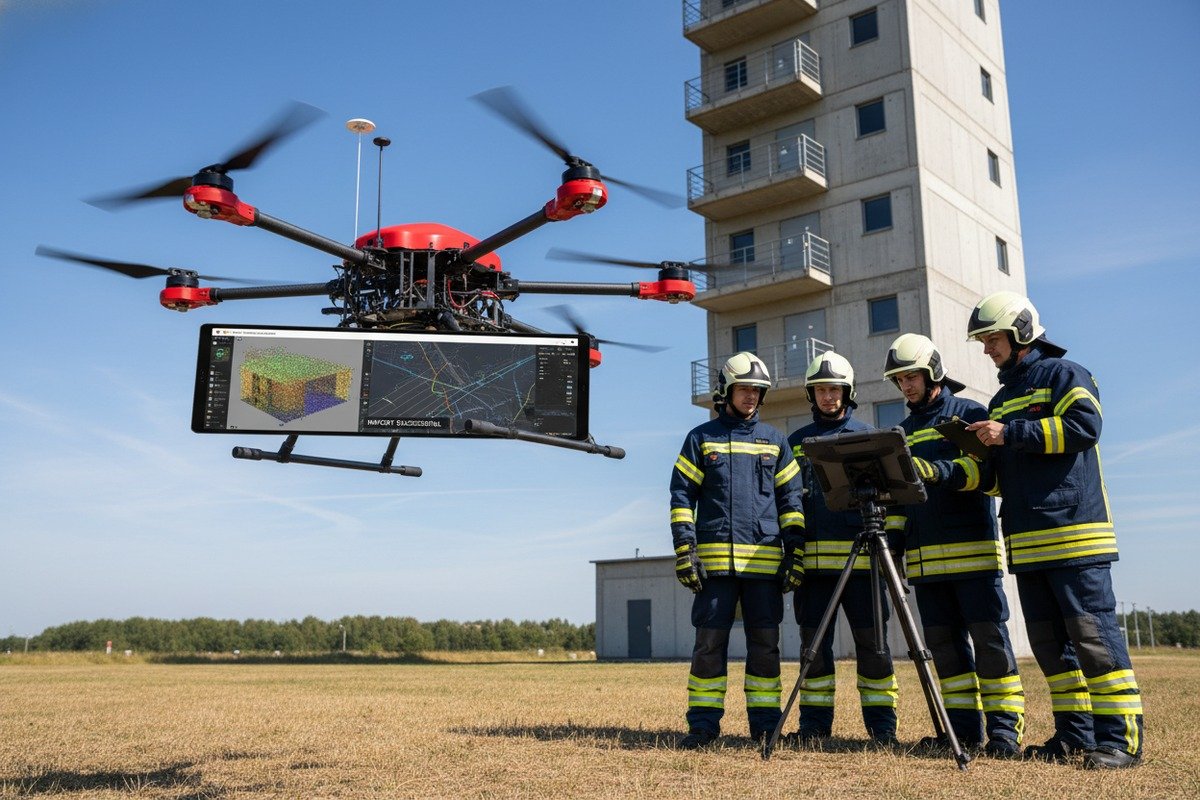
Essential Support Services Checklist
Technical support needs vary throughout your drone lifecycle. Initial setup requires intensive guidance. Ongoing operations need responsive troubleshooting. Software updates demand timely deployment assistance.
Your supplier should provide dedicated technical contacts familiar with European GIS systems. They should understand ArcGIS, QGIS, and common emergency response platforms. Generic support teams without GIS expertise waste your time with basic suggestions.
Support Service Comparison Table
| Support Aspect | Basic Supplier | Quality Supplier |
|---|---|---|
| GIS Integration Help | Generic guides only | Platform-specific assistance |
| Response Time | 48-72 hours | Under 24 hours |
| Remote Sessions | Not available | Scheduled troubleshooting |
| On-site Training | Extra cost | Included in purchase |
| Software Updates | Self-install | Guided deployment |
| Spare Parts | 4-6 week shipping | Regional inventory |
Questions to Ask Potential Suppliers
Before purchasing, gather specific information about support capabilities. How many European fire services do you currently support? Can you provide contact references using my GIS platform? What is your average response time for technical issues?
Ask about escalation procedures. Complex GIS integration problems may require engineering involvement. Your supplier should have clear pathways from frontline support to specialized developers.
Our support team includes dedicated European GIS specialists. They've completed integrations with fire services across Germany, France, and the United Kingdom. We maintain partnerships with Esri and QGIS developers for complex issues.
Training and Documentation Requirements
Effective support includes comprehensive training programs. Your operators need instruction on 3D data capture best practices. GIS administrators require guidance on database configuration. IT security staff must understand compliance procedures.
Documentation should be available in local languages where possible. Video tutorials demonstrate common workflows. Written guides provide reference during operations. Sample datasets allow practice before live deployment.
Long-term Partnership Considerations
Firefighting drone technology evolves rapidly. Your supplier relationship extends beyond initial purchase. New sensors require software updates. Regulatory changes demand firmware modifications. GIS platforms release new versions needing compatibility verification.
Choose suppliers committed to long-term partnerships. Ask about product roadmaps and update policies. Understand how they communicate changes affecting your operations. Request service level agreements documenting support commitments.
We assign dedicated account managers to European fire service clients. They coordinate all support activities and ensure consistent communication. Regular review meetings address emerging needs and upcoming changes.
Conclusion
Checking firefighting drone 3D software compatibility with European GIS systems requires systematic verification of data formats, API capabilities, security compliance, and supplier support. Follow these steps before procurement to ensure seamless integration with your emergency response infrastructure.
Footnotes
1. The European Union’s INSPIRE Knowledge Base provides authoritative information on interoperability within European GIS systems. ↩︎
2. Defines the Geographic Tagged Image File Format (GeoTIFF) standard. ↩︎
3. Defines orthomosaic maps created from drone imagery for detailed analysis. ↩︎
4. Provides the official specification for LAS point cloud data format. ↩︎
5. Explains the World Geodetic System 1984 (WGS84) as a global geodetic datum. ↩︎
6. Provides an overview of the European Terrestrial Reference System 1989 (ETRS89). ↩︎
7. Defines REST APIs and how they facilitate communication between systems. ↩︎
8. Outlines guidelines and best practices for handling personal data under GDPR. ↩︎

 English
  Español de México
  Deutsch
  Français
  Русский
  العربية
