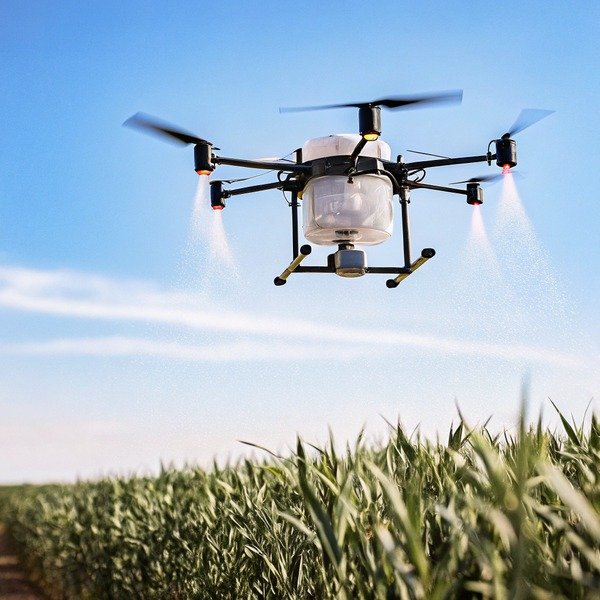
Watching a pilot struggle with complex controls on our test field is painful. We realized early on that confusing systems lead to crashed drones and wasted chemicals, costing farmers significantly. wasted chemicals 1
To determine ease of operation, evaluate the Ground Control Station (GCS) software for intuitive UI design, automated mission planning features, and offline capabilities. A user-friendly system prioritizes one-tap autonomous functions, stable flight under variable payloads, and seamless integration with farm management data without requiring extensive manual pilot training.
Let’s break down the specific indicators that separate a frustrating system from a highly efficient one.
What features in the ground control software indicate a truly user-friendly interface?
When we design our software interfaces, we often see that cluttered screens overwhelm operators. If a pilot cannot find the spray toggle in two seconds, the design fails.
A truly user-friendly interface features a clean, icon-driven dashboard with high-contrast visuals for outdoor visibility. Key indicators like clean battery telemetry, prominent one-tap emergency buttons, and clear error messaging in plain language rather than codes are essential for reducing operator cognitive load during complex field operations.
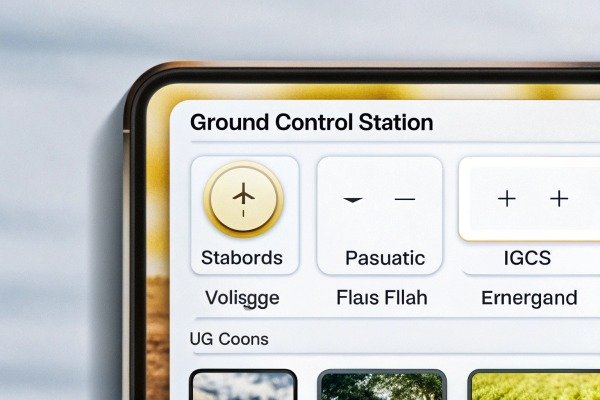
The flight control interface, often called the Ground Control Station (GCS), acts as the bridge Ground Control Station (GCS) 2 between the human operator and the machine. Ground Control Station 3 In our experience, the best systems prioritize "information hierarchy." This means the most critical data—battery voltage, satellite count, and tank level—should be the largest and easiest to see. We have found that operators working under bright sunlight struggle to read small text or low-contrast screens. Therefore, a high-quality interface uses distinct colors (like green for good, red for alert) and large, simple icons rather than complex text menus.
Visual Clarity and The Three-Click Rule
A good rule of thumb we use in development is the "Three-Click Rule." An operator should be able to access any essential function, such as changing spray width or returning home, in three taps or fewer. If a system buries these settings deep in sub-menus, it increases the risk of mistakes. You should also look for systems that support offline map caching. Agricultural fields often lack cellular coverage. lack cellular coverage 4 A user-friendly system allows you to download satellite maps beforehand so the interface remains fully functional even when the internet disconnects.
Plain Language Error Reporting
Another major indicator of usability is how the system handles errors. Older or less sophisticated controllers often display cryptic codes like "Error 0x4F." This forces the pilot to stop and check a manual. Modern, easy-to-use systems display plain English warnings such as "Weak GPS Signal – Move to Open Area" or "Flow Rate Low – Check Nozzle." This immediate, understandable feedback keeps operations moving smoothly.
Comparison of User Interface Characteristics
| Feature | User-Friendly Interface | Complex/Poor Interface |
|---|---|---|
| Main Dashboard | Minimalist, icon-based, high contrast. | Cluttered with text, small fonts, low contrast. |
| Error Messages | Plain language (e.g., "Battery Low"). | Numerical codes (e.g., "Err: 404-B"). |
| Offline Capability | Fully functional with cached maps. | Fails to load maps or freezes without data. |
| Pre-flight Check | Automated, guided step-by-step list. | Manual verification required for all sensors. |
How do autonomous flight planning and terrain following capabilities reduce my manual workload?
Manual flying over uneven hills exhausts our test pilots quickly. We constantly refine our algorithms because consistent altitude is the only way to ensure uniform crop protection.
Autonomous flight planning reduces workload by allowing operators to pre-define field boundaries and spray parameters, while the drone automatically generates the most efficient path. Terrain following utilizes radar to adjust altitude dynamically, eliminating the need for constant manual throttle corrections and ensuring consistent spray height over uneven ground.

The shift from manual stick-and-rudder flying to autonomous mission planning is the biggest factor in operational ease. manual stick-and-rudder flying 5 In the past, pilots had to manually maintain speed and height, which is incredibly difficult when the drone is far away. Today, a capable flight control system allows you to walk the perimeter of a field with the remote to mark the corners, or simply tap points on a map. The software then calculates the optimal "serpentine" or zigzag route to cover the entire area.
From Manual Control to Mission Supervision
With autonomous planning, your role shifts from pilot to supervisor. The system handles the heavy lifting. For example, in "AB Mode," you simply fly to point A, then point B, and the drone fills in the lines between them. In "Full Field Mode," the system automatically accounts for the drone's spray width and battery life. If the battery runs low, the drone pauses, returns home, and—crucially—resumes exactly where it left off after a battery swap. This "breakpoint resumption" feature is vital for large farms. Without it, you have to guess where you stopped, leading to double-spraying or missed spots.
The Role of Millimeter-Wave Radar
Agricultural fields are rarely perfectly flat. A drone that flies at a fixed altitude relative to the takeoff point might crash into a hill or fly too high over a valley. This is where terrain following comes in. High-quality agricultural flight controllers use millimeter-wave radar to scan the ground below. millimeter-wave radar 6 millimeter-wave radar 7 They adjust the motor power instantly to maintain a preset height, say 3 meters, above the crop canopy. This happens automatically. You do not need to touch the throttle. This feature drastically reduces pilot fatigue and ensures the chemical is applied evenly, regardless of the slope.
Impact of Payload on Flight Stability
It is important to remember that agricultural drones carry liquid. As the drone flies, the liquid sloshes, changing the center of gravity. As the liquid is sprayed, the drone gets lighter. A purpose-built agricultural flight controller constantly adjusts for these weight changes. If a system is not tuned for agriculture, the pilot must fight the controls to keep the drone steady, which is exhausting and dangerous.
Can I request software customization to better fit my specific agricultural workflows?
Many clients ask us if they can modify the default app flow. We know that standard software rarely fits every unique farming operation perfectly.
Yes, you can request software customization, especially when working with manufacturers who offer SDKs or API access. Customizations often include integrating specific farm management systems, modifying flight patterns for unique crop types, or branding the interface, though this usually requires meeting specific Minimum Order Quantities (MOQs) for development support.

Standard software works well for general crops like corn or wheat. However, specialized operations often need unique features. For instance, some of our clients managing orchards need a "Stop-and-Spray" mode where the drone hovers over each tree rather than flying continuously. Others need the drone to fly vertically up and down vines rather than horizontally.
API Integration and Data Management
One of the most valuable customizations is data integration. Large farms often use Farm Management Systems (FMS) to track every input. Farm Management Systems (FMS) 8 A standard hobbyist drone keeps its flight logs trapped on the remote controller. A customizable industrial system can be programmed to upload spray data directly to your FMS cloud via an API (Application Programming Interface). Application Programming Interface 9 This saves hours of manual data entry. You can see exactly how many liters were sprayed, where, and by which pilot, all automatically synced to your central database.
The Reality of Development Support
While customization is possible, it is not always free or instant. Manufacturers usually provide a Software Development Kit (SDK) that allows your local engineers to build apps on top of the drone's core system. If you need the manufacturer to build the features for you, we typically require a commitment to a certain volume of orders. This ensures that the engineering time invested yields a return. However, for large distributors or government tenders, this flexibility is a game-changer. It allows you to offer a product that feels like it was built specifically for your local market.
Common Customization Scenarios
| Customization Type | Description | Benefit |
|---|---|---|
| White Labeling | Changing logos and color schemes to match your brand. | Increases brand loyalty and perceived value. |
| FMS Integration | Automating data upload to farm databases. | Streamlines reporting and compliance. |
| Flight Logic | Altering path algorithms (e.g., orchard mode). | Improves efficiency for non-standard crops. |
| Language Localization | Translating menus into local dialects. | Reduces training barriers for local workers. |
How do I assess the learning curve and training requirements for my operating team?
We often host training sessions at our facility in Xi'an. We observe that intuitive systems allow new pilots to fly solo within hours, not weeks.
Assess the learning curve by measuring the time required for a new operator to plan and execute a safe mission without assistance. A low learning curve is characterized by interactive in-app tutorials, simulation modes for risk-free practice, and a standardized workflow that remains consistent across different drone models.
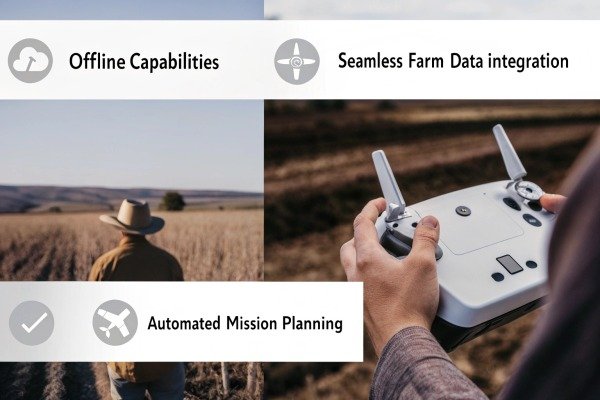
The true cost of a drone includes the time it takes to train your staff. If a flight control system is overly complex, you will face high turnover and frequent accidents. The best way to test this is to put the controller in the hands of someone with zero experience. Watch them. Can they figure out how to arm the motors? Can they plan a simple square mission? If they constantly ask "what does this button do?", the design is likely too abstract.
The Value of Built-in Flight Simulators
The most effective tool for reducing the learning curve is a built-in simulation mode. This feature allows the GCS software to simulate a flight on the tablet screen without spinning the drone's propellers. Pilots can practice setting boundaries, adjusting spray rates, and handling emergency "return to home" scenarios while sitting in the office. We have found that teams who spend 2-3 hours on the simulator before their first real flight reduce their crash rate by over 80%. It builds muscle memory without risking expensive hardware.
Safety Features as Training Wheels
Smart flight controllers act like instructors. They prevent novices from making fatal errors. For example, a good system will physically prevent takeoff if the GPS signal is weak or if the compass is not calibrated. It will also enforce "Geofencing," creating an invisible wall that the drone cannot fly past. invisible wall 10 These features allow new operators to build confidence, knowing the system will intervene if they make a dangerous command. When evaluating a system, ask the supplier if these safety parameters are locked by default or if they can be easily bypassed. For training fleets, locked safety parameters are preferred.
Training Time Estimation Matrix
| Experience Level | Feature-Rich/Complex System | Intuitive/User-Friendly System |
|---|---|---|
| Novice (No exp) | 2-3 Weeks to Solo Flight | 2-3 Days to Solo Flight |
| Intermediate | 5-7 Days to Proficiency | 1 Day to Proficiency |
| Expert Pilot | 2-3 Days to Master | Hours to Master |
Conclusion
Choosing an easy-to-use flight controller saves time and money. Look for intuitive software, robust automation, and manufacturer support to ensure your team succeeds in the field.
Footnotes
1. Government safety standards regarding the prevention of pesticide waste during application. ↩︎
2. Provides a standard definition for the primary technical interface discussed. ↩︎
3. Provides general background on the GCS concept in unmanned aerial vehicles. ↩︎
4. Official government data confirming connectivity challenges in rural agricultural areas. ↩︎
5. Regulatory context for traditional versus autonomous flight control methods in aviation. ↩︎
6. Technical overview from a major manufacturer explaining the sensor technology. ↩︎
7. Technical specifications for radar sensors used in advanced terrain-following flight controllers. ↩︎
8. Authoritative academic resource defining the software category and its applications. ↩︎
9. Standard definitions for software interfaces used to integrate drone data with farm management systems. ↩︎
10. General concept of virtual boundaries used to enhance drone operational safety. ↩︎

 English
  Español de México
  Deutsch
  Français
  Русский
  العربية
