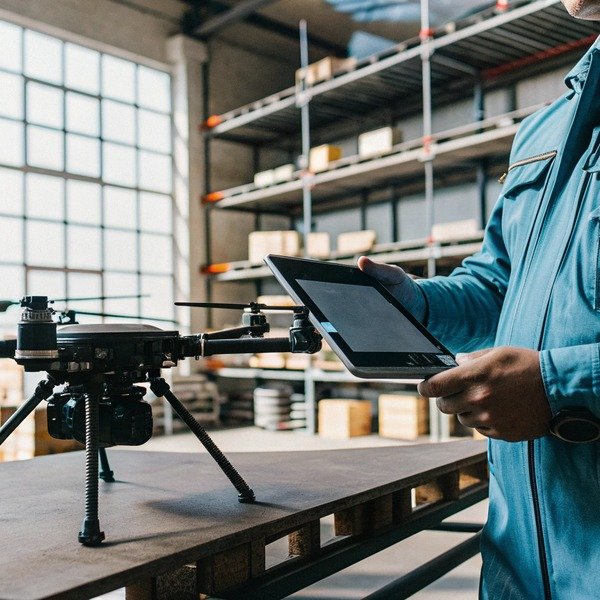
When our engineering team configures heavy-lift drones for export, we often see clients overlook how local cellular infrastructure dictates mission success. Relying on incompatible networks creates dangerous blind spots.
You must prioritize frequency band support for local carriers, evaluate latency requirements for real-time video, determine SIM card procurement strategies, and verify redundancy protocols. Mismatched hardware leads to video lag, connection drops during tower handovers, or complete loss of control in critical fire zones.
Let’s examine the specific network details that ensure your fleet operates safely.
How do I verify that the drone supports the specific 4G and 5G frequency bands used by local carriers in my country?
We frequently advise our US and European partners to audit their local spectrum allocation before finalizing spectrum allocation 1 hardware orders. A mismatched modem turns a high-tech drone into a paperweight.
You need to cross-reference the drone’s modem specifications with your local carrier’s 3GPP band list, focusing on low-frequency bands like 600MHz or 700MHz for range. Always confirm that the integrated module supports global roaming standards or regional variants specific to North America or Europe.
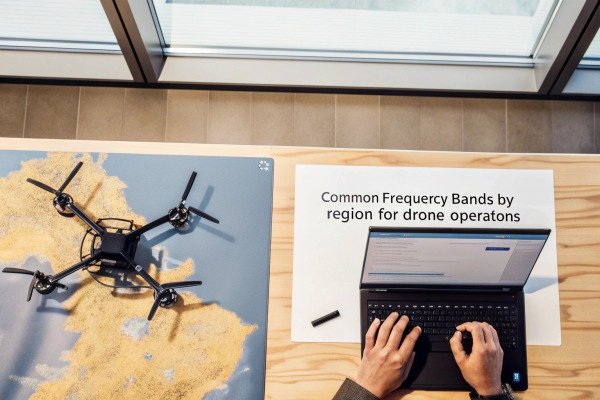
Understanding Frequency Fragmentation
In the world of industrial drones, hardware is rarely universal. The modem chip inside a drone acts as the bridge between the flight controller and the ground station. If this bridge attempts to connect to a frequency your local tower does not broadcast, the connection fails.
In our production facility, we install different modem modules depending on the destination country. For example, a drone heading to the United States often requires support for Band 71 (600 MHz), which T-Mobile uses for wide-area rural coverage. A standard international modem might lack this specific band, leaving the drone with zero signal in rural wildfire zones.
Key Bands to Watch
You must look at the "Supported Bands" section of the technical datasheet. Do not just look for "5G capable." You need to see specific numbers.
- Low-Frequency Bands (Sub-1GHz): These are critical for firefighting. Bands like 600MHz, 700MHz (Band 12/13/14/17/28/71) provide excellent signal penetration through smoke and over long distances.
- Mid-Frequency Bands (Sub-6GHz): These offer a balance of speed and range.
- mmWave: While fast, these are generally useless for drones flying high or far due to poor range.
3GPP Standards and Regional Variants
Cellular standards are governed by 3GPP protocols. 3GPP protocols 2 However, hardware manufacturers create regional variants of their modems to save costs or optimize performance. A "Global" version is safer but often more expensive. A "CN" (China) or "EU" (Europe) version might not work effectively in North America.
When you negotiate with suppliers, ask for the exact model number of the cellular module (e.g., Quectel RM500Q-GL vs. RM500Q-AE). Quectel RM500Q-GL 3 This small detail determines if your drone can talk to the towers in your city.
Carrier Aggregation Support
Another feature to verify is Carrier Aggregation (CA). Carrier Aggregation 4 This allows the modem to combine multiple frequency bands to boost bandwidth. In a fire scenario where one band is congested, CA can maintain your video stream by leaning on other available bands.
Table 1: Common Frequency Bands by Region for Drone Operations
| Región | Primary Carriers | Key 4G LTE Bands | Key 5G Bands | Por qué es importante |
|---|---|---|---|---|
| América del Norte | Verizon, AT&T, T-Mobile | B2, B4, B12, B13, B14, B66, B71 | n41, n71, n77, n260 | Band 14 is FirstNet (public safety); Band 71 is crucial for rural range. |
| Europa | Vodafone, Orange, DT | B3, B7, B20, B28 | n78, n28 | Band 20/28 are essential for wide coverage outside cities. |
| Asia (China) | China Mobile, Telecom | B3, B39, B40, B41 | n41, n78, n79 | High reliance on TDD bands compared to FDD in the West. |
| Australia | Telstra, Optus | B3, B28, B7 | n78, n5 | Band 28 provides the backbone for long-distance rural connectivity. |
Will the latency difference between 4G and 5G networks impact the stability of real-time video transmission during operations?
During our field trials in Xi’an, we often compare video feeds over different network generations to optimize control algorithms. High latency makes precise maneuvering near buildings incredibly difficult.
Yes, 5G significantly reduces latency to under 10ms, enabling precise BVLOS control, whereas 4G latency of 50–100ms can cause video stuttering. High latency increases the risk of collision when flying near structures, making 5G essential for complex urban firefighting missions.
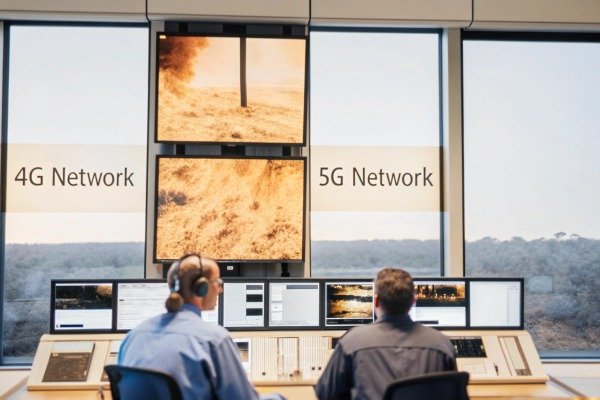
The Reality of Latency in Flight
Latency is the time it takes for a command to travel from your controller to the drone and for the video to travel back. In firefighting, milliseconds matter. If you are inspecting a burning roof, a half-second delay (500ms) means the drone has moved several meters before you see the movement on your screen.
- 4G LTE Limitations: Standard 4G networks often average 50ms to 100ms of latency. This is acceptable for high-altitude surveillance but dangerous for close-proximity flights.
- 5G Advantages: 5G networks, especially Standalone (SA) architectures, target sub-10ms Standalone (SA) architectures 5 latency. This feels "instant" to the pilot, allowing for confident maneuvering near flames or windows.
Jitter and Packet Loss
Stability is not just about average speed; it is about consistency. This is known as "jitter."
When a drone flies, it moves rapidly between different cell towers. On 4G networks, the "handover" process between towers can cause a spike in latency or temporary packet loss. The video freezes for a second and then jumps forward.
5G networks are better designed to handle these handovers seamlessly. For a fire commander watching a thermal feed to locate victims, a frozen screen could mean missing a heat signature.
Uplink Bandwidth Bottlenecks
Most cellular networks are designed for consumers who download videos, not upload them. Drones are "uplink-heavy" devices—they send massive amounts of 4K video data hacia arriba to the network.
- 4G Uplink: Often capped at 5-10 Mbps in real-world conditions. This forces you to compress video, losing detail.
- 5G Uplink: Can support 50 Mbps or more. This allows for uncompressed, high-definition thermal and RGB streams simultaneously.
The Impact of "Urban Canyons"
In cities, tall buildings block signals, creating "urban canyons." cañones urbanos 6 5G signals, particularly mid-band, reflect better off surfaces to maintain connection, whereas 4G might drop out completely. However, 5G mmWave is very sensitive to obstructions and smoke particles, which is why Sub-6GHz 5G is the preferred standard for firefighting.
Table 2: Operational Impact of Network Latency
| Característica | 4G LTE Network | 5G Network | Firefighting Consequence |
|---|---|---|---|
| Average Latency | 50 – 100 ms | 5 – 20 ms | High latency causes "pilot induced oscillation" where over-correction leads to crashes. |
| Calidad de Video | 1080p (Compressed) | 4K / 8K (Raw) | 5G allows thermal/zoom details to be seen clearly without artifacts. |
| Tower Handover | Noticeable Jitter | Seamless | 4G may freeze video during fast flight; 5G maintains smooth situational awareness. |
| Max Drone Speed | Limitado | High Speed | Pilots must fly slower on 4G to account for video lag. |
Do I need to install my own SIM cards or communication modules to ensure the drone connects to the network?
We structure our shipping policies to comply with international Know Your Customer (KYC) regulations Know Your Customer (KYC) 7 regarding telecommunications. Sending active SIM cards across borders is rarely legally feasible.
You generally must procure your own local SIM cards to ensure compliance with regional telecom laws and to access specific data plans. While the drone hardware includes the necessary modem modules, the active service and SIM insertion are the end user’s responsibility.

Why "Ready-to-Fly" Doesn't Include Data Plans
Many buyers assume a cellular drone works like a smartphone—you turn it on, and it has service. In the industrial sector, this is rarely the case. We manufacture the hardware (the drone and the modem), but we cannot act as the service provider in your country.
Strict telecom regulations in countries like the US, China, and EU nations require SIM cards to be registered to a real person or legal entity.
Choosing the Right SIM Card
You cannot just buy a prepaid SIM from a convenience store. Firefighting drones require specialized connectivity:
- M2M / IoT SIMs: These are Machine-to-Machine cards designed for devices, not phones. They often have more aggressive roaming agreements, allowing the drone to switch between AT&T and T-Mobile towers depending on which signal is stronger.
- Static IP Addresses: Standard consumer SIMs use dynamic IPs that change frequently. For complex operations where you stream video to a command center server, a Static IP is often required to establish a stable, two-way tunnel.
- High-Priority Sims (FirstNet/ESN): In the US, the FirstNet network gives priority FirstNet network 8 to first responders. During a disaster, civilian networks get clogged. If your drone has a standard consumer SIM, it gets throttled. A FirstNet SIM ensures your control signals get through even when the network is jammed.
Hardware Compatibility Check
Before buying, ask us (or your supplier) about the SIM slot size. Is it a Nano-SIM or Micro-SIM? Is it easily accessible?
Some ruggedized drones bury the SIM slot deep inside the chassis for water protection (IP rating). This means changing a SIM card requires a screwdriver and 20 minutes of work. Knowing this helps you prepare before you are out in the field.
APN Configuration
After inserting the SIM, you must configure the Access Point Name (APN) in the drone’s Access Point Name (APN) 9 software. This acts like a gateway password. If you buy a drone from China, the default settings might be for China Mobile. You will need to manually enter the APN settings for your local carrier (e.g., "fast.t-mobile.com") to get online.
What fail-safe mechanisms are triggered if the cellular network signal is lost during a firefighting mission?
Our flight control software is designed with the assumption that connections will eventually fail. We program multiple layers of redundancy to protect the asset and the public.
If the cellular signal drops, the drone should automatically trigger a Return-to-Home (RTH) sequence, hover in place, or switch to a backup radio link. Advanced systems utilize cellular bonding to seamlessly shift data to a secondary carrier without interrupting the mission.

The Hierarchy of Fail-Safes
A lost connection is a critical emergency. The drone must know exactly what to do without human input.
- Level 1: Cellular Bonding / Switching: High-end firefighting drones often carry two or more modems. If the Verizon network drops, the internal router instantly routes packets through the AT&T modem. This is called "bonding." It provides a seamless safety net.
- Level 2: RF Fallback: If all cellular networks fail (a total black zone), the drone should attempt to reconnect via a direct Radio Frequency (RF) link. This usually requires the pilot to be within line-of-sight (2-5 km).
- Level 3: Autonomous Behavior: If no link is established within a set time (e.g., 5 seconds), the fail-safe triggers.
Types of Autonomous Responses
You can usually configure these behaviors in the ground station software:
- Return to Home (RTH): The drone climbs to a safe altitude and flies back to the launch point using GPS. This is the standard default.
- Vuelo estacionario: The drone stays exactly where it is. This is useful if the signal loss is temporary (like flying behind a thick concrete wall). RTH might be dangerous if it flies the drone into the path of another aircraft.
- Land Immediately: This is a last resort. The drone descends slowly. In a fire, this is risky as it might land in flames, but it prevents the drone from flying away uncontrolled ("fly-away").
Heartbeat Protocols
The drone and the controller constantly exchange "heartbeat" data packets. If the drone stops receiving the heartbeat from the ground for a specific duration (latency threshold), it assumes the link is broken.
In 5G networks, this threshold can be set very low (tight tolerance). In unstable 4G networks, we often recommend setting a looser tolerance to prevent the drone from constantly triggering RTH due to minor lag spikes.
Obstacle Avoidance During RTH
A crucial feature for firefighting is obstacle avoidance during the return trip. If the signal is lost and the drone flies home autonomously, can it see the new smoke plume or the crane that wasn't there before?
Advanced drones use onboard LIDAR and optical sensors to navigate LIDAR and optical sensors 10 home safely even without a pilot, whereas basic models fly a straight line and might crash.
Table 3: Fail-Safe Trigger Logic & Actions
| Escenario | Trigger Condition | Primary Action | Secondary Action |
|---|---|---|---|
| High Latency | Ping > 500ms for 3 seconds | Switch to lower video resolution | Warn Pilot |
| Single Link Loss | Primary Carrier Signal = 0% | Switch to Secondary SIM (Bonding) | Maintain current flight path |
| Total Cellular Loss | All Cellular Signals = 0% | Switch to 900MHz/2.4GHz RF Radio | Initiate "Hover" mode |
| Total Comms Loss | No Heartbeat for 10 seconds | Initiate Return-to-Home (RTH) | Land if battery critical |
| GPS Jamming | GPS Accuracy < 5 meters | Switch to Altitude Mode (Manual) | Drifting Hover (Requires Pilot skill) |
Conclusión
Purchasing a cellular-connected firefighting drone requires more than just checking flight time specs. You must validate frequency band compatibility, ensure low-latency performance for safety, plan for local SIM procurement, and verify robust fail-safe protocols. Addressing these network factors ensures your investment performs reliably when lives are at risk.
Notas al pie
1. Official US government source for radio spectrum allocation rules. ↩︎
2. Official organization governing cellular telecommunications standards. ↩︎
3. Official product page for the specific modem module mentioned. ↩︎
4. Technical explanation of Carrier Aggregation technology by a leading manufacturer. ↩︎
5. Industry body explanation of 5G Standalone network architecture. ↩︎
6. Educational resource explaining signal obstruction and multipath in urban environments. ↩︎
7. General background information on identity verification regulations. ↩︎
8. Official government website for the public safety broadband network. ↩︎
9. General definition of Access Point Name in cellular networking. ↩︎
10. Authoritative explanation of LIDAR technology and its applications. ↩︎

 English
  Español de México
  Deutsch
  Français
  Русский
  العربية
