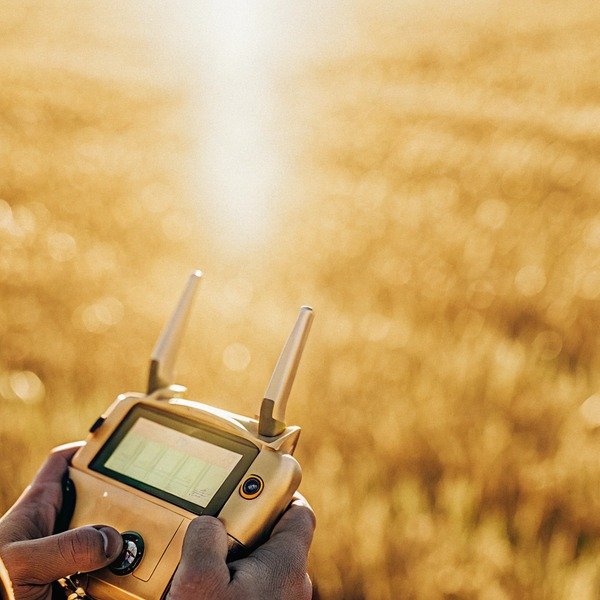
Losing visibility of your telemetry mid-flight due to glare is terrifying. At our Xi’an facility, we often hear clients complain about “blackout” screens causing crashes in bright fields.
When purchasing, specifically ask for the peak brightness rating in “nits,” ensuring it exceeds 1,000 nits for direct sunlight visibility. Verify if the screen uses anti-glare coating and check the battery endurance rating at max brightness to ensure it lasts through full spray cycles.
Here is everything you need to know to ensure your controller remains visible under the harsh midday sun.
What is the ideal brightness rating in nits I should specify for outdoor drone operations?
Standard screens vanish under the sun, making precision spraying impossible. When we source components for our SkyRover series, we reject anything that looks dim under our 10,000 lux test lamps.
For outdoor agricultural operations, specify a minimum brightness of 1,000 nits, though 1,500 to 2,000 nits is ideal for peak midday sun. Standard consumer screens average 400 nits, which is insufficient for maintaining visual line of sight and monitoring telemetry in open fields.
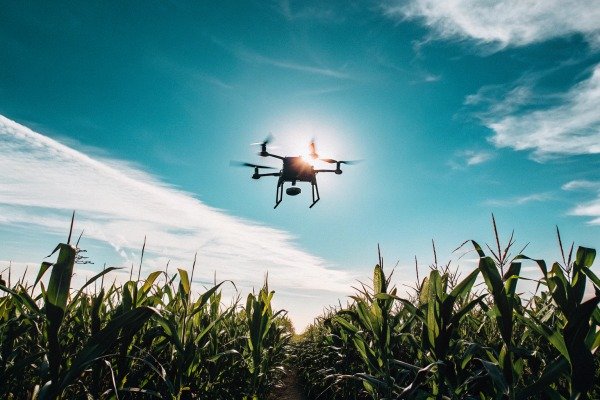
When you are standing in the middle of a cornfield at noon, the sun is unforgiving. The ambient light intensity can easily exceed 100,000 lux. exceed 100,000 lux 1 In these conditions, a standard mobile phone screen or a basic laptop display will look completely black. This is not just an inconvenience; it is a safety hazard. If you cannot see your battery voltage, obstacle avoidance warnings, or the live video feed, you are flying blind.
Understanding the "Nit" Metric
In our engineering labs, we measure luminance in "nits" (candelas per square meter). candelas per square meter 2 Most consumer electronics are designed for indoor use. Your average laptop is likely around 250 to 300 nits. A high-end smartphone might hit 800 nits, but usually only for short bursts before dimming to prevent overheating.
For agricultural drones, the requirement is much higher. We have found that 1,000 nits is the absolute baseline for readability. 1,000 nits is the absolute baseline 3 However, "readable" does not mean "clear." At 1,000 nits, you can see the numbers, but the image might still look washed out. This is why we are seeing a trend towards 1,500 and even 2,000 nits in the newest generation of controllers.
Why Contrast Matters as Much as Brightness
Brightness is only half the story. You must also ask about the contrast ratio. A screen that pumps out light but has a gray, milky black level will still be hard to read. High contrast ensures that the text stands out sharply against the background. This is critical when you are trying to read small font sizes on a flight interface, such as flow rate data or GPS satellite counts.
We often tell our US distributors that the screen is the pilot's primary connection to the machine. If that connection is severed by glare, the expensive hardware in the air is at risk.
The Impact on Operation Windows
If you settle for a controller with 400 to 600 nits, you are effectively limiting your working hours. You might be able to fly comfortably at dawn or dusk, but you will be forced to stop during the most productive hours of the day. For commercial sprayers who need to cover hundreds of acres, this downtime is unacceptable.
Common Brightness Standards
To help you evaluate different models, we have compiled a reference table based on our component testing.
| Brightness Rating (Nits) | Visibility Condition | Recommended Use Case |
|---|---|---|
| < 400 Nits | Poor outdoors. Screen appears dark or black. | Indoor setup or training only. |
| 400 – 700 Nits | Readable in shade, difficult in sun. | Early morning/late evening ops. |
| 800 – 1000 Nits | Visible in sunlight, but may lack contrast. | General agriculture, requires sunshade. |
| 1000 – 1500 Nits | Good visibility. Clear text and video. | Professional all-day spraying. |
| > 1500 Nits | Excellent. Crystal clear even at noon. | High-end industrial/mapping. |
When asking a supplier, do not just ask "is it bright?" Ask "What is the sustained brightness in nits?" This forces them to give you a number rather than a marketing promise.
How do I verify if the controller's screen is truly viewable in direct sunlight?
Specs often lie. During field tests in Chengdu, we found high nit ratings fail if the glass reflection acts like a mirror, blinding the pilot with their own reflection.
Verify visibility by requesting a video demonstration under direct sunlight exceeding 10,000 lux, not just indoors. Ask specifically about matte anti-glare coatings and whether the display bonds optically to the glass to minimize internal reflections that wash out colors.
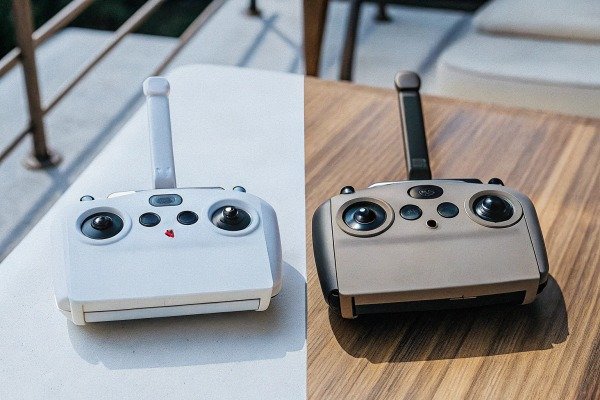
It is easy for a supplier to print "1000 nits" on a spec sheet. It is much harder for them to prove it works in the real world. We have seen screens that emit plenty of light but are covered by cheap, glossy glass. When the sun hits that glass, the reflection is brighter than the display itself.
The "Mirror Effect" Problem
This is a common issue with lower-tier controllers. The manufacturer might use a bright LCD panel but place it behind a standard glass window with an air gap. This air gap causes double reflections—one from the front of the glass and one from the back. The result is a mirror effect.
When you are negotiating, ask if the screen is "optically bonded." Optical bonding fills that air gap with resin, reducing internal reflections Optical bonding fills that air gap 4 and improving durability. It makes a massive difference in perceived brightness.
Asking for the Right Proof
Do not accept studio photos. Studio lighting is controlled and flattering. Ask your sales representative to take the unit outside. Tell them, "Please take a video of the screen at noon with the sun behind you."
In the video, look for:
- Reflection handling: Can you see the person filming in the reflection more clearly than the app interface?
- Color accuracy: Does the green of the grass in the video feed look green, or is it grey?
- Viewing angles: Ask them to tilt the controller. Many screens look fine head-on but disappear if you view them from the side.
The Polarized Sunglasses Test
Many agricultural pilots wear polarized sunglasses to protect their eyes during long shifts. However, LCD screens emit polarized light. polarized light 5 If the polarization of the screen aligns perpendicularly to your glasses, the screen will turn completely black.
We design our SkyRover controllers to account for this, but many generic controllers do not. Ask the supplier: "Is the screen visible while wearing polarized sunglasses in both portrait and landscape modes?" If they do not know, ask them to test it. You do not want to have to choose between protecting your eyes and seeing your drone.
Checklist for Verification
Use this list when communicating with a supplier to ensure you are getting a truly viewable screen.
- Ask for a raw video: No editing, filmed outdoors.
- Check the histogram: If they send a photo, ensure it hasn't been brightened in Photoshop.
- Inquire about the coating: Is it etched glass (matte) or a coating? Etched glass is more durable. Coatings can scratch off over time.
- Verify the dimming behavior: Does it stay bright, or does it dim after 5 minutes?
Importance of Matte Finishes
A matte finish diffuses ambient light rather than reflecting it directly back at your eyes. While it can slightly reduce sharpness, for agricultural work, the trade-off is worth it. A glossy screen might look sharper in a dark room, but in the field, it is a liability.
Should I opt for a built-in high-brightness display or rely on an external tablet?
Fumbling with cables and overheating tablets slows down work. Our engineering team shifted to integrated screens because consumer tablets often shut down thermally during summer operations.
Opt for a built-in high-brightness display for better thermal management, lower latency, and rugged durability in dusty environments. While external tablets offer flexibility, they often dim automatically when hot and lack the specialized cooling systems found in dedicated agricultural drone controllers.
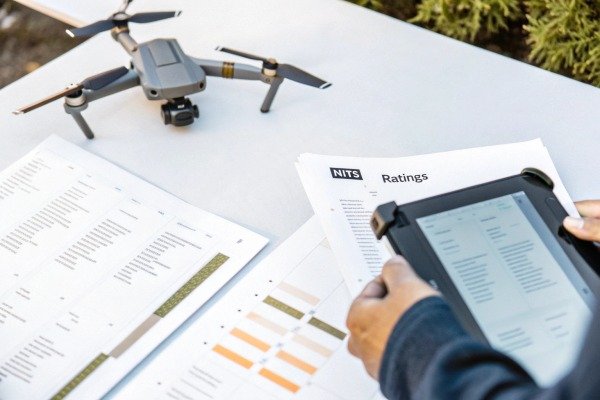
This is one of the most common debates we see among buyers. Years ago, using an iPad or an Android tablet was the standard because dedicated screens were low quality. Today, the landscape has shifted.
The Thermal Throttling Issue
Consumer tablets like iPads are designed to be thin and light. They are not designed to sit in direct sunlight running a heavy data-link app while decoding HD video. When a consumer tablet gets hot, its first defense mechanism is to dim the screen to protect the battery and CPU. dim the screen to protect 6
Imagine you are in the middle of a spray run. The sun is beating down. Suddenly, your tablet screen dims to 50% brightness. You cannot override it. This happens constantly with external devices.
Dedicated controllers, like the ones we build, have thick heat sinks and often active cooling fans behind the screen. We force the brightness to stay high because the cooling system can handle the heat.
Reliability and Durability
Agricultural environments are harsh. There is dust, pesticide mist, and rough handling. pesticide mist 7 An external tablet requires a USB cable connecting it to the remote. That USB port is a weak point. We have seen operations halt because a $5 cable vibrated loose or got clogged with dust.
An integrated screen has internal wiring. It is sealed against the elements (often IP65 or higher). IP65 or higher 8 There are no cables to snag and no mounts to break.
Latency and Performance
Integrated systems are optimized. The operating system is stripped of bloatware. The video decoder communicates directly with the screen driver. This results in lower latency. When you are flying a heavy drone near a tree line, milliseconds matter.
External tablets run background processes, updates, and notifications that can introduce lag or even crash the flight app.
Comparison of Architectures
Here is how we view the trade-offs between the two approaches from a manufacturing perspective.
| Característica | Integrated High-Bright Screen | External Consumer Tablet |
|---|---|---|
| Brightness Consistency | Sustained high brightness. | Dims automatically when hot. |
| Cooling | Active fans/Heatsinks. | Passive (Body only). |
| Durability | Rugged, Dust/Water resistant. | Fragile, requires a case. |
| Setup Time | Instant (Turn on and fly). | Slow (Mount, plug in, launch app). |
| Cost | Higher initial purchase price. | Lower (if you own a tablet). |
| Obsolescence | Harder to upgrade hardware. | Easy to swap tablets. |
When to Choose External
There is one scenario where we still recommend external tablets: specific software requirements. If your operation requires a very specific third-party app that only runs on a high-end iOS device, you might be forced to use an iPad. But for 90% of spraying tasks, the integrated Android-based controller is the superior tool.
Will a high-brightness screen drastically reduce my remote controller's operating time?
A bright screen is useless if the battery dies in two hours. We calibrate our SkyRover power management systems to balance high visibility with the long endurance needed for large fields.
Yes, high brightness significantly increases power consumption, potentially halving battery life. Ensure the controller features a high-capacity battery (10,000mAh+) or supports hot-swappable external batteries to maintain 6–8 hours of continuous operation at max brightness.

Physics is unavoidable. The backlight of a screen is usually the single largest power consumer backlight of a screen is usually 9 in a remote controller, often exceeding the power used by the radio transmitter itself. To push 1,000 or 2,000 nits, the LEDs behind the screen must drive hard.
The Math Behind the Drain
In our testing, running a 7-inch screen at 1,000 nits can consume 5 to 8 watts of power. If your controller has a standard 5,000mAh battery (running at 7.4V), that battery contains roughly 37 watt-hours of energy.
If the rest of the system (processor, radio, cooling fan) uses 4 watts, and the screen uses 6 watts, your total draw is 10 watts. You will drain the battery in less than 4 hours. If you dim the screen to indoor levels, you might get 8 hours.
This is why you must ask about battery capacity specifically in the context of max brightness.
Hot-Swappable Solutions
Because of this high power draw, we design our professional units with hot-swappable external batteries. This allows the pilot to snap on a fresh battery without powering down the remote or disconnecting from the drone.
When evaluating a product, ask: "Does this controller support WB37 or generic NP-F batteries externally?" This feature is a lifesaver. It allows you to fly all day without stopping to charge the remote.
Charging Speed Matters
If the controller has an internal battery only, you need to know how fast it recharges. Old micro-USB charging is too slow. You want a controller that supports PD (Power Delivery) or QC (Quick Charge) fast charging. Quick Charge 10 You should be able to top up the battery significantly during a 20-minute lunch break.
Power Management Strategies
Smart controllers have features to mitigate this drain. Ask if the controller has an "Auto-Dim" feature that lowers brightness when the drone is on the ground or when the pilot isn't touching the sticks for a set time.
Battery Life Expectations
Use this table to set your expectations for a professional controller with a 10,000mAh capacity.
| Screen Brightness Setting | Estimated Battery Life | Impact on Workflow |
|---|---|---|
| Low (Indoor/Night) | 10 – 12 Hours | Excellent, but not usable in day. |
| Medium (Cloudy Day) | 6 – 8 Hours | Good balance, covers most shifts. |
| Max (Full Sun) | 3 – 5 Hours | Requires mid-day charge or external battery. |
The "All-Day" Myth
Be wary of manufacturers who claim "24-hour battery life" on a high-brightness controller. They are likely testing with the screen off or at minimum brightness. Always ask for the "operating time under heavy load." In the field, you will be running the CPU hard to process maps and video, and the screen will be at 100%. That is the only number that counts.
Conclusión
When investing in an agricultural drone, the controller screen is not a detail to overlook—it is your window to the operation. You must demand a brightness rating of at least 1,000 nits to combat outdoor glare and verify this performance with video proof of the unit in direct sunlight. While integrated screens offer superior reliability and thermal management compared to external tablets, they do consume significant power. Therefore, prioritizing a system with a large battery capacity or hot-swappable power options is essential. By asking these specific questions, you ensure that your equipment works as hard as you do, even on the sunniest days.
Notas al pie
1. Reference defining Lux units and direct sunlight intensity levels. ↩︎
2. Defines the technical unit of luminance mentioned in the article. ↩︎
3. Manufacturer confirms 1000 nits as the standard for outdoor readability. ↩︎
4. Explains the technical process of optical bonding to reduce reflections. ↩︎
5. Background information on the physics of polarized light and its interaction with displays. ↩︎
6. Official documentation confirming thermal dimming features in consumer tablets. ↩︎
7. Official safety guidance on managing exposure to pesticide mist during agricultural operations. ↩︎
8. Explains the international standard for ingress protection ratings for electronic devices. ↩︎
9. Technical analysis identifying backlights as major power consumers in displays. ↩︎
10. Technical documentation for fast-charging standards mentioned for controller batteries. ↩︎

 English
  Spanish
  German
  French
  Dutch
Dutch  Arabic
