
At SkyRover, we see clients struggle when standard specifications fail during intense fires. Losing a live feed mid-operation isn’t just annoying; it risks lives and valuable assets during critical missions.
To determine suitability, compare the drone’s Non-Line-of-Sight (NLOS) performance against your operational radius, ensuring latency stays under 200ms. Verify signal stability through smoke and electromagnetic interference using dual-frequency systems, rather than relying solely on maximum unobstructed manufacturer specifications.
Let’s break down the technical metrics and testing methods you need to verify before deploying a new fleet.
How Does Urban Interference Impact the Effective Transmission Range?
Our flight tests in dense cities reveal that skyscrapers can cut signal range by over 80%. Relying on open-field data for city operations is a recipe for mission failure.
Urban interference from concrete structures and Wi-Fi signals can reduce a 15km nominal range to just 1.5–3km. You must test transmission stability in high-density environments, utilizing systems with strong anti-interference algorithms to maintain a reliable link for command decisions.
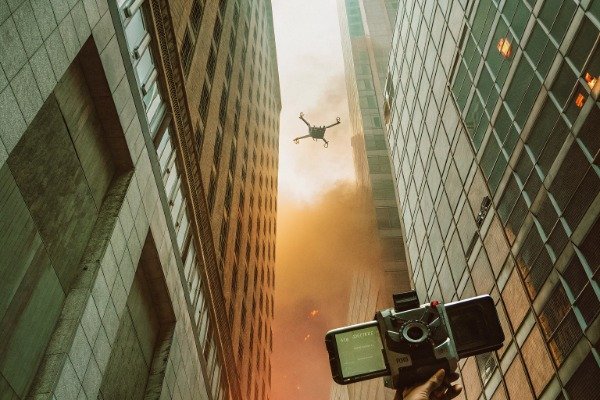
When we design industrial drones at our Chengdu factory, we distinguish clearly between "marketing range" and "mission range." The difference is often stark. In a perfectly flat, open area with no radio noise, a drone might transmit video up to 15 kilometers. However, urban environments are a battlefield for radio waves.
The Physics of Signal Degradation
Urban interference impacts video transmission through three primary mechanisms: absorption, reflection, and spectrum congestion.
- Absorption: Materials like concrete, steel, and thick glass absorb radio waves. If a drone flies behind a building (Non-Line-of-Sight or NLOS), the signal must penetrate these obstacles. Higher frequencies, such as 5.8GHz, struggle to penetrate solid objects compared to lower frequencies like 900MHz or 2.4GHz.
- Reflection (Multipath Effect): In a city, radio signals bounce off buildings. The receiver on the remote controller gets the direct signal plus several delayed "echoes." This multipath interference can confuse the receiver, causing video lag or pixelation (artifacts) just when you need a clear view of a fire on the 20th floor.
- Spectrum Congestion: Cities are flooded with Wi-Fi routers, Bluetooth devices, and cell towers. These devices often operate on the same 2.4GHz and 5.8GHz bands used by drones. This creates a "noise floor" that drowns out the drone’s signal, significantly reducing the effective range.
Real-World Range Expectations
We advise our procurement partners to apply a "de-rating factor" to manufacturer specifications. If a brochure claims 10km, expect 2-3km in a dense city.
Comparison of Environment Impact
Below is a breakdown of how different environments affect the theoretical range of standard industrial transmission systems (like OcuSync 3+ or SkyLink 2.0).
| Environment Type | Interference Level | Typical Effective Range | Primary Obstacles |
|---|---|---|---|
| Open Rural Area | Bajo | 8 km – 15 km | Terrain curvature, trees |
| Suburban Area | Medio | 4 km – 7 km | Houses, sparse Wi-Fi, trees |
| Urban Center | Alto | 1.5 km – 3 km | Skyscrapers, dense Wi-Fi, steel |
| Industrial/Fire Scene | Severe | 1 km – 2 km | Metal structures, smoke particulates, emergency radio traffic |
Testing for Your Specific Needs
To truly know if a drone meets your needs, you cannot rely on the spec sheet. We recommend conducting a Received Signal Strength Indicator (RSSI) test. Fly the drone to your required operational distance (e.g., 2 miles) in a representative environment. Monitor the RSSI value (usually in dBm) and the video bitrate. If the bitrate drops below 2 Mbps or the RSSI drops below -90 dBm, the video feed will likely freeze, making it unsuitable for remote command.
What Is the Maximum Latency Acceptable for Real-Time Command Decisions?
When we calibrate flight controllers, we know a split-second delay causes crashes. In firefighting, high latency prevents pilots from reacting to collapsing structures or shifting winds.
For safe real-time command, video transmission latency must remain below 100 milliseconds, though up to 200 milliseconds is marginally acceptable. Delays exceeding this threshold disconnect the operator’s reaction time from the drone’s movement, increasing the risk of collisions in dynamic fire environments.
Latency is the invisible killer of drone operations. It refers to the time delay between an event happening in reality (e.g., a window blowing out) and that event appearing on your controller’s screen. In our engineering labs, we measure this as "glass-to-glass" latency—from the camera lens to the display panel.
AES-256 encryption 2
Why Milliseconds Matter
In a static surveillance scenario, a 500ms (half-second) delay might be annoying but acceptable. However, firefighting is dynamic.
- Piloting Requirements: If you are manually piloting the drone close to a burning structure, you need <100ms latency. If the drone drifts toward a wall due to wind, and you see it 200ms later, your correction input will arrive too late, potentially causing a crash.
- Command Decisions: For a commander watching a screen to direct ground troops ("Go left, the fire is spreading right"), a latency of up to 200-300ms is tolerable. Anything higher creates a disconnect between the order given and the reality on the ground.
Factors Increasing Latency
Several factors contribute to the total lag in a video system:
- Camera Processing: The time it takes for the sensor to capture the image and the processor to encode it (H.264 or H.265). H.265 offers better quality at lower bitrates but requires more processing power, often adding latency.
- Transmission Protocol: The radio link itself adds travel time, especially if it uses re-transmission mechanisms to correct errors in a noisy environment.
- Decryption and Display: The tablet or controller must decode the video and light up the pixels. We have found that using older, slower tablets with high-end drones can introduce significant lag, bottlenecking the system.
Latency vs. Resolution Trade-off
There is often a trade-off between image clarity and speed. High-definition (4K) streams require more data, which can clog the transmission pipe and increase lag.
Latency Thresholds for Firefighting Operations
| Operational Role | Ideal Latency | Acceptable Maximum | Consequence of Excess Latency |
|---|---|---|---|
| FPV Piloting (Manual) | < 50 ms | 100 ms | Collision with obstacles; pilot nausea |
| Gimbal Operator (Camera) | < 100 ms | 150 ms | Missed tracking of moving targets |
| Incident Commander | < 200 ms | 400 ms | Delayed tactical orders; confusion |
| Remote HQ Streaming | < 1 sec | 3 sec | Strategic delay; not suitable for tactical control |
How to Test Latency Yourself
You don’t need a lab to test this. Point the drone camera at a digital stopwatch running on your phone. Film the stopwatch with the drone and look at the drone’s controller screen. Take a photo that captures both the real stopwatch and the screen showing the stopwatch. Subtract the time on the screen from the time on the real stopwatch. The difference is your glass-to-glass latency. If this number exceeds 200ms, proceed with caution for close-quarters firefighting.
Does the System Support Dual-Frequency Switching to Maintain Connection?
We often advise clients that single-band radios fail in congested areas. Without automatic switching, your drone cannot dodge the invisible wall of radio noise during emergencies.
Frequency Hopping Spread Spectrum 3
Yes, a robust system must support automatic dual-frequency switching between 2.4GHz and 5.8GHz bands. This feature allows the drone to hop to a clearer channel instantly when interference spikes, ensuring an uninterrupted video feed during critical firefighting operations.
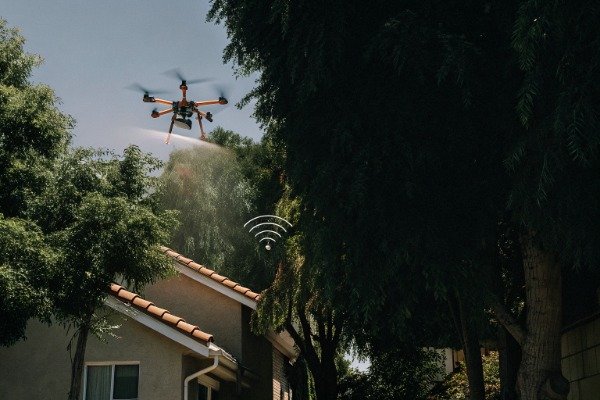
In the world of industrial drones, frequency agility is synonymous with reliability. When we develop our SkyRover platforms, we prioritize radio systems that don’t just "talk" on one channel but "listen" to the environment and adapt.
H.264 or H.265 5
The Battle of the Bands: 2.4GHz vs. 5.8GHz
Most industrial drones operate on these two unlicensed bands. Each has distinct characteristics:
- 2.4GHz: This frequency has a longer wavelength, which provides better range and better penetration through solid objects like trees and walls. However, it is extremely crowded. Microwaves, old Wi-Fi routers, and Bluetooth devices all fight for space here.
- 5.8GHz: This frequency offers higher data bandwidth (better video quality) and is generally less crowded in urban spaces. However, it has poor penetration capabilities. A single concrete wall can block a 5.8GHz signal entirely.
Why Auto-Switching is Critical
A fire scene is chaotic. You might launch from a clear parking lot (where 5.8GHz works great) and fly behind a burning warehouse (where you need the penetration of 2.4GHz).
If your drone is fixed to one band, you will lose signal the moment the environment changes. Automatic Dual-Band Switching allows the drone to monitor interference levels in real-time. If the 5.8GHz channel becomes noisy or weak, the system seamlessly hops to 2.4GHz without freezing the video feed.
Advanced Interference Mitigation
Beyond simple switching, modern high-end systems use Frequency Hopping Spread Spectrum (FHSS). This technique splits the data into small packets and transmits them across dozens of different narrow channels rapidly. If one small channel is blocked by interference, the data is just sent on the next one.
Evaluating Radio Link Robustness
When evaluating a supplier, ask about their "anti-jamming" capabilities.
- Channel Width: Can the system adjust bandwidth (e.g., dropping from 40MHz to 10MHz) to concentrate signal power? Narrower bandwidths travel further but carry lower quality video.
- Encryption Overhead: Does the AES-256 encryption (required for secure government ops) slow down the switching process? In our experience, dedicated hardware encryption chips are necessary to prevent latency spikes during frequency hops.
Comparison of Transmission Technologies
Here is how different transmission technologies handle interference and switching.
| Technology | Frequency Bands | Switching Capability | Mejor caso de uso |
|---|---|---|---|
| Standard Wi-Fi | 2.4 or 5.8 GHz | Manual/None | Hobbyist / Short Range |
| OcuSync 3+ / Enterprise | 2.4 & 5.8 GHz | Automatic (Ms latency) | General Enterprise / Urban |
| SkyLink 2.0 | 2.4, 5.8, & 900MHz* | Automatic | Long Range / Obstructed |
| 4G / 5G Cellular | Cellular Bands | N/A (Network dependent) | BVLOS / Unlimited Range |
Note: 900MHz is available in some regions and offers superior penetration but lower video resolution.
video transmission latency 6
Can I Integrate the Drone Feed Into an Existing Command Center Screen?
Our engineering team frequently customizes SDKs for fire departments. A drone feed trapped on a handheld controller is useless to the incident commander managing the bigger picture.
Received Signal Strength Indicator 7
Integration is possible via HDMI output, RTSP streaming, or cloud-based platforms, provided your command center supports these protocols. You must verify compatibility with your existing video management software to ensure the live feed can be cast to large screens for team coordination.
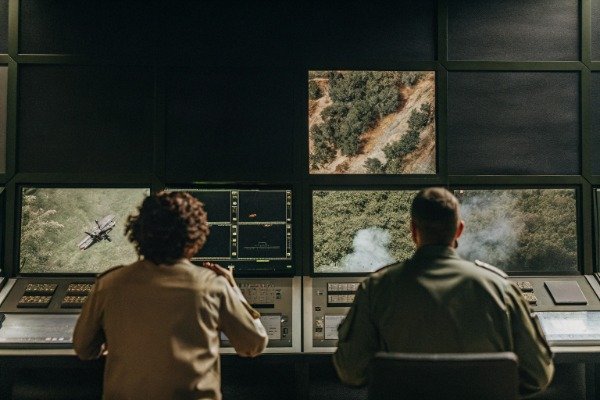
A firefighting drone is an "eye in the sky," but that eye must be connected to the brain of the operation—the Command Center. We often see agencies buy expensive drones only to realize they can’t get the video off the pilot’s small 7-inch screen.
electromagnetic interference 9
Hardware Integration: The HDMI Route
The simplest and most reliable method is a physical connection.
- Controller Output: Ensure the drone’s remote controller (RC) has an HDMI-out port. Many consumer drones do not have this; industrial models like the DJI Matrice or our SkyRover series usually do.
- Live Broadcast Vehicles: You can plug the controller directly into a broadcast truck or a mobile command case using an HDMI cable. This provides a low-latency, uncompressed feed directly to large monitors.
- Limitation: The pilot is tethered to the command post by a cable, limiting their mobility.
Software Integration: Network Streaming
For true remote command, where the pilot is at the fire line and the commander is miles away at HQ, you need network streaming.
- RTSP/RTMP Protocols: These are standard streaming languages. The pilot’s controller connects to the internet (via a 4G/5G dongle or Wi-Fi hotspot) and "pushes" the video to a server address.
- Cloud Platforms: Manufacturers often provide proprietary cloud platforms (like DJI FlightHub 2 or Autel SkyCommand). These are user-friendly but require subscription fees and rely on the manufacturer’s servers, which can be a data security concern for some government agencies.
The Bandwidth Bottleneck
Streaming requires a stable uplink.
- 4G LTE: Usually sufficient for 720p or 1080p video.
- 5G: Necessary for low-latency 4K streaming or multiple drone feeds simultaneously.
- Data Consumption: A 1080p stream can consume 1-2 GB of data per hour. Ensure your department’s data plans can handle sustained operations.
Security Considerations
When streaming video over the internet, security is paramount.
- Encryption: Ensure the stream is encrypted (SRT protocol or VPN). You do not want the media or unauthorized public accessing live footage of a sensitive casualty event.
- Server Location: For government clients, we ensure that data is routed through local servers (e.g., AWS US GovCloud) rather than overseas servers, to comply with data sovereignty laws.
Checklist for Command Center Compatibility
Before purchasing, ask your IT department or system integrator these questions:
- Does our Video Management System (VMS) support RTSP o RTMP inputs?
- Do we have reliable cellular coverage at our typical deployment sites to support uplink streaming?
- Does the drone controller allow for simultaneous HDMI output and app operation? (Some controllers disable the screen when HDMI is plugged in).
Conclusión
To ensure your firefighting drone is mission-ready, verify it delivers reliable video in Non-Line-of-Sight conditions, maintains latency under 200ms, supports automatic dual-band switching, and integrates seamlessly with your command center.
Non-Line-of-Sight (NLOS) performance 10
Notas al pie
- Compares streaming protocols used for remote command. ↩︎
- Describes the security standard used for drone data. ↩︎
- Technical overview of FHSS for interference mitigation. ↩︎
- Explains differences between these common frequency bands. ↩︎
- Compares video compression standards relevant to processing speed. ↩︎
- Discusses the importance of low latency in video feeds. ↩︎
- Guide on interpreting RSSI values for signal quality. ↩︎
- Details how signal reflections cause data corruption. ↩︎
- Explains the basics of radio frequency interference sources. ↩︎
- Defines NLOS propagation challenges in wireless communications. ↩︎

 English
  Spanish
  German
  French
  Dutch
Dutch  Arabic
