
When our engineering team first developed patrol drones for campus fire safety, we faced a critical challenge: how do you cover a complex campus 24/7 without exhausting your security budget?
When evaluating automated patrol path planning features for campus fire safety drones, prioritize pre-programmed route customization, intelligent obstacle avoidance with real-time rerouting, automatic return-to-base and recharging capabilities, and seamless integration with existing security software and thermal imaging systems for comprehensive fire detection.
Let me walk you through the essential features that separate effective campus safety drones from basic surveillance tools.
How can I customize the automated patrol routes to match my specific campus layout?
Every campus has unique fire risks. Our clients often ask how to design routes that cover dormitories, research labs, and outdoor spaces without gaps pre-programmed route customization 1.
You can customize automated patrol routes using mapping software that allows you to draw flight paths, set waypoints, adjust altitude levels, and define patrol schedules based on your campus's specific building layout, high-risk zones, and seasonal fire threats.
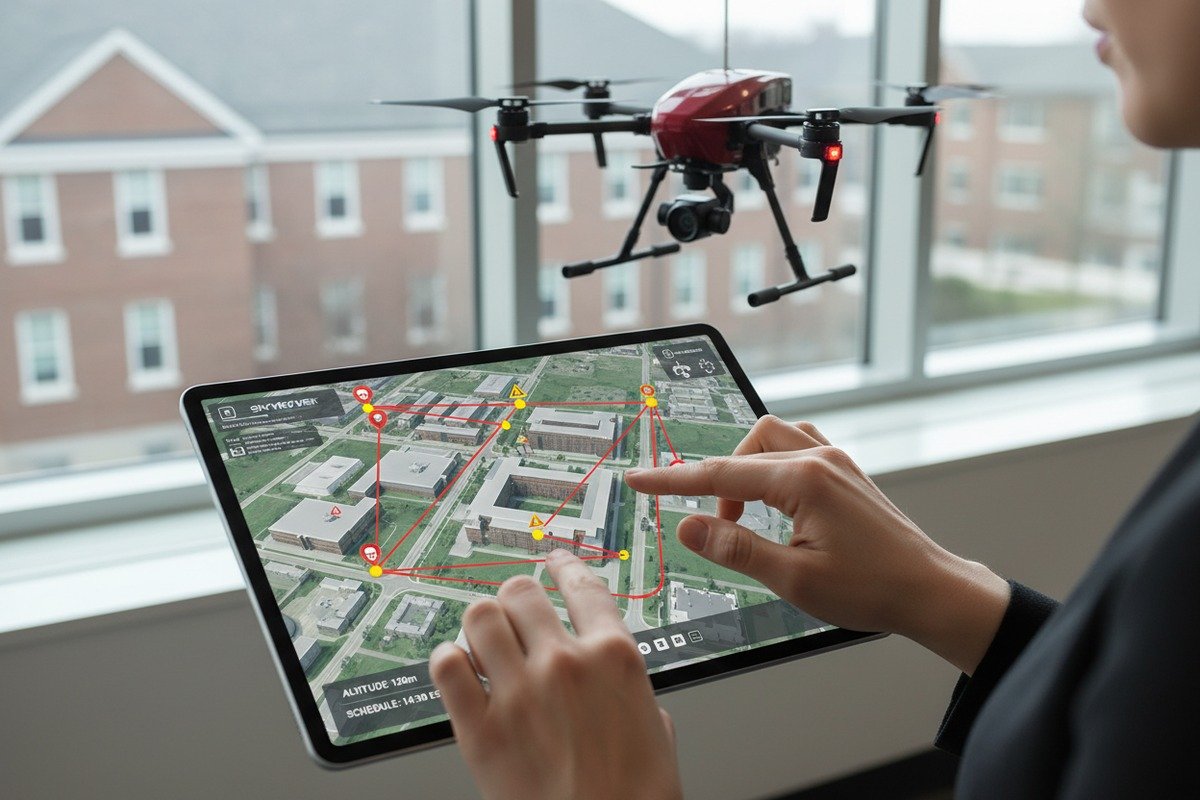
Understanding Route Customization Tools
Modern campus fire safety drones come with ground control software intelligent obstacle avoidance 2. This software lets you upload campus maps and draw patrol paths directly on the screen. You click to add waypoints. Each waypoint tells the drone where to go, how high to fly, and how long to hover thermal imaging systems 3.
Our flight controllers support up to 99 waypoints per mission. This means you can create detailed routes that cover every corner of your campus. You can also save multiple route profiles. One profile might focus on dormitory areas at night. Another might emphasize research buildings during weekends.
Building-Specific Route Planning
Different buildings need different approaches. Here is a breakdown of common campus structures and recommended patrol strategies:
| Building Type | Fire Risk Level | Recommended Patrol Frequency | Key Focus Areas |
|---|---|---|---|
| Chemistry Labs | Hoch | Every 2 hours | Ventilation systems, chemical storage |
| Dormitories | Mittel-Hoch | Every 4 hours | Electrical panels, common kitchens |
| Libraries | Mittel | Every 6 hours | Electrical rooms, HVAC units |
| Parking Structures | Mittel | Every 4 hours | Underground levels, electrical stations |
| Sports Facilities | Low-Medium | Every 8 hours | Mechanical rooms, concession areas |
Time-Based Route Optimization
Your patrol routes should change based on time. During daytime, drones can monitor building exteriors while students move between classes. At night, routes should shift toward interior monitoring of locked buildings and less-supervised outdoor spaces.
We build time-triggered route switching into our systems. You set the schedule once. The drone automatically switches between day and night profiles. This approach saves manual effort and ensures consistent coverage.
Seasonal Adjustments
Fire risks change with seasons. During wildfire season, you need more perimeter monitoring. In winter, heating systems and electrical infrastructure become priority areas. Good path planning software lets you create seasonal profiles that activate automatically based on calendar dates or manual triggers.
Our clients in California typically increase perimeter flights by 40% during fire season. They also add extra waypoints near dry vegetation areas. This flexibility is essential for effective campus protection.
What obstacle avoidance and real-time rerouting features should I expect for my campus safety drone?
Campus environments are unpredictable. Trees grow, construction scaffolding appears, and vehicles move through flight paths. Without smart obstacle avoidance, your drone becomes a liability.
Expect multi-directional obstacle detection using ultrasonic, infrared, and vision sensors that scan 360 degrees, combined with AI-powered real-time rerouting algorithms that automatically calculate alternative paths when obstacles appear during patrol missions.
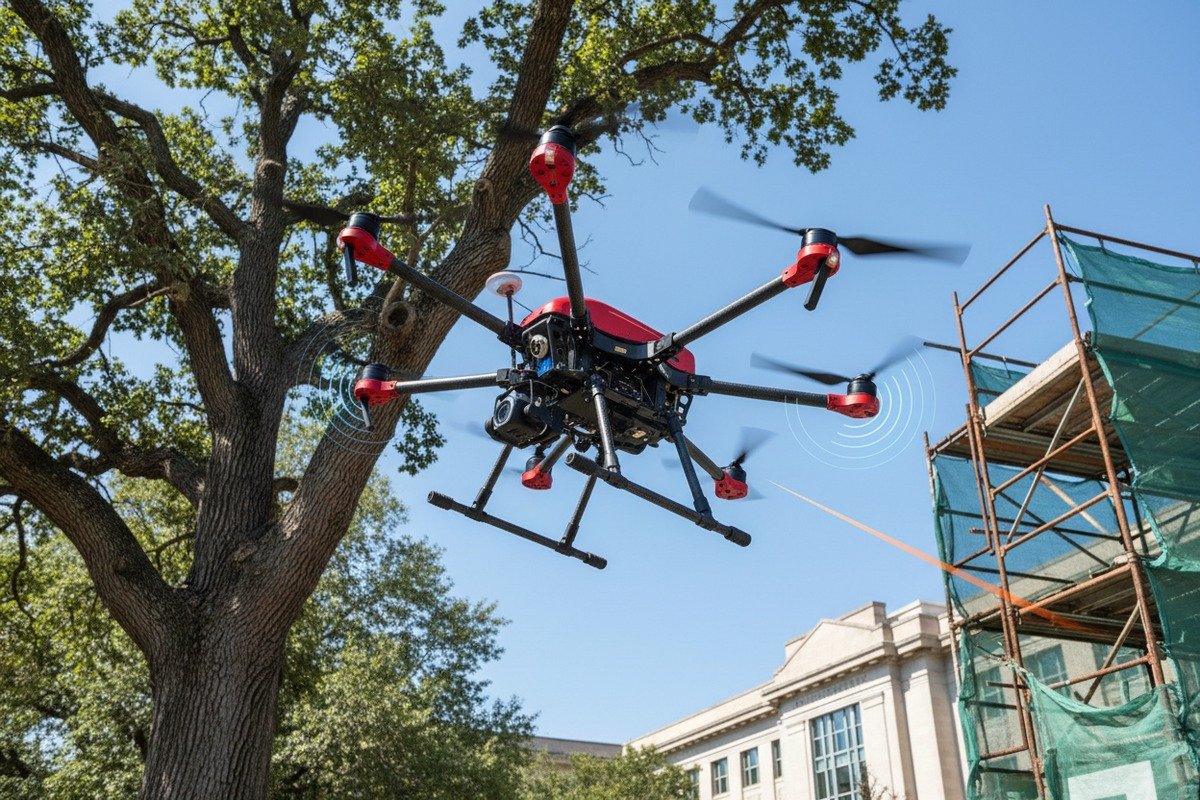
Sensor Technologies for Safe Navigation
When we design our fire safety drones, we layer multiple sensor types. Each type has strengths and weaknesses. Combining them creates reliable obstacle detection in any condition.
| Sensor-Typ | Detection Range | Am besten für | Limitations |
|---|---|---|---|
| Ultraschall | 0.5-8 meters | Close-range objects, glass surfaces | Affected by wind noise |
| Infrared | 0.2-5 meters | Indoor navigation, low light | Limited outdoor range |
| Vision/Camera | 1-30 meters | Large obstacles, buildings | Reduced in fog or smoke |
| LiDAR 4 | 1-100 meters | Precise mapping, all conditions | Higher cost, weight |
| Millimeter Wave Radar 5 | 1-40 meters | All-weather detection | Lower resolution |
Our industrial drones use a combination of vision sensors and ultrasonic arrays. This setup handles most campus scenarios. For clients needing all-weather operation, we integrate millimeter wave radar that works through smoke and rain.
Real-Time Rerouting Algorithms
Detection is only half the solution. Your drone must react intelligently when it spots an obstacle. Our flight systems process sensor data 50 times per second. When an obstacle appears, the onboard computer calculates three possible reroutes within 200 milliseconds.
The algorithm considers several factors: battery remaining, mission priority, no-fly zones, and shortest safe path. It picks the best option and executes the maneuver. The entire process happens without human input.
Dynamic Environment Adaptation
Campus environments change constantly. A truck parked for deliveries blocks a usual flight path. Construction cranes appear overnight. Your drone must adapt to these changes without requiring route reprogramming.
We achieve this through what we call "elastic waypoints." The drone maintains its general patrol pattern but adjusts the exact path based on real-time conditions. If a waypoint becomes inaccessible, the system finds the nearest safe alternative that still provides camera coverage of the target area.
Vertical Obstacle Management
Buildings present unique challenges. GPS signals weaken between tall structures. Wind patterns become unpredictable. Our drones use barometric altitude hold combined with downward-facing terrain sensors. This dual system maintains stable flight even when GPS accuracy drops below acceptable levels.
For campuses with buildings over 50 meters, we recommend models with enhanced GPS receivers and backup positioning systems. These features add cost but prevent dangerous flight behavior in complex urban environments.
How does the drone handle automatic return-to-base and recharging during my scheduled patrol missions?
A fire safety drone sitting on the ground with a dead battery provides zero protection. Automated recharging 6 is what transforms a drone from a tool into a continuous security system.
Advanced fire safety drones automatically monitor battery levels during patrol and initiate return-to-base procedures at predetermined thresholds, landing precisely on charging docks that restore full capacity within 45-90 minutes, then resuming scheduled patrols without human intervention.

Battery Management Intelligence
Our drones calculate battery consumption in real-time. They factor in wind conditions, flight speed, payload weight, and remaining patrol distance. This calculation runs continuously throughout the mission.
When battery drops to a set threshold—typically 25-30%—the return sequence activates. The drone identifies the nearest available charging dock. It calculates the fastest safe route home. It communicates with the dock to confirm availability. Then it lands with precision using visual positioning markers on the dock surface.
Charging Dock Technologies
Modern charging docks are weatherproof and operate 24/7 without supervision. Here is what to look for in a quality dock system:
| Merkmal | Basic Dock | Advanced Dock | Premium Dock |
|---|---|---|---|
| Charging Time (0-100%) | 120 minutes | 75 minutes | 45 minutes |
| Weather Rating | IP54 | IP65 | IP67 |
| Precision Landing | Manual alignment | Visual markers | Infrared guided |
| Multi-Drone Support | No | 2 drones | 4+ drones |
| Remote Monitoring | Basic status | Full telemetry | Predictive maintenance |
| Temperature Range | 0-40°C | -10-50°C | -20-60°C |
We manufacture docks with IP65 rating as standard. This handles rain, dust, and temperature swings typical of campus environments. For clients in extreme climates, we offer enhanced models with heating elements and extended temperature ranges.
Continuous Coverage Strategies
A single drone cannot provide 24/7 coverage alone. It must land for charging. Two strategies solve this problem.
First, use multiple drones with staggered schedules. While one charges, another patrols. Our dock systems coordinate this automatically. They track which drone is available and dispatch based on battery status and mission priority.
Second, position multiple docks across campus. This reduces flight time to charging stations and increases effective patrol coverage. For a 500-acre campus, we typically recommend three to four dock locations.
Emergency Override Protocols
What happens if a fire alert triggers while the drone is charging? Good systems include emergency launch capability. The drone interrupts charging, lifts off immediately, and responds to the emergency location. After the incident, it returns to complete charging.
We program a minimum battery threshold for emergency launches—typically 15%. Below this level, a backup drone receives the dispatch instead. This ensures rapid response without risking mid-flight battery failure.
Can I integrate the drone's automated flight data and thermal imaging with my existing campus security software?
Data integration determines whether your drone becomes a valuable asset or an isolated gadget. Your security team already uses video management systems, access control platforms, and emergency dispatch software.
Yes, modern campus fire safety drones integrate with existing security infrastructure through standard protocols like RTSP video streaming, ONVIF compatibility, and API connections that feed flight telemetry, thermal imaging alerts, and recorded footage directly into your video management and incident command systems.

Video Management System Compatibility
When our clients ask about integration, video is their first concern. They want drone footage in the same interface as their fixed cameras. Most professional video management systems accept RTSP streams. Our drones output standard RTSP that plugs directly into existing setups.
ONVIF is the industry standard for IP camera interoperability. We build ONVIF compliance into our systems. This means your security operators can control drone cameras using the same software they use for building cameras. ONVIF compatibility 7 Pan, tilt, zoom—all from a single interface.
Thermal Imaging Data Flow
Thermal imaging creates special integration requirements. The data includes temperature readings, hotspot coordinates, and alarm triggers. This information must reach your security team instantly.
Our thermal payloads generate several data outputs:
| Datenart | Format | Use Case | Update Rate |
|---|---|---|---|
| Visual Overlay | H.264 stream | Operator monitoring | 30 fps |
| Temperature Map | TIFF/CSV | Post-analysis | Every 5 seconds |
| Hotspot Alerts | JSON/XML | Automated alarms | Echtzeit |
| GPS Coordinates | NMEA | Location tracking | 10 Hz |
| Flight Telemetry | MAVLink | System status | 20 Hz |
The JSON alert format connects to most security platforms. When thermal sensors detect anomalies, the system generates an alert with GPS coordinates, temperature reading, and timestamp. Your existing alarm monitoring software processes this alert like any other sensor input.
API Integration Options
For clients wanting deep integration, we provide REST APIs. These allow your development team to build custom connections. Common applications include automatic dispatch triggers, database logging, and custom dashboard displays. API connections 8
One university client integrated our flight data with their emergency mass notification system. When the drone detects a fire signature, the system automatically sends alerts to affected building occupants. This happens in seconds, faster than any manual process.
Mobile Alert System Connections
Students and staff report incidents through campus safety apps. Your drone system should respond to these reports automatically. We support webhook triggers that allow campus apps to dispatch drones to specific GPS coordinates.
The workflow is simple: student reports suspicious smoke via app, app sends GPS to drone system, drone launches and provides video within 90 seconds. Security operators receive the live feed immediately. They make informed decisions based on real imagery rather than phone descriptions.
Incident Command Integration
During active fire incidents, your drone must support incident commanders, not operate independently. Our systems include manual override modes. Incident commanders can take direct control, redirecting drones to specific locations as situations evolve.
We also provide ICS-compatible reporting formats. Flight logs, thermal captures, and video recordings export in formats that match incident documentation standards. This simplifies post-incident analysis and regulatory reporting.
Schlussfolgerung
Choosing the right automated patrol path planning features determines whether your campus fire safety drone delivers real protection or just impressive demonstrations. Focus on route customization, smart obstacle avoidance, reliable charging automation, and seamless software integration. These features create a system that works around the clock without constant supervision.
Fußnoten
1. UgCS provides drone flight planning software for customizable routes and mission planning. ︎
2. This source provides a comprehensive overview of collision avoidance and obstacle detection for unmanned vehicles. ︎
3. Explains how thermal imaging systems in drones are used for fire detection and management. ︎
4. This guide explains LiDAR technology, how it works with drones, and its various applications. ︎
5. Fraunhofer FHR explains how millimeter wave radar is used in drones for detection in poor visibility. ︎
6. Replaced HTTP unknown with an article explaining drone charging docks and autonomous operations. ︎
7. The official ONVIF website explains its profiles and how they ensure compatibility between IP-based security devices. ︎
8. FlytBase provides an overview of critical APIs for automated drone operations and custom application development. ︎

 English
  Spanish
  German
  French
  Dutch
Dutch  Arabic
