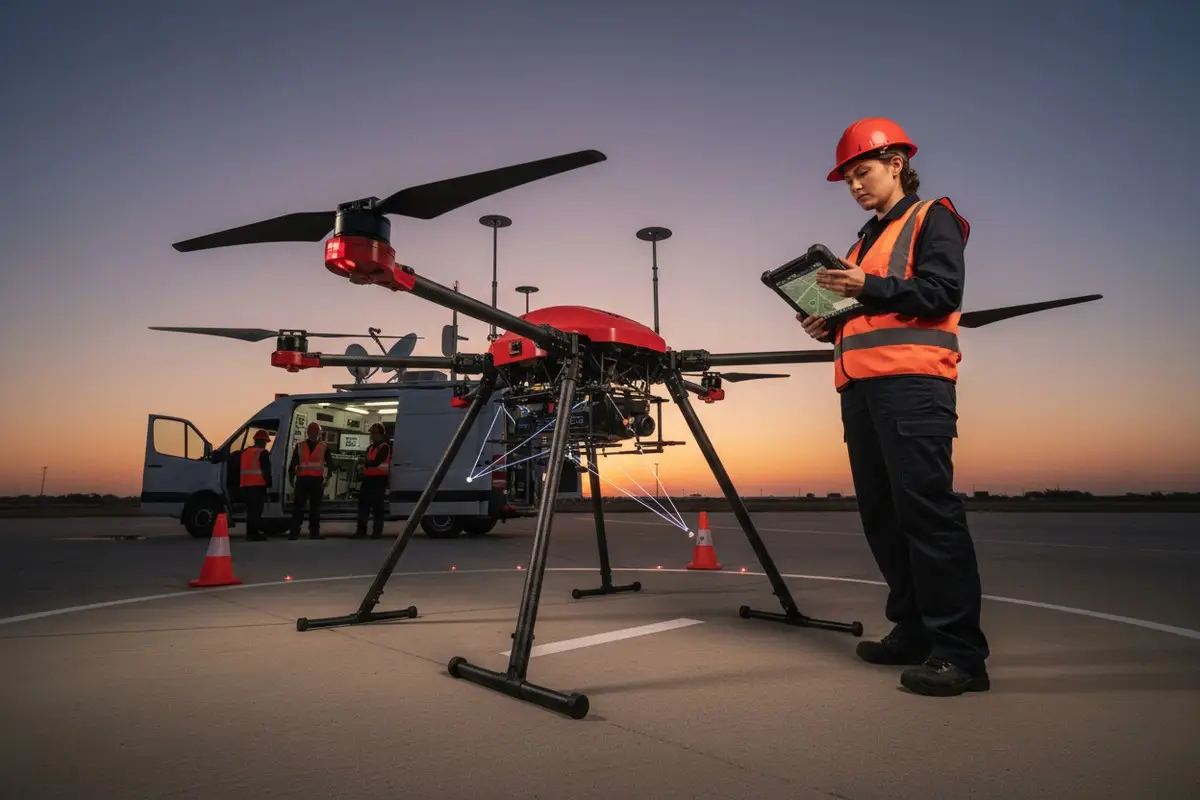
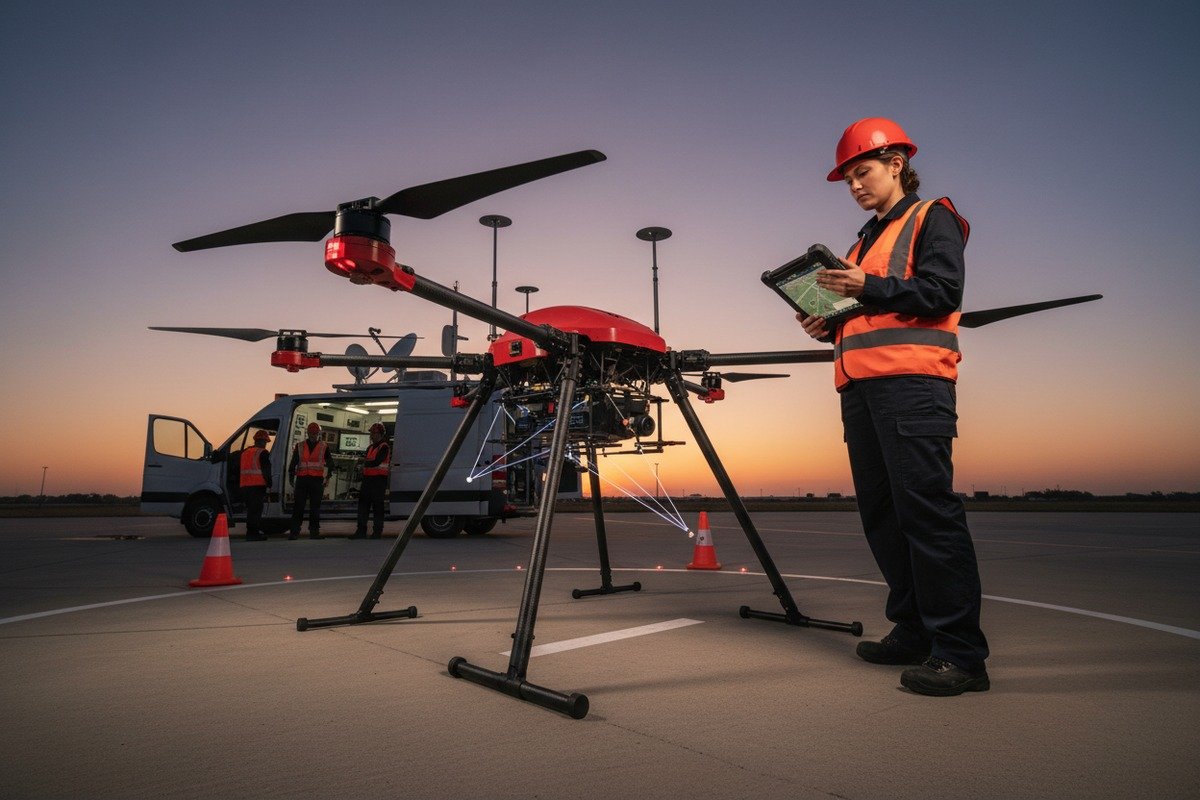
Als wir anfingen, unsere Löschdrohnen an Feuerwehren in den USA zu liefern, überraschte uns die häufigste Beschwerde MISB ST 0601 Metadaten-Standards 1. Es ging nicht um die Flugzeit oder die Qualität der Wärmebildkamera. Es ging um Fehler bei der Softwareintegration. Die Abteilungen hatten in teure Einsatzplanungsplattformen investiert, nur um dann festzustellen, dass ihre neuen Drohnen nicht richtig kommunizieren konnten Hardware-in-the-Loop-Simulation 2. Diese Diskrepanz führte zu verspäteten Einsätzen, verschwendeten Budgets und frustrierten Einsatzkräften bei kritischen Waldbrandeinsätzen.
Um die Kompatibilität von Feuerwehrdrohnen mit Einsatzplanungssoftware von Drittanbietern zu überprüfen, müssen Sie die Unterstützung von Protokollen wie MAVLink bestätigen, API-Integrationen in kontrollierten Umgebungen testen, die Nutzlaststeuerungsfunktionen validieren und vor dem Kauf eine SDK-Dokumentation von Ihrem Drohnenanbieter anfordern.
Dieser Leitfaden führt Sie durch alle Verifizierungsschritte, die unser Ingenieurteam im Laufe der Jahre entwickelt hat, um Kunden bei der Integration unserer Drohnen in Plattformen wie UgCS, FlytBase und Smart Flight zu helfen. PX4 SITL mit Gartenlaube 3. Schauen wir uns die einzelnen kritischen Kontrollpunkte an.
Wie kann ich feststellen, ob meine Feuerwehrdrohne das von Drittsoftware verwendete MAVLink-Protokoll unterstützt?
Unser Technikteam hat in den letzten fünf Jahren Hunderte von Protokollkonfigurationen getestet. Wir haben unzählige Integrationsfehler gesehen, die auf ein einfaches Versehen zurückzuführen sind. Die Käufer gehen davon aus, dass alle industriellen Drohnen dieselbe Sprache sprechen. Das tun sie aber nicht. Diese Annahme kostet die Feuerwehren wochenlanges Troubleshooting während kritischer Einsatzfenster.
Um die MAVLink-Unterstützung zu bestätigen, überprüfen Sie die technischen Spezifikationen Ihrer Drohne auf MAVLink 1.0- oder 2.0-Kompatibilität, fordern Sie die Protokolldokumentation vom Hersteller an und testen Sie die Kommunikation mit einer Bodenkontrollstation wie QGroundControl, bevor Sie sich für eine Software eines Drittanbieters entscheiden.

Verstehen der MAVLink-Versionen
MAVLink ist das am weitesten verbreitete Kommunikationsprotokoll für den Drohnenbetrieb. MAVLink-Protokoll 4 Allerdings spielen die Versionsunterschiede eine große Rolle. MAVLink 2.0 5 bietet die Signierung von Nachrichten, das Trimmen von Paketen und erweiterte Nachrichten-IDs, die MAVLink 1.0 fehlen. Die meisten modernen Missionsplanungsprogramme von Drittanbietern erfordern MAVLink 2.0 für die volle Funktionalität.
Wenn wir unsere Flugregler kalibrieren, stellen wir die Abwärtskompatibilität mit beiden Versionen sicher. Nicht alle Hersteller tun dies. Fragen Sie Ihren Lieferanten direkt, welche Version sein Autopilotsystem unterstützt. Verlangen Sie eine schriftliche Bestätigung, nicht nur eine mündliche Zusicherung.
Checkliste zur Protokollkompatibilität
| Schritt der Verifizierung | Was ist zu prüfen? | Warum es wichtig ist |
|---|---|---|
| Protokoll Version | MAVLink 1.0 gegenüber 2.0 | Bestimmt die Verfügbarkeit von Merkmalen |
| Nachrichtentypen | Herzschlag, GPS, Einstellung | Kernanforderungen an die Telemetrie |
| Baudrate-Einstellungen | 57600, 115200, 921600 | Anpassung der Kommunikationsgeschwindigkeit |
| Zugang zum seriellen Anschluss | USB, UART, Ethernet | Physikalische Anschlussmöglichkeiten |
| Unterstützung für Verschlüsselung | Fähigkeit zum Signieren von Nachrichten | Sicherheit für sensible Missionen |
Testen der Protokollkommunikation
Fordern Sie vor dem Kauf einer Feuerwehrdrohne ein Testgerät oder eine Vorführung an. Verbinden Sie die Drohne mit QGroundControl 6 oder Mission Planner. Mit diesen kostenlosen Tools lassen sich Kompatibilitätsprobleme mit MAVLink sofort erkennen. Achten Sie auf stabile Herzschlag-Signale, genaue GPS-Berichte und reaktionsschnelle Fluglagedaten.
In unserem Werk wird jede Drohne vor dem Versand genau dieser Testsequenz unterzogen. Wir stellen unseren Kunden detaillierte Prüfprotokolle zur Verfügung. Fragen Sie Ihren potenziellen Lieferanten, ob er eine ähnliche Dokumentation anbietet. Wenn sie zögern, ist das ein Warnsignal.
Häufige Protokollprobleme, auf die wir gestoßen sind
PX4 und ArduPilot-basierte Drohnen 7 bieten im Allgemeinen eine hervorragende MAVLink-Unterstützung. DJI-Drohnen benötigen die DJI SDK-Bridge für die MAVLink-Übersetzung, was die Komplexität erhöht. Einige proprietäre Systeme behaupten zwar, MAVLink-kompatibel zu sein, unterstützen aber nur begrenzte Teilmengen von Nachrichten. Überprüfen Sie immer die spezifischen Nachrichten, die Ihre Missionsplanungssoftware benötigt.
Kann ich meine Wärmebildkameras und Brandbekämpfungsnutzlasten über meine bevorzugte Einsatzplanungs-App steuern?
Nach unserer Erfahrung beim Export an US-Feuerwehren bereitet die Steuerung der Nutzlast mehr Kopfzerbrechen bei der Integration als die Flugsteuerung. Eine Drohne kann über die Software eines Drittanbieters perfekt fliegen, während die Wärmebildkameras und Feuerlöschsysteme nicht reagieren. Diese geteilte Funktionalität macht den gesamten Zweck einer einheitlichen Einsatzplanung zunichte.
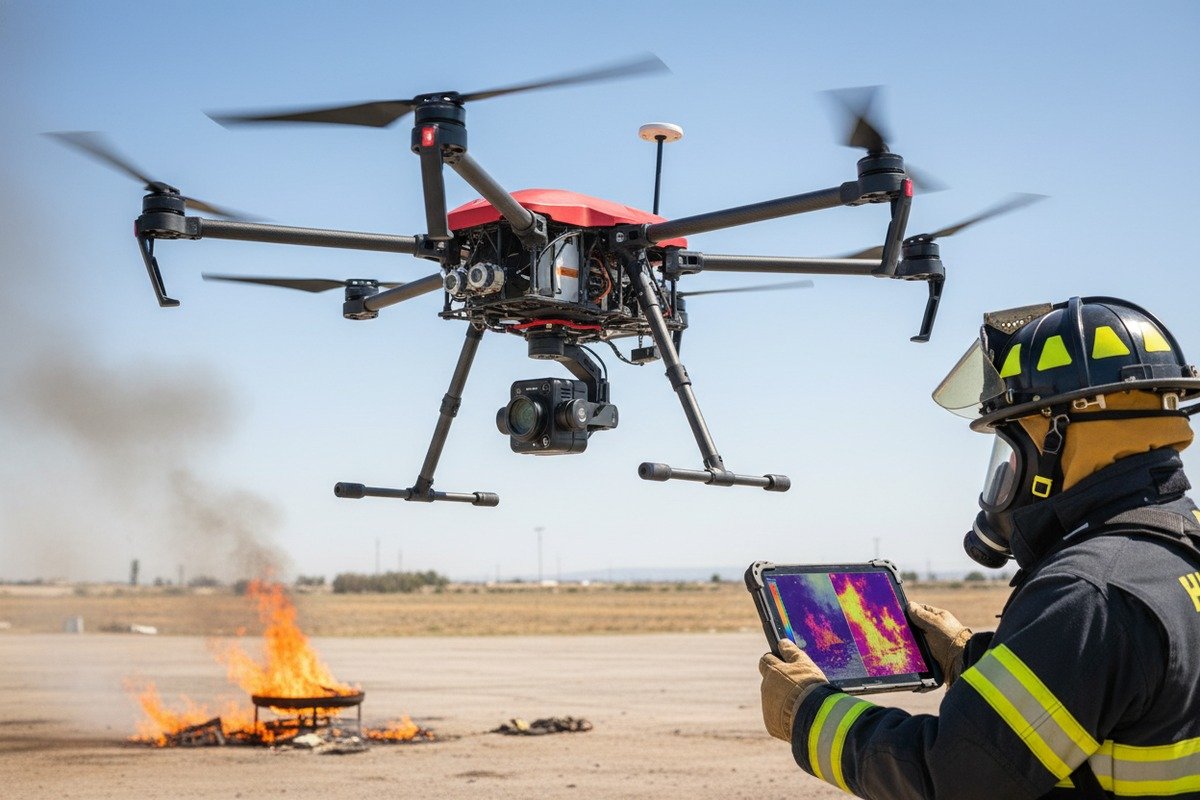
Ja, Sie können Wärmebildkameras und Feuerlösch-Nutzlasten über Apps von Drittanbietern steuern, aber nur, wenn Ihre Drohne Gimbal- und Nutzlastprotokolle wie MAVLink-Kamerasteuerung, herstellerspezifische APIs oder MISB ST 0601-Metadatenstandards unterstützt, die von der gewählten Software erkannt werden.
Architektur der Nutzlastkontrolle
Bei modernen Feuerwehrdrohnen ist die Flugsteuerung von der Steuerung der Nutzlast getrennt. Ihr Autopilot sorgt für Navigation und Stabilität. Eine separate Nutzlaststeuerung verwaltet Kameras, kardanische Aufhängungen und Unterdrückungsmechanismen. Die Software von Drittanbietern muss mit beiden Systemen gleichzeitig kommunizieren.
Wenn wir unsere Drohnenkonfigurationen für die Brandbekämpfung entwerfen, leiten wir alle Befehle für die Nutzlast durch den MAVLink Hauptstrom. Dieser Ansatz vereinfacht die Integration. Einige Hersteller verwenden separate Kommunikationskanäle für Nutzlasten, was eine zusätzliche Konfiguration in Ihrer Einsatzplanungssoftware erfordert.
Software-Nutzlast-Kompatibilitätsmatrix
| Einsatzplanungssoftware | DJI Nutzlasten | Allgemeine MAVLink-Nutzlasten | Benutzerdefinierte API-Unterstützung |
|---|---|---|---|
| UgCS | Vollständig (über SDK) | Vollständig | Begrenzt |
| FlytBase | Vollständig | Vollständig | Individuell verfügbar |
| Intelligenter Flug | Begrenzt | Vollständig | Umfassend |
| DJI Pilot 2 | Vollständig | Keine | Nur DJI |
| QGroundControl | Keine | Vollständig | Offene Quelle |
Anforderungen an die Integration von Wärmebildkameras
Wärmebildkameras wie die FLIR Vue Pro, die DJI Zenmuse XT2 und unsere eigenen integrierten Wärmemodule erfordern spezielle Steuerungsprotokolle. Zu den wichtigsten Funktionen gehören:
- Palettenumschaltung für verschiedene Brandvisualisierungsmodi
- Isothermeneinstellungen zur Hervorhebung von Temperaturschwellenwerten
- Bild-in-Bild-Modi für gleichzeitige visuelle und thermische Übertragungen
- Aufzeichnungsauslöser synchronisiert mit Wegpunkt-Ereignissen
Überprüfen Sie, ob Ihre Missionsplanungssoftware diese Befehle senden kann. Fordern Sie eine Demonstration an, bei der die Änderungen der thermischen Palette während des autonomen Flugs in Echtzeit gezeigt werden. Wenn die Software nur einfache kardanische Neigungs- und Schwenkbewegungen unterstützt, verlieren Sie wichtige Funktionen zur Brandbekämpfung.
Überlegungen zur Nutzlast der Brandbekämpfung
Nutzlasten zur Brandbekämpfung fügen eine weitere Komplexitätsebene hinzu. Diese Systeme erfordern in der Regel:
- Signale an genauen GPS-Koordinaten auslösen
- Kompensation des Nutzlastgewichts bei der Flugplanung
- Sicherheitsverriegelungen, die eine unbeabsichtigte Entladung verhindern
- Status-Telemetrie zur Bestätigung des Gehalts an Unterdrückungsmitteln
Unsere mit Unterdrückungsgeräten ausgestatteten Drohnen stellen diese Steuerelemente durch erweiterte MAVLink-Nachrichten zur Verfügung. Nicht jede Missionsplanungssoftware unterstützt diese Erweiterungen. Smart Flight und benutzerdefinierte FlytBase-Konfigurationen beherrschen sie gut. Die Standardprogramme DroneDeploy und Pix4D unterstützen die Unterdrückungsnutzlast nicht.
Überprüfung der Nutzlastkontrolle vor dem Kauf
Fordern Sie eine Live-Demonstration mit Ihrer genauen Software-Payload-Kombination an. Achten Sie auf:
- Reibungslose Reaktion des Gimbals auf Software-Befehle
- Präzises Wärmebild-Streaming mit der angekündigten Auflösung
- Zuverlässige Auslösung von Unterdrückungsanlagen
- Ordnungsgemäße Einbettung von Metadaten in aufgezeichnetes Filmmaterial
Wie kann ich die Kommunikation zwischen Software und Drohne am besten testen, ohne einen Absturz zu riskieren?
Wenn wir in unserer Einrichtung neue Piloten ausbilden, lassen wir sie nie zuerst Software-Integrationen mit Live-Flügen testen. Die Risiken sind zu hoch. Ein falsch konfigurierter Wegpunkt, eine unerwartete Failsafe-Auslösung oder ein Kommunikationsabbruch während eines Feuerwehreinsatzes kann teure Ausrüstung zerstören und das Personal gefährden.
Die sicherste Testmethode ist eine Kombination aus Hardware-in-the-Loop-Simulationen mit Tools wie SITL oder Gazebo, gefolgt von gefesselten Flügen im Freien mit gesicherter Drohne und schließlich manuellen Übersteuerungsversuchen auf kurze Distanz, bevor ein autonomer Feuerwehreinsatz erfolgt.

Software-in-the-Loop-Simulation
Beim Software-in-the-Loop-Test wird Ihre aktuelle Missionsplanungssoftware mit einer simulierten Drohne verglichen. Die Simulation ahmt die reale Flugdynamik, das GPS-Verhalten und die Reaktionen der Sensoren nach. Unser Entwicklungsteam nutzt diese Methode, um jede Softwareintegration zu validieren, bevor die Drohnen an die Kunden ausgeliefert werden.
Beliebte SITL-Umgebungen sind:
- PX4 SITL mit Gartenlaube: Vollständige Physiksimulation mit visuellem Feedback
- ArduPilot SITL: Leichtgewichtig, läuft auf Standard-Laptops
- DJI Flugsimulator: Begrenzt auf DJI-Ökosystem
- AirSim: Microsofts Open-Source-Option mit KI-Funktionen
Testprotokoll Schritt für Schritt
| Phase | Umwelt | Risikostufe | Was zu validieren ist |
|---|---|---|---|
| 1. Desktop-Simulation | SITL/Laube | Null | Grundlegende Konnektivität, Hochladen von Wegpunkten |
| 2. Hardware-Anschluss | Prüfstandstest, Stützen entfernt | Sehr niedrig | Genauigkeit der Telemetrie, Reaktion auf Befehle |
| 3. Gefesselt im Freien | Gesichert mit Sicherheitsleine | Niedrig | GPS-Sperre, Lageregelung |
| 4. Kurzstrecken-Handbuch | Offenes Feld, Pilot Override bereit | Mittel | Failsafe-Auslöser, RTH-Funktion |
| 5. Vollständig Autonom | Kontrollierte Umgebung | Höher | Vollständige Ausführung der Mission |
Bewährte Praktiken beim Prüfstandstest
Schließen Sie Ihre Drohne ohne Propeller an die Missionsplanungssoftware an. Dies ermöglicht das sichere Testen von:
- Reaktion des Motors auf Drosselklappenbefehle
- Kardanische Bewegung nach Software-Anweisungen
- Genauigkeit und Aktualisierungsrate der Telemetriedaten
- Ausfallsicheres Verhalten bei Kommunikationsabbrüchen
Jeder Drohnenlieferung liegen detaillierte Testverfahren bei. Kunden können alle kritischen Funktionen ohne Flugrisiko überprüfen. Fragen Sie Ihren Lieferanten, ob er eine ähnliche Dokumentation bereitstellt.
Flugversuche am Fesselband
Führen Sie nach erfolgreichen Tests auf dem Prüfstand Fesselflüge im Freien durch. Sichern Sie die Drohne mit einem geeigneten Kletterseil oder handelsüblichen Drohnenbändern. Diese Einrichtung ermöglicht:
- Echte GPS- und Kompassüberprüfung
- Tatsächliche Beobachtung der Flugdynamik
- Validierung von Software-Befehlen unter Last
- Sichere Bewertung von Höhenhaltung und Positionshaltung
Halten Sie die Länge der Leine anfangs kurz. Erweitern Sie sie schrittweise, wenn das Vertrauen wächst. Halten Sie immer einen Handpiloten bereit, der autonome Befehle außer Kraft setzen kann.
Kommunikationsabbruchtests
Testen Sie absichtlich Szenarien mit Kommunikationsausfällen. Die meisten Feuerwehreinsätze finden in schwierigen RF-Umgebungen statt. Prüfen Sie, ob Ihre Drohne:
- Führt bei Signalabfall das richtige Failsafe-Verhalten aus
- Kehrt mit GPS zuverlässig nach Hause zurück
- Behält die sichere Höhe während der autonomen Rückkehr bei
- Wiederaufnahme des Einsatzes bei Wiederherstellung der Kommunikation
Unsere Drohnen verfügen über konfigurierbare Failsafe-Parameter. Wir helfen unseren Kunden dabei, diese Einstellungen auf ihre spezifischen Betriebsumgebungen abzustimmen.
Bietet mein Drohnenlieferant die SDK-Unterstützung, die ich benötige, um meine eigenen benutzerdefinierten Missionsplanungstools zu integrieren?
Unser Vertriebsteam wird wöchentlich mit dieser Frage konfrontiert. Die Feuerwehren und ihre Auftragnehmer wünschen zunehmend individuelle Integrationen. Sie wollen, dass ihre Drohnen mit bestehenden GIS-Plattformen, Einsatzleitsystemen und proprietärer Einsatzsoftware kommunizieren. Die Antwort hängt ganz davon ab, inwieweit Ihr Anbieter den Entwicklern Unterstützung bietet.
Seriöse Drohnenhersteller sollten eine umfassende SDK-Dokumentation, API-Zugangsdaten, Beispielcode-Bibliotheken, technische Support-Kanäle und idealerweise Sandbox-Testumgebungen bereitstellen, um Ihnen bei der erfolgreichen Erstellung von kundenspezifischen Missionsplanungsintegrationen zu helfen.

Was die SDK-Unterstützung beinhalten sollte
| Element unterstützen | Grundstufe | Standard Level | Prämienstufe |
|---|---|---|---|
| Dokumentation | Nur PDF-Handbuch | Online-Portal | Interaktive Dokumente mit Beispielen |
| Beispiel-Code | Keine | Eine Sprache | Mehrere Sprachen |
| Technische Unterstützung | Nur E-Mail | E-Mail + Forum | Engagierter Ingenieur |
| Sandbox-Umgebung | Keine | Gemeinsame | Dedizierte Instanz |
| Häufigkeit der Aktualisierung | Jährlich | Vierteljährlich | Kontinuierlich |
Bewertung der SDK-Fähigkeiten von Lieferanten
Verlangen Sie vor der Unterzeichnung eines Kaufvertrags Zugang zu SDK-Dokumentation 8. Überprüfen Sie es sorgfältig auf:
- Vollständige Auflistung der API-Endpunkte
- Authentifizierungs- und Sicherheitsprotokolle
- Tarifbegrenzung und Nutzungsbeschränkungen
- Versionskontrolle und Veralterungspolitik
- Dokumentation zur Fehlerbehandlung
Wir unterhalten ein Entwicklerportal, auf das unsere Kunden unmittelbar nach der Kaufanfrage zugreifen können. Dank dieser Transparenz können potenzielle Käufer unsere Integrationsfähigkeiten bewerten, bevor sie sich festlegen.
Gemeinsame Herausforderungen bei der SDK-Integration
Benutzerdefinierte Integrationen scheitern oft an diesen Problemen:
- Unvollständige Dokumentation: Fehlende Endpunkte oder veraltete Beispiele
- Nicht übereinstimmende Versionen: SDK-Updates unterbrechen bestehende Integrationen
- Begrenzte Unterstützung: Langsame Reaktionszeiten in kritischen Entwicklungsphasen
- Proprietäre Beschränkungen: Gesperrte Funktionen, die eine zusätzliche Lizenzierung erfordern
Erkundigen Sie sich bei Ihrem Anbieter nach dem Verfahren für die Benachrichtigung über Aktualisierungen. Erkundigen Sie sich nach Garantien für die Abwärtskompatibilität. Erkundigen Sie sich nach Referenzen von anderen Kunden, die kundenspezifische Integrationen durchgeführt haben.
Open Source vs. Proprietäre Überlegungen
PX4 und ArduPilot bieten vollständig quelloffene SDKs mit aktiver Unterstützung der Community. Dieser Ansatz bietet:
- Freier Zugang zu allen Funktionen
- Große Gemeinschaft zur Fehlerbehebung
- Keine Bedenken hinsichtlich der Anbieterbindung
- Transparenter Entwicklungsfahrplan
Proprietäre Systeme von DJI und anderen bieten:
- Eine ausgefeiltere Dokumentation
- Professionelle Unterstützungskanäle
- Integrierte Hardware-/Software-Optimierung
- Mögliche Einschränkungen von Merkmalen
Unsere Drohnen unterstützen beide Ansätze. Wir liefern mit PX4-basierten Autopiloten und bieten gleichzeitig proprietäre Erweiterungen für spezielle Brandbekämpfungsfunktionen. Kunden können ihren Integrationspfad wählen.
Fragen an Ihren Lieferanten
Holen Sie sich vor dem Kauf klare Antworten auf diese Fragen:
- Stellen Sie vor dem Kauf eine vollständige API-Dokumentation zur Verfügung?
- Welche Programmiersprachen werden von Ihren SDK-Beispielen unterstützt?
- Wie schnell reagieren Sie auf technische Supportanfragen?
- Wie sieht Ihr Zeitplan für die Aktualisierung der SDK-Version aus?
- Können Sie mich mit Kunden in Verbindung bringen, die individuelle Integrationen durchgeführt haben?
- Bieten Sie technische Unterstützung für komplexe Integrationsprojekte?
- Welche Kosten sind mit dem SDK-Zugang und dem Support verbunden?
Unser Team antwortet auf technische Anfragen in der Regel innerhalb von 24 Stunden. Wir bieten kostenpflichtigen technischen Support für komplexe Integrationen. Auf Anfrage können wir Ihnen Kundenreferenzen nennen.
Schlussfolgerung
Die Überprüfung der Kompatibilität von Feuerwehrdrohnen erfordert systematische Tests von Protokollen, Nutzlasten, Kommunikationskanälen und SDK-Unterstützung. Nehmen Sie sich die Zeit, jede Integrationsschicht vor dem Einsatz zu validieren. Ihre Feuerwehrleute verdienen eine Ausrüstung, die reibungslos funktioniert, wenn Leben davon abhängen.
Fußnoten
1. Erläutert die Norm MISB ST 0601 für Bewegungsbilder und Metadaten in UAS. ︎
2. Beschreibt die Hardware-in-the-Loop-Simulation zum Testen von Drohnensystemen in einer realistischen Umgebung. ︎
3. Offizielle Dokumentation zur Einrichtung der PX4 Software-in-the-Loop Simulation mit Gazebo. ︎
4. Bietet einen Überblick über das MAVLink-Kommunikationsprotokoll für Drohnen. ︎
5. Einzelheiten zu den erweiterten Funktionen und Sicherheitsverbesserungen von MAVLink 2.0. ︎
6. Offizielle Website für QGroundControl, eine beliebte Software für Bodenkontrollstationen. ︎
7. Offizielle Website für ArduPilot, ein weit verbreitetes Open-Source-Autopilot-System. ︎
8. Maßgebliche Quelle (Amazon Web Services), die definiert, was ein SDK ist und die Dokumentation als Schlüsselkomponente erwähnt. ︎
 English
  Español de México
  Deutsch
  Français
  Русский
  العربية
Comments
No comments yet. Be the first to share your thoughts!
Leave a Comment