

Als unser F&E-Team mit der Entwicklung von Agrardrohnen-Systemen begann 1, erkannten wir schnell, dass die Hardware allein keinen Erfolg garantieren kann. Viele unserer Partner stehen vor der gleichen Herausforderung: die Auswahl von Software, Flugsteuerungssoftware 2 die Feldoperateure tatsächlich nutzen können, ohne wochenlange Schulungen.
Um die Benutzerfreundlichkeit von Flugsteuerungssoftware zu vergleichen, bewerten Sie die Intuitivität der Benutzeroberfläche, die Dauer der Lernkurve, die Offline-Funktionalität, die Tiefe der Automatisierung, die Anpassungsoptionen und die Qualität des technischen Supports nach dem Kauf. Testen Sie kostenlose Testversionen praxisnah und fordern Sie Demomissionen von Anbietern an, bevor Sie sich für eine Plattform entscheiden.
Dieser Leitfaden führt Sie durch die Schlüsselfaktoren, die wir bei der Unterstützung unserer Vertriebspartner bei der Auswahl der richtigen Software für ihre Agrardrohnenflotten berücksichtigen. Intuitivität der Benutzeroberfläche 3. Tauchen wir in jeden kritischen Bereich ein.
Wie kann ich beurteilen, ob die Softwareoberfläche für meine Außendienstmitarbeiter intuitiv genug ist, um sie schnell zu beherrschen?
Unsere Ingenieure haben jahrelang beobachtet, wie Feldoperateure mit Drohnensoftware auf verschiedenen Fähigkeitsniveaus interagieren. Der Unterschied zwischen einer polierten und einer verwirrenden Benutzeroberfläche kann während der Hochsaison für Sprüharbeiten Stunden an Produktivitätsverlust bedeuten.
Bewerten Sie die Intuitivität der Benutzeroberfläche, indem Sie die Zeit für die Missionskonfiguration testen, die Anzahl der Klicks für grundlegende Aufgaben zählen, die mobile Kompatibilität prüfen, die visuelle Klarheit von Karten und Steuerelementen beurteilen und beobachten, wie schnell ein neuer Benutzer einen Testflug ohne Hilfe abschließen kann. Unter 30 Minuten für die erste Mission deutet auf eine gute Benutzerfreundlichkeit hin.

Schlüsselmetriken für die Benutzeroberflächenbewertung
Wenn wir unsere Partner in Flugsteuerungssystemen schulen, verwenden wir spezifische Benchmarks. Eine wirklich intuitive Benutzeroberfläche sollte es den Operateuren ermöglichen, ihre erste autonome Sprühmission innerhalb von 30 Minuten nach dem Öffnen der Software abzuschließen.
Hier sind die Kernelemente, die getestet werden sollten:
Klickanzahl-Analyse: Verfolgen Sie, wie viele Klicks es dauert, um eine einfache rechteckige Feldmission zu planen. DJI Agras Cloud benötigt typischerweise 5-7 Klicks. UgCS kann aufgrund seiner erweiterten Geländemöglichkeiten 10-15 Klicks erfordern. Mehr Klicks bedeuten mehr Schulungszeit.
Visuelle Hierarchie: Gute Software platziert die am häufigsten verwendeten Schaltflächen vorne und in der Mitte. Flugstart, Not-Aus und Rückkehr zum Startpunkt sollten niemals in Untermenüs versteckt sein.
Fehlermeldungen: Wenn etwas schiefgeht, erklärt die Software das Problem in einfacher Sprache? Vage Fehlercodes frustrieren Bediener und verlangsamen den Betrieb.
Mobile vs. Desktop-Erlebnis
| Merkmal | Mobile App | Desktop-Software |
|---|---|---|
| Feldtauglichkeit | Ausgezeichnet | Schlecht |
| Bildschirmfläche | Begrenzt | Umfassend |
| Präzision der Missionsplanung | Grundlegend | Fortgeschrittene |
| Echtzeitüberwachung | Gut | Besser |
| Offline-Fähigkeit | Variiert je nach Anbieter | Normalerweise stärker |
Viele unserer US-amerikanischen Distributoren bevorzugen mobile Apps für den täglichen Betrieb. Komplexe Multi-Feld-Planung erfordert jedoch oft Desktop-Zugriff. Die besten Anbieter bieten eine nahtlose Synchronisierung zwischen beiden Plattformen.
Lernkurven-Benchmarks nach Benutzertyp
| Benutzerhintergrund | Ziel-Meisterzeit | Toleranz gegenüber Softwarekomplexität |
|---|---|---|
| Kompletter Anfänger | 2-4 Stunden | Niedrig |
| Erfahrener Pilot | 30-60 Minuten | Mittel |
| IT-Fachmann | 15-30 Minuten | Hoch |
| Farmmanager | 1-2 Stunden | Niedrig bis mittel |
Wir empfehlen immer, eine kostenlose Testphase anzufordern. Lassen Sie Ihre tatsächlichen Feldmitarbeiter – nicht nur technisch versierte Mitarbeiter – die Software testen. Ihr Feedback deckt Benutzerfreundlichkeitsprobleme auf, die Datenblätter nicht zeigen können.
Worauf sollte ich achten, um sicherzustellen, dass der Lieferant die Flugsteuerungssoftware für meine spezifischen Markenbedürfnisse anpassen kann?
Aus unserer Erfahrung beim Export in die US-amerikanischen und europäischen Märkte haben wir gelernt, dass Markendifferenzierung enorm wichtig ist. Ihre Kunden wünschen sich Software, die Ihre Identität trägt, nicht ein generisches Logo eines Drittanbieters auf jedem Bildschirm.
Suchen Sie nach Anbietern, die White-Label-Optionen, API-Zugang für Drittanbieterintegrationen, konfigurierbare Benutzeroberflächen, benutzerdefinierte Berichtsmarken, Unterstützung für die Sprachlokalisierung und dedizierte Entwicklungspartnerschaften anbieten. Fordern Sie ein Dokument zum Anpassungsumfang und Zeitschätzungen an, bevor Sie eine Vereinbarung unterzeichnen.

Verfügbare Arten der Personalisierung
Nicht alle Anpassungswünsche sind gleich. Einige dauern Tage. Andere erfordern monatelange Entwicklung. Das Verständnis dieses Spektrums hilft, realistische Erwartungen zu setzen.
Oberflächliche Anpassung: Logoersetzung, Änderungen des Farbschemas, benutzerdefinierte Startbildschirme. Die meisten Anbieter können diese innerhalb von 1-2 Wochen liefern.
Funktionale Anpassung: Hinzufügen spezifischer Datenfelder, Ändern von Berichtsformaten, Erstellen benutzerdefinierter Wegpunktverhalten. Rechnen Sie mit 4-8 Wochen Entwicklungszeit.
Tiefe Integration: Anbindung an proprietäre Farmmanagementsysteme, Erstellung benutzerdefinierter Automatisierungs-Workflows, Entwicklung einzigartiger Sensordatenverarbeitung. Diese Stufe erfordert 3-6 Monate und dedizierte Engineering-Ressourcen.
Fragen, die Sie Lieferanten zur Anpassung stellen sollten
Wenn wir mit Distributoren an benutzerdefinierten Softwarefunktionen zusammenarbeiten, klären wir diese Punkte immer im Voraus:
- Bieten Sie Zugriff auf den Quellcode oder nur kompilierte Anwendungen an?
- Was ist Ihre Mindestbestellmenge für kundenspezifische Entwicklung?
- Werden Anpassungen bei zukünftigen Software-Updates übernommen?
- Wem gehören die geistigen Eigentumsrechte an kundenspezifischen Funktionen?
- Kann ich Anpassungen vor der vollständigen Bereitstellung im Beta-Test ausprobieren?
Vergleich der Anpassungsfähigkeiten
| Lieferant Typ | White-Label | API-Zugriff 4 | Kundenspezifische Funktionen | Entwicklungsunterstützung |
|---|---|---|---|---|
| Große Marken (DJI, XAG) | Begrenzt | Mäßig | Minimal | Grundlegend |
| Mittelständische Hersteller | Verfügbar | Vollständig | Flexibel | Dediziert |
| Nur-Software-Anbieter | Vollständig | Vollständig | Umfassend | Priorität |
| OEM-Partner | Vollständig | Vollständig | Unbegrenzt | Eingebettet |
Unser Team hat festgestellt, dass mittelständische Hersteller oft den besten Anpassungswert bieten. Große Marken priorisieren ihr eigenes Ökosystem. Kleinen Softwareunternehmen fehlen möglicherweise die Ressourcen für eine fortlaufende Unterstützung.
Integrationsüberlegungen
Ihre Software muss mit anderen Systemen kommunizieren. Farm-Management-Plattformen 5 wie John Deere Operations Center, Climate FieldView und Granular erfordern Datenaustausch. Prüfen Sie, ob Ihr Lieferant diese Integrationen nativ unterstützt oder kundenspezifische Entwicklung erfordert.
Die Qualität der API-Dokumentation ist ebenfalls wichtig. Gut dokumentierte APIs ermöglichen es Ihrem technischen Team, unabhängig Verbindungen herzustellen. Schlechte Dokumentation bedeutet ständige Supportanfragen und Verzögerungen.
Wie kann ich die Stabilität der Software und die Qualität des technischen Supports, den ich nach dem Kauf erhalte, überprüfen?
Wenn wir unsere Flugsteuerungen vor dem Versand kalibrieren, führen wir umfangreiche Stabilitätstests durch. Die Softwarestabilität im Feld hängt jedoch von vielen Faktoren ab, die außerhalb unserer Werkshallen liegen – Netzwerkbedingungen, Gerätekompatibilität und Umweltvariablen spielen alle eine Rolle.
Überprüfen Sie die Softwarestabilität, indem Sie Absturzprotokolle und Uptime-Statistiken anfordern, unabhängige Benutzerbewertungen lesen, die Offline-Funktionalität im Flugmodus testen, die Update-Häufigkeit und die Transparenz der Änderungslisten prüfen und schriftliche Zusagen bezüglich der Reaktionszeit des Supports vor dem Kauf bestätigen.
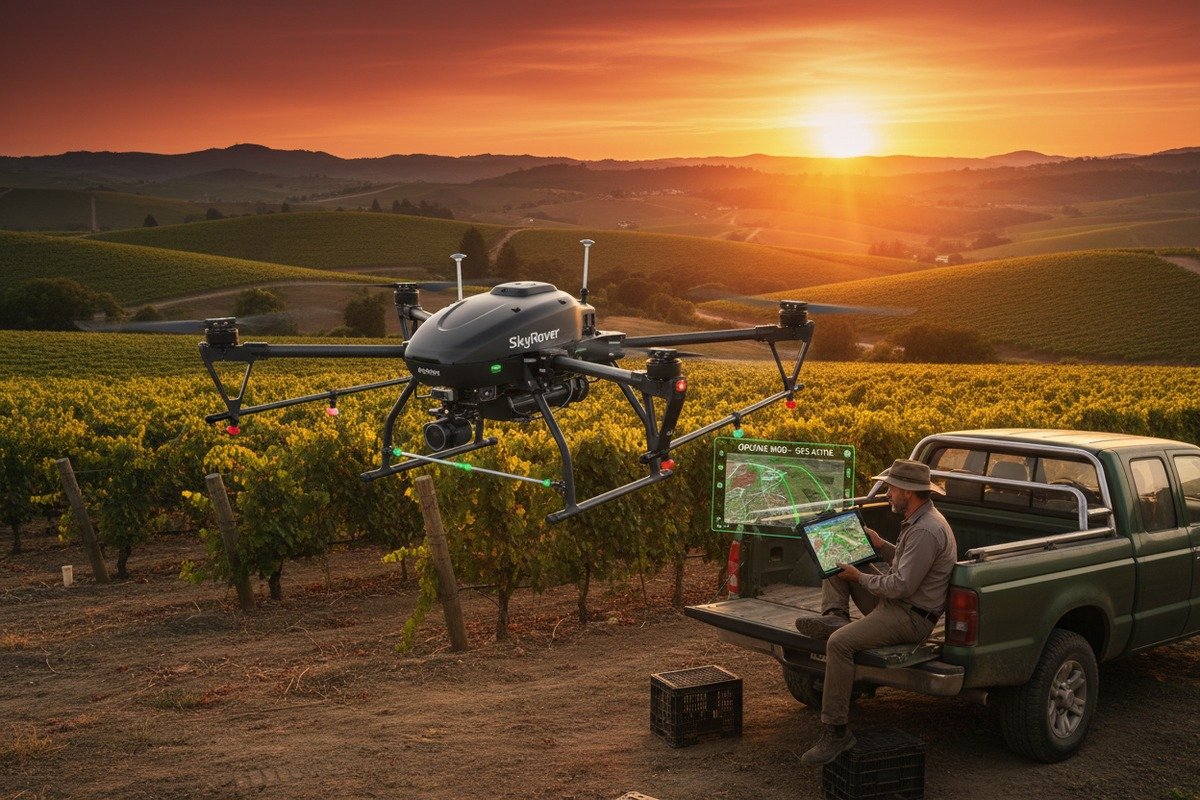
Zu untersuchende Stabilitätsindikatoren
Softwareabstürze während einer Sprühmission verschwenden Chemikalien, beschädigen Pflanzen und zerstören das Vertrauen der Kunden. Hier erfahren Sie, wie Sie die Stabilität bewerten können, bevor Sie sich festlegen:
Analyse des Update-Verlaufs: Überprüfen Sie das Änderungsprotokoll des Anbieters für die letzten 12 Monate. Häufige Fehlerbehebungen deuten auf anhaltende Stabilitätsprobleme hin. Große Funktionserweiterungen ohne begleitende Korrekturen können auf überstürzte Entwicklung hindeuten.
Offline-Resilienz: Landwirtschaftliche Felder haben oft kein zuverlässiges Internet. Testen Sie die Software im Flugmodus. Kann sie eine vollständige Mission ohne Konnektivität abschließen? Kann sie Daten synchronisieren, wenn die Verbindung wiederhergestellt ist?
Gerätekompatibilität: Fordern Sie eine zertifizierte Geräteliste an. Testen Sie auf Ihren tatsächlichen Tablets und Telefonen, nicht nur auf den neuesten Modellen. Feldgeräte werden stark beansprucht und laufen möglicherweise mit älteren Betriebssystemen.
Checkliste für die Qualität des technischen Supports
| Element unterstützen | Akzeptabler Standard | Rote Flagge |
|---|---|---|
| Reaktionszeit (Geschäftszeiten) | Unter 4 Stunden | Über 24 Stunden |
| Verfügbarkeit von Notfall-Support | 24/7-Telefonleitung | Nur E-Mail |
| Sprachunterstützung | Sprache Ihrer Mitarbeiter | Nur Englisch für Nicht-Englisch-Märkte |
| Fernwartung | Bildschirmfreigabe-Funktion | Nur Text |
| Vor-Ort-Support-Option | Verfügbar zu Kosten | Nicht angeboten |
Testunterstützung vor dem Kauf
Wir empfehlen diesen Ansatz: Reichen Sie eine technische Frage beim Support-Team des Anbieters ein, bevor Sie kaufen. Messen Sie die Reaktionszeit. Bewerten Sie die Qualität ihrer Antwort. Haben sie Ihre Frage verstanden? Haben sie umsetzbare Schritte bereitgestellt?
Fragen Sie außerdem nach Referenzen von bestehenden Kunden in Ihrer Region. Kontaktieren Sie diese direkt. Fragen Sie nach ihrer schlechtesten Support-Erfahrung und wie der Anbieter diese gelöst hat.
Software-Update-Richtlinien
| Aktualisierungsart | Ideale Häufigkeit | Besorgnisstufe |
|---|---|---|
| Sicherheitspatches | Innerhalb von 48 Stunden nach Entdeckung | Kritisch |
| Fehlerbehebungen | Monatlich | Hoch |
| Funktionsupdates | Vierteljährlich | Mittel |
| Hauptversions-Releases | Jährlich | Niedrig |
Unsere Vertriebspartner sind auf Lieferanten gestoßen, die Software nach dem Erstverkauf aufgeben. Vergewissern Sie sich, dass Ihr Lieferant nachweislich Produkte für mindestens 3-5 Jahre unterstützt. Prüfen Sie, ob Updates in Ihrem Kauf enthalten sind oder zusätzliche Abonnementgebühren anfallen.
Garantie- und Service Level Agreements
Holen Sie alles schriftlich ein. Ein mündliches Versprechen von "exzellentem Support" bedeutet nichts, wenn Ihre Flotte am Boden ist. Fordern Sie ein formelles Service Level Agreement 6 mit Angabe von Reaktionszeiten, Eskalationsverfahren und Entschädigungen für Supportfehler.
Welche Automatisierungsfunktionen sollte ich priorisieren, um sicherzustellen, dass die Software die komplexen Sprühaufgaben für meine landwirtschaftlichen Kunden vereinfacht?
Unsere Produktionslinie hat sich erheblich weiterentwickelt, basierend auf Automatisierungs-Feedback von landwirtschaftlichen Betreibern. Die richtigen Automatisierungsfunktionen verwandeln eine Anforderung an einen erfahrenen Piloten in eine einfache Bedieneraufgabe und erweitern Ihre potenzielle Kundenbasis dramatisch.
Priorisieren Sie Geländefolgung mit DEM-Import, automatische Pfadoptimierung für unregelmäßige Felder, variable Ausbringung basierend auf Rezeptkarten, Integration von Hindernisvermeidung, Wetterüberwachung mit automatischer Pause und Ein-Klick-Fortsetzungsfunktion nach Akkutausch oder Unterbrechungen.
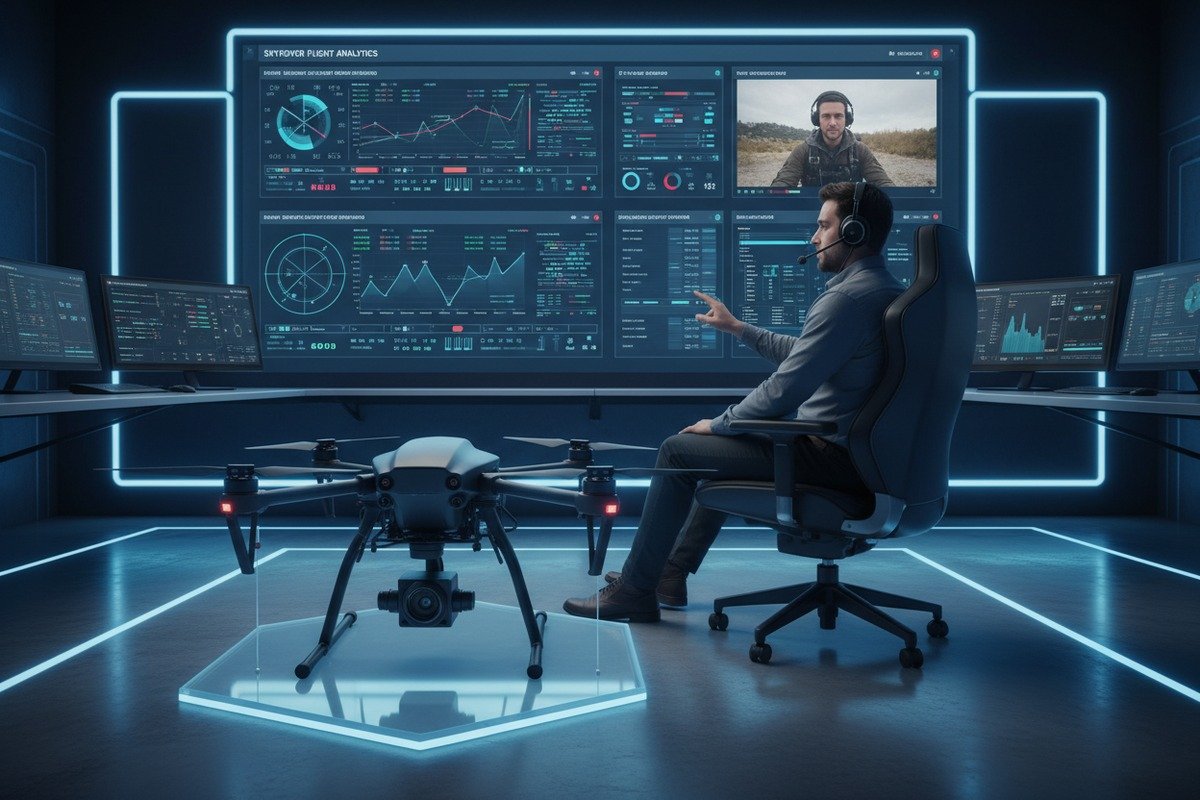
Wesentliche Automatisierungsfunktionen im Ranking
Nicht alle Automatisierungsfunktionen bieten den gleichen Wert. Basierend auf dem Feedback von Hunderten von landwirtschaftlichen Betrieben ist hier unsere Prioritätsrangliste:
Stufe 1 – Muss haben:
- Automatische Grenzenerkennung aus Satellitenbildern
- Geländefolgend 7 unter Verwendung digitaler Höhenmodelle
- Intelligente Routenplanung für unregelmäßige Feldformen
- Automatisches Zurückkehren und Fortsetzen nach dem Batteriewechsel
Stufe 2 – Hochwertig:
- Variable Aufbringungsrate 8 Integration
- Echtzeit-Windkompensation
- Automatische Überlappungsanpassung
- Flottenkoordination für Multi-Drohnen-Operationen
Stufe 3 – Nice to Have:
- KI-gestützte Pflanzenanalyse
- Vorausschauende Wartungswarnungen
- Augmented-Reality-Feldvisualisierung
- Sprachgesteuerte Befehle
Einfluss der Automatisierung auf die Anforderungen an die Fähigkeiten des Bedieners
| Aufgabe | Ohne Automatisierung | Mit Automatisierung |
|---|---|---|
| Feldgrenzenkartierung | Manuelles GPS-Gehen (30+ Min.) | Satellitenimport (2 Min.) |
| Routenplanung | Erforderliches technisches Wissen | Ein-Klick-Optimierung |
| Geländekompensation | Ständige manuelle Anpassung | Automatische DEM-Verarbeitung |
| Sprühen mit variabler Rate | Vorkalkulierte Tankmischung | Echtzeit-Durchflussregelung |
| Fortsetzung des Akkutauschs | Von Grund auf neu planen | Automatisches Fortsetzen |
Bewertung der Geländefolgefähigkeit
Geländefolgefähigkeit verhindert Abstürze auf hügeligen Feldern und sorgt für eine gleichbleibende Sprühhöhe. Die Qualität der Implementierung variiert jedoch dramatisch:
DEM/DSM-Importfähigkeit: Die besten Systeme akzeptieren Standardformate für Höhendaten. DJI FlightHub 2 und UgCS unterstützen beides. Überprüfen Sie, ob Ihre Zielsoftware die für Ihre Einsatzgebiete verfügbaren Höhendaten importieren kann.
AGL-Genauigkeit: Fragen Sie Lieferanten nach ihren Genauigkeitsspezifikationen über dem Bodenniveau. RTK-fähige Systeme erreichen eine horizontale Genauigkeit von 2-3 cm. Nicht-RTK-Systeme können um 1-2 Meter abweichen, was zu inkonsistenten Anwendungen führt.
Häufigkeit der Aktualisierung: Wie oft passt die Software die Höhe an? Eine Echtzeit-Anpassung verhindert, dass plötzliche Geländeveränderungen zu Abstürzen führen. Langsamere Systeme reagieren in hügeligem Gelände möglicherweise zu spät.
Überlegungen zur variablen Ausbringung
Die variable Ausbringung spart Chemikalien und verbessert die Ernteergebnisse. Die Software muss jedoch mit Ihren Verschreibungsquellen integriert werden:
- Akzeptiert es Standard-ISOXML-Dateien?
- Kann es direkt mit Farmmanagement-Plattformen verbunden werden?
- Unterstützt es Echtzeit-NDVI-Anpassungen?
- Können Bediener automatisierte Raten manuell überschreiben?
Unsere Ingenieure haben festgestellt, dass Probleme mit der Kompatibilität von Verschreibungskarten mehr Kundenbeschwerden verursachen als jede andere Automatisierungsfunktion. Testen Sie gründlich mit tatsächlichen Verschreibungsdaten, bevor Sie sich festlegen.
Flottenmanagement-Automatisierung
Für Betriebe, die mehrere Drohnen betreiben, wird die Automatisierung der Flottenkoordination entscheidend. Achten Sie auf:
- Automatische Zoneneinteilung unter verfügbaren Drohnen
- Zentralisierte Missionsüberwachung
- Synchronisierte Start- und Stoppbefehle
- Konsolidierte Berichterstattung über alle Flugzeuge hinweg
Plattformen wie Airdata UAV unterstützen Flottenanalysen für über 150.000 Piloten. Diese Skalierung beweist die bewährte Zuverlässigkeit für Multi-Drohnen-Betriebe.
Schlussfolgerung
Die Auswahl der richtigen Flugsteuerungssoftware erfordert eine praktische Bewertung von Benutzeroberflächendesign, Anpassungspotenzial, Supportqualität und Automatisierungstiefe. Testen Sie vor dem Kauf, holen Sie sich schriftliche Zusagen ein und beziehen Sie Ihre tatsächlichen Feldoperateure in den Entscheidungsprozess ein.
Fußnoten
1. Wikipedia bietet einen umfassenden Überblick über landwirtschaftliche Drohnen und ihre Systeme. ︎
2. PX4 Autopilot ist eine weithin anerkannte Open-Source-Flugsteuerungssoftware für Drohnen, die von der Linux Foundation gehostet wird. ︎
3. Dieser Artikel definiert und erklärt, was eine intuitive Benutzeroberfläche ist, und stimmt mit der Absicht des ursprünglichen Ankertextes überein. ︎
4. Klärt, was API-Zugriff im Kontext der Softwareintegration bedeutet. ︎
5. farmOS ist eine webbasierte Open-Source-Anwendung für Farmmanagement, Planung und Aufzeichnungen, die von einer Gemeinschaft von Landwirten und Entwicklern entwickelt wurde. ︎
6. Wikipedia bietet eine detaillierte Erklärung von Service Level Agreements, ihren Komponenten und Arten. ︎
7. Wikipedia bietet eine klare Definition und Erklärung der Geländefolgetechnologie, einschließlich ihrer Verwendung in Flugzeugen und Drohnen. ︎
8. Beschreibt die variable Ausbringungstechnologie in der Landwirtschaft für eine optimierte Anwendung von Betriebsmitteln. ︎

 English
  Español de México
  Deutsch
  Français
  Русский
  العربية
Comments
No comments yet. Be the first to share your thoughts!
Leave a Comment