
We frequently hear from procurement managers who are anxious about handing a $20,000 industrial aircraft to a rookie pilot. industrial aircraft 1 Crashing a brand-new unit during the first week is a nightmare scenario that drains budgets and halts operations. Investing in a risk-free digital environment is the smartest way to protect your fleet assets before they ever leave the ground.
Firefighting drone suppliers rarely provide advanced simulation training systems as standard inclusions in the hardware package. While basic flight apps may connect to controllers for simple maneuvering, professional-grade scenarios involving fire physics and thermal imaging typically require purchasing separate third-party software or specialized tactical simulators.
Understanding what is included in the box versus what requires an extra budget allocation is critical for your procurement planning. Let’s explore the capabilities procurement planning 2 and limitations of these training systems.
What specific firefighting scenarios and environments are available in the simulation software?
When we configure flight control parameters for our international clients, we know that flying in a clear blue sky is nothing like navigating a smoke-filled disaster zone. Relying on generic flight modes leaves your team unprepared for the chaos of a real emergency.
High-end simulation software includes Search and Rescue (SAR) patterns, basic thermal imaging, and adverse weather conditions like high winds. However, standard bundled simulators often lack complex fire physics, such as heat updrafts or sudden weight shifts during payload drops, requiring specialized software upgrades.

The Gap Between Gaming and Professional Training
There is a significant difference between a flight simulator designed for hobbyists and one engineered for public safety. In our interactions with software partners public safety 3, we emphasize that a firefighting simulator must replicate stress, not just flight mechanics. Basic software often treats the environment as a static backdrop. However, in a real fire, the environment is hostile and dynamic.
Standard simulators provided by major hardware brands usually cover:
- Basic Obstacle Avoidance: Flying around buildings or trees.
- GPS Denied Operations: Simulating flight when satellite signals are lost (ATTI mode).
- Return-to-Home (RTH) Fails: Practicing manual landings when automation fails.
However, these often miss the "fire physics." When a drone flies over a blaze, intense heat creates unpredictable updrafts that destabilize the aircraft. Furthermore, dropping a 10kg fire extinguishing bomb or releasing retardant causes an immediate shift in the center of gravity. Most standard simulators do not model this "payload drop shock," leaving pilots surprised when it happens in real life.
Critical Scenarios for Fire Response
To truly train your team, you need software that supports specific mission profiles. We recommend looking for systems that support "multi-agent" scenarios. This allows a pilot to fly the drone while a separate payload operator controls the camera or drop mechanism in the same virtual session.
Below is a breakdown of what you typically find in different tiers of simulation software:
Table 1: Simulation Scenario Capabilities by Software Tier
| الميزة | Basic OEM Simulator (Free/Included) | Professional Third-Party Simulator (Paid) |
|---|---|---|
| Flight Physics | Standard aerodynamics | Advanced (Wind shear, turbulence) |
| Fire Physics | لا يوجد | Heat updrafts, smoke obscuration |
| التصوير الحراري | Basic color palettes | Radiometric data (temp readings) |
| Payload Ops | Simple toggle (Open/Close) | Dynamic weight shift physics |
| Environment | Generic maps (City, Field) | Custom GIS data, specific buildings |
| Multi-User | Single pilot only | Pilot + Commander + Payload Operator |
For effective training, you must verify if the software renders thermal palettes correctly. In a real fire, white smoke can obscure a visual camera, but a thermal camera sees through it. If the simulator cannot replicate كاميرا حرارية 4 the difference between "hot" fire and "cold" smoke, the training value is significantly reduced.
Can I connect the actual drone remote controller to the simulator for realistic pilot training?
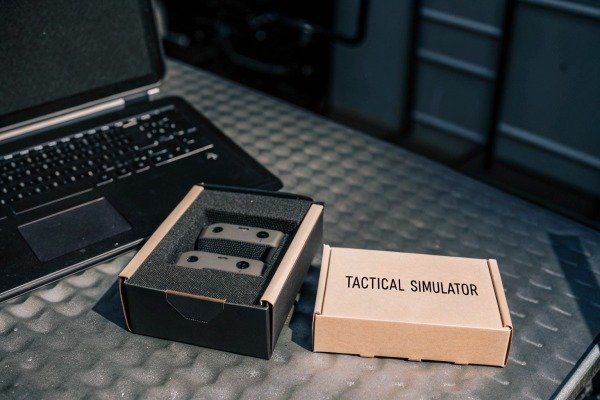
Our engineering team frequently tests controller latency, and we know that muscle memory is the single most important safety factor muscle memory 5 for a pilot. Using a computer keyboard or a generic gaming gamepad to train creates dangerous habits that do not translate to emergency situations.
Yes, most enterprise drone manufacturers allow you to connect the actual remote controller to proprietary or third-party simulators via USB or HDMI. This integration is crucial for building accurate muscle memory, ensuring pilots are familiar with the exact stick sensitivity and button layout used in live operations.
The Importance of Muscle Memory
When a pilot faces a catastrophic failure—such as a battery error or a sudden gust of wind pushing the drone toward a power line—they have less than two seconds to react. If they trained using an Xbox controller or a keyboard, their fingers will not instinctively find the correct switches on the actual industrial remote.
We always advise our distributors to demonstrate this connectivity. The physical remote controller (RC) has specific: remote controller 6
- Stick Tension: The resistance you feel when pushing the throttle.
- Switch Placement: The exact location of the flight mode switch (P-mode to A-mode).
- Weight and Ergonomics: Holding a heavy industrial controller for 30 minutes is different from holding a light plastic gamepad.
Connectivity Challenges and Solutions
While connection is possible, it is not always "plug and play." We have seen instances where firmware updates break compatibility with third-party simulators.
- Wired Connection: This is the most stable method. You connect the RC to a PC via a USB-C or Micro-USB cable. The PC recognizes the RC as a Human Interface Device (HID).
- Wireless Dongles: Some brands sell a USB dongle that plugs into the PC and receives the signal from the RC wirelessly. This is excellent for training in a classroom where you want the pilot to stand far from the screen.
- HDMI Output: Some high-end controllers have HDMI out, but this is usually for projecting the screen, not for controlling the sim. Ensure you are using the data port, not the video port.
Table 2: Controller Connection Methods & Latency
| Connection Type | Setup Difficulty | Latency (Lag) | الموثوقية | موصى به ل |
|---|---|---|---|---|
| Direct USB-C | Low (Plug & Play) | منخفضة جداً | عالية | Daily drills, precision flight |
| Wireless Dongle | Medium (Pairing required) | منخفضة إلى متوسطة | عالية | Classroom settings |
| Bluetooth | High (Driver issues common) | عالية | منخفضة | غير موصى به |
| Smart Controller App | Medium (Install APK on RC) | متفاوتة | متوسط | Field training (no PC needed) |
It is worth noting that some proprietary operating systems on "Smart Controllers" (controllers with built-in screens) may block the installation of third-party simulator apps. You must confirm with us or your supplier if the specific controller model supports "HID Mode" or has an open Android system to install simulation APKs directly.
Does the manufacturer allow me to customize the simulation parameters to match my local operating conditions?
We know that a fire in a dense pine forest differs vastly from a chemical fire in an urban industrial park. Clients often ask our support team if they can replicate their specific city layout or local weather patterns inside the training software.
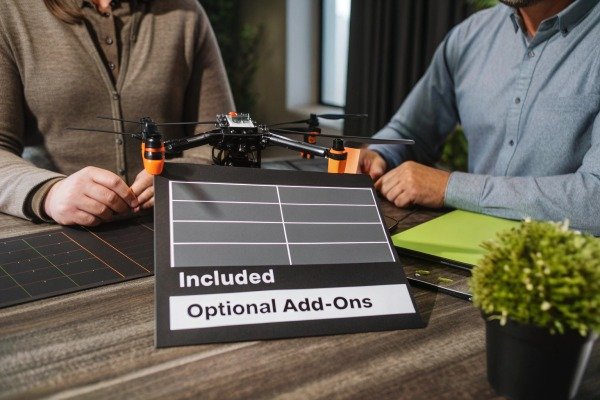
Most standard drone simulation kits do not allow deep customization of local terrain or specific wind patterns out of the box. To replicate your local operating conditions, you typically need professional-grade software that supports importing GIS data, custom 3D maps, or adjusting environmental variables like altitude and temperature.
The Limits of Standard Maps
When you open a basic simulator, you usually get a menu of generic environments: "Warehouse," "City Center," "Mountain," or "Island." While these are good for basic orientation, they do not help a fire department plan for a specific high-risk facility in their jurisdiction.
For true readiness, "Digital Twins" are becoming the industry standard. Digital Twins 7 This involves importing photogrammetry maps of your actual operating area into the simulator. For example, if you are protecting a specific oil refinery, you can scan that refinery and fly a virtual mission around the actual structures your pilots will face.
Adjusting Environmental Variables
Real-world physics change with altitude and temperature. Our drones behave differently in the thin air of a high-altitude plateau compared to sea level.
- كثافة الهواء: High altitude reduces lift. A good simulator lets you set the density altitude so pilots learn that the drone responds more sluggishly in thin air.
- Wind Modeling: Real wind is not constant. It gusts and swirls around buildings (the "urban canyon" effect). Advanced simulators allow you to configure wind direction, speed, and gust frequency.
- Visual Impairment: You should be able to adjust the time of day (dusk/dawn are hardest for sensors) and fog density.
Table 3: Customization Options in Simulation Software
| المعلمة | ما أهمية ذلك | التوفر |
|---|---|---|
| Time of Day | Testing low-light camera performance and pilot orientation. | Standard in most sims. |
| Wind & Gusts | Learning to counter sudden movements near structures. | Standard, but often simplified. |
| Battery Sag | Simulating voltage drops in cold weather. | Rare (High-end only). |
| Custom Maps (GIS) | Training on your actual city/facility layout. | Professional Only (Paid). |
| Failures | GPS loss, motor failure, signal interference. | Professional Only (Paid). |
If your procurement requirement includes "site-specific training," you must explicitly ask suppliers if their software supports .obj أو .fbx file imports, or if it integrates with mapping tools like Google Earth or photogrammetry importing photogrammetry maps 8 software. Standard OEM kits will likely disappoint you in this regard.
Is the flight simulation system included in the standard drone kit or do I need to purchase it separately?
During our contract negotiations with distributors, the cost breakdown is always a priority. Many buyers mistakenly assume a full training ecosystem comes in the box, only to find a simple download link for a consumer-grade app that offers little professional value.
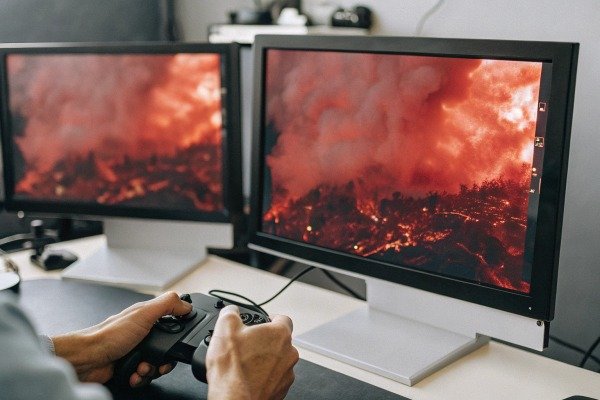
Comprehensive flight simulation systems are generally not included in standard drone kits and must be purchased separately. While some manufacturers offer a free basic flight app, professional training platforms requiring VR headsets, specialized dongles, or multi-user licenses are sold as add-on accessories or by third-party vendors.
The Hidden Costs of Training Ecosystems
In the industrial drone market, hardware and software are often unbundled. The "Standard Kit" typically includes the aircraft, controller, batteries, and a charger.
- The Free Option: Most manufacturers provide a free "Enterprise Simulator" built into the pilot app. This is useful for checking button functions but lacks the depth for tactical training.
- The Paid Option: Specialized software firms (like Zephyr, Simlat, or proprietary OEM pro versions) charge per license. These can range from a one-time fee of $100 to annual subscriptions costing thousands of dollars, depending on features like multi-user support or custom scenarios.
Why Separate Purchase is Better
While it seems inconvenient, buying software separately often benefits the user. It allows you to choose a platform that is hardware-agnostic. If you buy a simulator tied strictly to one drone brand, you lose that investment if you switch brands later. Independent professional simulators often support multiple drone models (DJI, Autel, SkyRover, etc.), allowing you to train on a diverse fleet using one system.
Procurement Checklist for Simulators
When requesting a quote (RFQ) from us or any supplier, do not just ask "Is simulation included?" Be specific:
- Hardware Requirements: Does the simulator run on a standard laptop, or does it require a high-performance gaming PC with a dedicated graphics card?
- Licensing: Is the license perpetual (pay once) or a recurring annual subscription?
- التحديثات: Are map and drone model updates included, or do they cost extra?
- Hardware Interface: Does the price include the wireless dongle to connect the controller?
Investing in a separate, high-quality simulator often yields a Return on Investment (ROI) within the first month by preventing a single crash. It is a line item that should never be cut from the procurement list.
الخاتمة
Purchasing a firefighting drone is an investment in safety طائرة بدون طيار لمكافحة الحرائق 9, but the hardware is only as effective as the pilot controlling it. While most suppliers allow controller connectivity, advanced simulation—featuring fire physics, thermal imaging, and custom terrain—is rarely included التصوير الحراري 10 in the standard box. You should budget for professional third-party software to ensure your team builds the necessary muscle memory and tactical awareness without risking your new equipment.
الحواشي
1. Product documentation for enterprise-grade industrial aircraft used in professional operations. ︎
2. Official government guidance on procurement processes for disaster and emergency assistance. ︎
3. NIST research on robotics and drone standards for public safety applications. ︎
4. Technical explanation of thermal sensor technology in public safety drone missions. ︎
5. Scientific background on the development of muscle memory for complex motor tasks. ︎
6. Technical specifications for professional remote controllers used in industrial drone operations. ︎
7. Academic research from MIT on the development and application of digital twin technology. ︎
8. Industry standards for photogrammetric data used in mapping and simulation environments. ︎
9. Recent news coverage detailing the deployment of drones in active wildfire suppression. ︎
10. Official NFPA standard for thermal imagers used by fire and emergency services. ︎

 English
  Spanish
  German
  French
  Dutch
Dutch  Arabic
