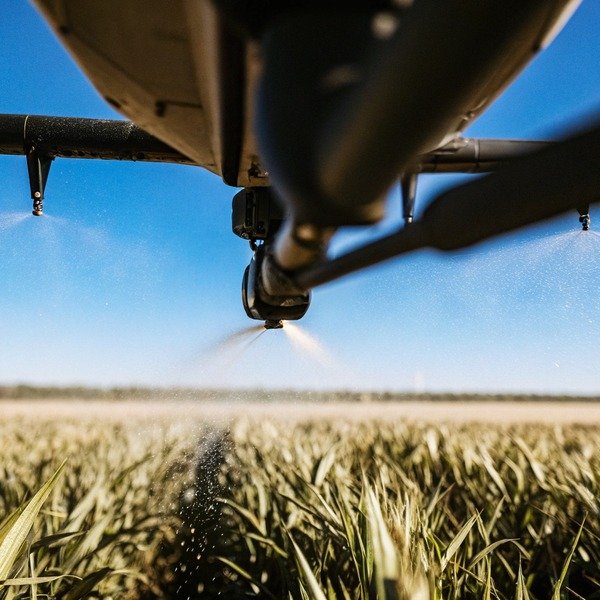
When we test our SkyRover sprayers in Xi’an fields, the footage captures raw vibrations and wind drifts. Yet, you often see glossy, perfect videos online, leaving you unsure if the performance is real.
To detect edited agricultural drone videos, scrutinize the footage for unnatural smoothness, inconsistent lighting shadows, and motion blur absence. Compare audio frequencies with propeller rotation, look for repeated frame glitches, and verify if the spray pattern drifts naturally with the wind rather than appearing as a uniform CGI overlay.
Let’s examine the technical signs of video manipulation so you can buy with confidence.
What specific visual details reveal that an agricultural drone video has been stabilized or sped up?
During our flight controller calibration, wind always causes slight physical drifts. flight controller calibration 1 If a supplier’s video shows rock-solid hovering in high winds, you might be watching a digital fabrication, not reality.
Edited videos often lack natural motion blur on moving parts like propellers or background crops. Look for “warp stabilization” artifacts where the image edges wobble jelly-like. If the drone flies fast but the background trees do not sway in the wind, the footage speed was likely artificially increased.
Analyzing the "Jelly Effect" and Edge Distortion
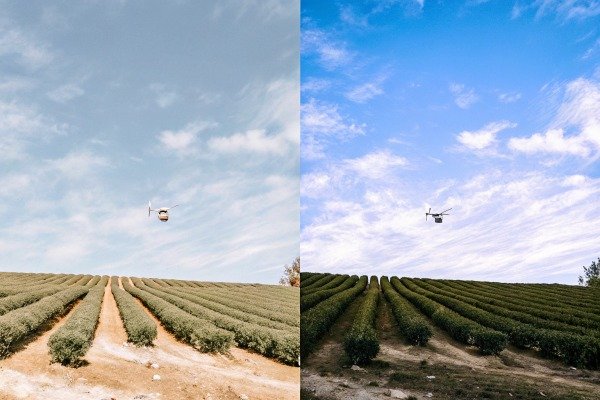
When we review raw footage from field tests, the vibration from the rotors is often visible, especially when the tank is fully loaded. In post-production, editors use "Warp Stabilization" software to smooth out these shakes. However, this process leaves clues. You should look closely at the corners of the video frame. If the background appears to stretch, compress, or wobble like jelly while the drone remains perfectly still in the center, this is a clear sign of aggressive digital stabilization. This effect is technically known as the rolling rolling shutter artifact 2 shutter artifact rolling shutter artifact 3 being exaggerated by software processing. Real agricultural drones, even those with excellent gimbals, will show rigid movements rather than fluid, liquid-like distortions.
The Problem with Frame Rate and Speed Ramping
Another common trick we see in the industry involves "speed ramping" to make the drone appear faster or more efficient than it is. Authentic footage recorded at standard frame rates (like 30fps or 60fps) will show a specific amount of motion blur standard frame rates 4 on the propellers. If the video looks choppy, or if the propellers appear to be spinning slowly while the drone moves across the field at high speed, the video has likely been sped up. Furthermore, observe the environment. If the drone is sprinting across a cornfield, but the clouds in the sky are moving unnaturally fast, or the movement of the crops in the wind looks frantic and jerky, the playback speed has been manipulated.
Visual Inconsistencies Table
To help you spot these issues, here is a breakdown of natural versus processed visual cues:
| Visual Element | Natural Raw Footage | Post-Production Edited Footage |
|---|---|---|
| Image Edges | Stable, may show slight vibration | Wobbly, distorted, or "jelly-like" movement |
| المراوح | Natural motion blur, hard to see blades | Sharp blades visible or unnatural strobe effect |
| Background | Moves at normal speed (clouds, trees) | Moves jerkily or too fast (time-lapse effect) |
| Colors | Natural, sometimes flat or uneven lighting | Oversaturated, high contrast, perfect uniformity |
| Spray Mist | Drifts with wind, irregular density | Perfectly uniform, disappears too quickly (CGI) |
How can I compare the video footage with the technical specifications to spot unrealistic performance claims?
We design battery systems carefully, but physics has limits. When you see a drone spraying endless acres without swapping batteries, it misrepresents the actual workflow and downtime you will face.
Cross-reference the video duration and flight speed with the spec sheet’s max speed and battery life. If a drone covers a massive field in a single continuous shot without a battery swap, or moves faster than its stated meters-per-second limit, the video is likely a composite of multiple flights.
The Physics of Flight Time and Battery Load
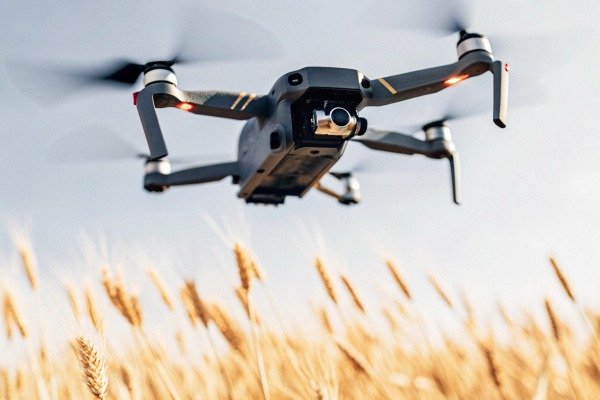
Every drone we manufacture has a specific power consumption curve. power consumption curve 5 A heavy lift drone carrying 40 liters of pesticide cannot fly at maximum speed for 30 minutes straight. When you watch a promotional video, look for cuts in the footage. If the video shows a continuous spraying operation that seems to last longer than the battery life listed on the technical specification sheet (usually 10 to 20 minutes for heavy heavy lift drone 6 payloads), the video is deceptive. You can verify this by timing the spray duration shown on screen and calculating the flow rate. If the tank size is 20 liters and the flow rate is 5 liters per minute, the tank should be empty in 4 minutes. If the video shows it spraying for 10 minutes without landing, the spray effect is likely fake or the footage is looped.
Checking Flight Dynamics Against Payload
An empty drone flies very differently from a fully loaded one. In our testing grounds, a fully loaded drone has significant inertia; it takes time to accelerate and time to brake. Marketing videos often show drones zipping around corners with the agility of a racing drone, yet they claim to be carrying a full payload. Compare this visual behavior with the "Max Flight Speed" and "Max Wind Resistance" Max Wind Resistance 7 on the spec sheet. If the spec sheet says the max speed is 7 meters per second, but the video shows the drone covering a 100-meter field length in 5 seconds, the video is sped up or the claims are exaggerated. Real physics demands that a heavy object "drifts" slightly when stopping; if the drone stops instantly on a dime, it is likely empty or the video is reversed/edited.
Spec Sheet Verification Checklist
Use this table to calculate if what you are seeing is physically possible based on the supplier's data:
| Specification Parameter | What to Watch For in Video | Calculation Check |
|---|---|---|
| حجم الخزان | Continuous spray duration | Volume (L) ÷ Flow Rate (L/min) = Spray Time |
| Max Flight Speed | Time taken to cross a known distance | Distance (m) ÷ Time (s) should not exceed Max Speed |
| عمر البطارية | Total flight time shown in one cut | Should be < 50% of "Max Hover Time" when loaded |
| دقة التحليق | Drift during stationary hover | Should match GPS accuracy (e.g., ±0.5m vertical) |
Should I ask the supplier for raw file metadata to prove the flight video hasn't been doctored?
Our engineering team archives terabytes of raw log data. If a supplier hesitates to share original files, they might be hiding stabilization layers or color grading that masks sensor limitations.
Requesting raw video files is crucial because metadata reveals the original creation date, camera model, and lack of editing software tags. Genuine footage straight from the SD card will have continuous timestamps and native file formats, whereas doctored clips often show “Adobe Adobe Premiere Pro 8 Premiere” or “DaVinci Resolve” in the file properties.
Understanding Video Metadata
When a drone camera records a video, it embeds invisible data invisible data called metadata 9 called metadata into the file. This includes the camera make and model, the date and time of the recording, the frame rate, and the bitrate. When we export a video for a client, we simply copy the MP4 or MOV file directly from the SD card. However, if a video has been processed in editing software, the metadata changes. The "Encoding Software" field will often display names like "Adobe Premiere Pro," "Final Cut," or "Lavf" (a common encoder library). By right-clicking the video file and selecting "Properties" (Windows) or "Get Info" (Mac), you can inspect these details. If a supplier claims a video is "raw" but the metadata says it was encoded by editing software, they are not being transparent.
The Importance of Bitrate and Compression Artifacts
Raw footage from high-quality agricultural drone cameras typically has a high bitrate, meaning the file size is large and the image contains a lot of data. Marketing videos sent via WhatsApp or hosted on YouTube are heavily compressed. This compression hides flaws. When you request the raw file via a cloud link (like Google Drive or WeTransfer), check the file size. A 1-minute 4K video should be several hundred megabytes. If the file is small (e.g., 20MB), it has been re-encoded. Re-encoding is the perfect opportunity for suppliers to apply "beauty filters," color grading to make crops look greener, or noise reduction to hide poor low-light performance.
Analyzing Audio Tracks in Raw Files
The audio in a raw drone video is usually just loud wind noise and the high-pitched whine of the motors. It is unpleasant to listen to. In marketing videos, this is often replaced with music or silence. However, the raw audio is a powerful verification tool. By listening to the motor sound, you can hear how the drone reacts to wind gusts. If the pitch of the motors changes constantly (revving up and down), the drone is fighting hard to stay stable. If the video shows a stable flight but the audio is a smooth, constant hum, the audio is fake (a sound loop) and does not match the flight conditions. Always demand the file with the original audio track intact.
Is requesting a live video call the most effective way to verify the drone's actual flight capabilities?
We often invite clients to watch our field tests in real-time. Relying solely on pre-recorded marketing clips is risky; a live demo exposes the true handling and stability of the machine.
A live video call is the gold standard for verification because it prevents post-production tricks like stabilization or speed ramping. It allows you to command specific maneuvers in real-time, such as hovering or rapid turns, ensuring the drone performs as claimed under current weather conditions without editing interference.
The Power of Real-Time Interaction
Nothing replaces the authenticity of a live stream. When we conduct live demos for our partners in Europe or the US, we cannot hide the weather or the drone's immediate reaction to commands. In a pre-recorded video, a supplier might film ten take-offs and only show you the one that went smoothly. In a live call, you see the failures and the successes. You can ask the operator to fly the drone towards a specific landmark, ensuring the footage isn't pre-recorded. You can ask them to pause and hover at 2 meters height to check stability. This interactive element removes the "script" and forces the hardware to prove itself in the moment.
Inspecting the Ground Control Station (GCS) Interface
During the live call, ask the supplier to share their screen showing the Ground Control Station (GCS) software, not just the camera feed. The GCS interface displays critical telemetry data that is often hidden in marketing videos. بيانات القياس عن بُعد 10 You can see the real-time voltage drop when the drone accelerates, the number of GPS satellites connected, and any error messages that pop up. If the battery percentage drops from 90% to 60% in just two minutes of flight, you know the endurance claims are false. Watching the telemetry allows you to verify the signal strength (RSSI) and see if the video feed lags or freezes, which indicates poor transmission systems that a recorded video would never show.
Live Demo vs. Recorded Video Comparison
The following table highlights why a live demo provides superior verification for procurement managers:
| الميزة | Pre-Recorded Marketing Video | Live Video Call Demo |
|---|---|---|
| الاستقرار | Enhanced with software (Warp Stabilizer) | Real mechanical gimbal performance |
| Failures | Edited out; only perfect flights shown | Visible; realistic error handling |
| Battery Sag | Hidden; cuts obscure rapid drainage | Visible on GCS telemetry in real-time |
| الكمون | Zero latency (synced in post) | Real transmission delay is observable |
| Verification | Passive viewing | Active testing (e.g., "Turn left now") |
الخاتمة
To ensure you invest in reliable agricultural drones, look beyond polished marketing. Scrutinize metadata, analyze physics in videos, and insist on live demos to verify SkyRover-grade quality and performance.
الحواشي
1. Official UK guidance on maintaining and calibrating drone flight systems. ︎
2. Defines the specific visual distortion caused by image sensors scanning moving objects. ︎
3. Technical explanation of the visual distortion caused by image sensor scanning. ︎
4. Technical explanation of video recording speeds from a leading camera manufacturer. ︎
5. References technical research on the energy usage patterns and efficiency of unmanned aerial vehicles. ︎
6. Reporting on the global shift towards automated agricultural technology and chemical application. ︎
7. Federal Aviation Administration standards for unmanned aircraft performance and operational limits. ︎
8. Official product page for the professional editing software cited as a source of metadata modification. ︎
9. General definition and structure of digital information embedded within video files. ︎
10. Authoritative government source defining the transmission of monitoring data from remote systems. ︎

 English
  Spanish
  German
  French
  Dutch
Dutch  Arabic
