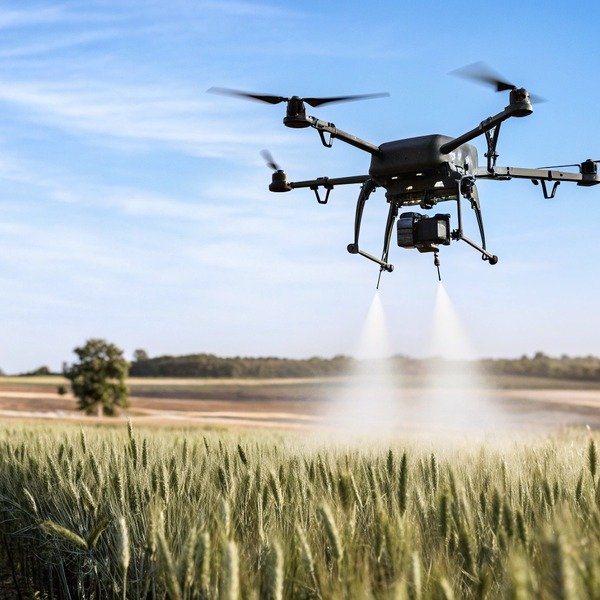
When we test new flight controllers at our facility in Xi’an, we often simulate complex field boundaries to ensure our software doesn’t ground a drone in the middle of a critical mission. You understand the frustration of losing valuable spraying time because a rigid system misidentifies a safe field as a restricted zone, leaving you helpless without immediate support.
To ensure operational continuity, you should specifically inquire about the ability to create custom polygonal boundaries, the availability of offline unlocking certificates for remote areas, and the extent of SDK access for fleet management software. Additionally, verify the frequency of database updates to ensure compliance with local aviation regulations without unnecessary downtime.
To help you navigate these technical discussions with suppliers, here is a detailed breakdown of the specific questions you need to ask.
Can I customize the geofencing boundaries to suit specific agricultural environments?
Our engineering team frequently receives feedback from clients in the US who struggle to map L-shaped fields using standard circular geofence tools. We realize that if a system cannot adapt to the irregular shapes of real-world farmland, it becomes a hindrance rather than a productivity tool for your operations.
Yes, high-end agricultural drones allow you to draw custom polygonal zones that match irregular field shapes, rather than simple circles. You must ask if the software supports multi-point boundaries and vertical buffers to safely exclude obstacles like power lines or silos while maximizing crop coverage.
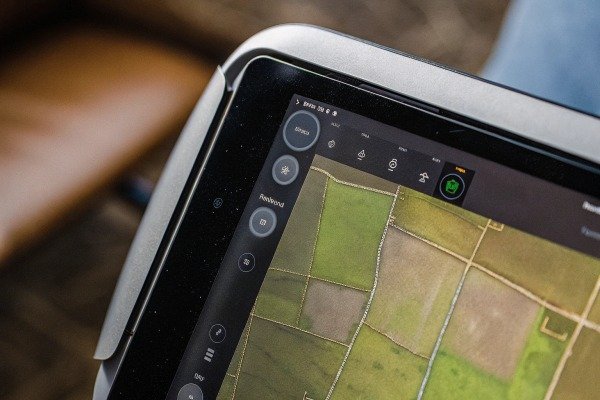
When you speak with a supplier, you need to dig deeper than just asking if geofencing exists. asking if geofencing exists 1 Basic consumer drones often use a “radius” method, where you set a center point and a distance. This creates a circle. However, very few farms are perfect circles. If you use a circular geofence on a rectangular or irregular field, you will either miss corners (leaving crops untreated) or fly over boundaries you intended to avoid.
You need to confirm that the flight planning software supports polygonal geofencing. This feature allows you to drop multiple GPS points on a map multiple GPS points 2 to create a shape that exactly mirrors your property lines. This is critical for maximizing efficiency and ensuring you do not accidentally spray a neighbor’s land.
The Importance of Obstacle Exclusion
Beyond just the outer boundary, you must ask about "exclusion zones" or "keep-out zones." Real farms have obstacles inside the fields, such as electrical pylons, ancient trees, or irrigation pumps. A flexible system allows you to draw a safe boundary around the entire field and then create smaller "no-fly" shapes inside that boundary. This tells the drone to spray the whole field but skip the specific islands where obstacles are located.
Vertical Flexibility
Geofencing is not just 2D; it is 3D. Some systems have a hard "ceiling" limit that is difficult to change. If your farm is on a steep hill, a drone flying at a fixed altitude relative to the takeoff point might hit the geofence ceiling as the terrain rises. You should ask if the geofencing follows the terrain (Terrain Follow mode) or if it is a flat virtual lid.
Comparison of Boundary Types
| الميزة | Basic Consumer System | Professional Ag System | Why You Need It |
|---|---|---|---|
| Boundary Shape | Circular (Radius based) | Polygonal (Multi-point) | To match irregular field shapes without wasting space. |
| Internal Zones | Not supported | Exclusion/Keep-out zones | To protect silos and pumps inside the field. |
| Altitude Limit | Fixed from takeoff point | Relative to terrain | To prevent flight stops on hilly terrain. |
| Buffer Settings | Hard stop | Adjustable braking distance | To ensure the drone stops smoothly before the fence. |
Does the drone manufacturer support SDK integration for modifying flight restrictions?
When we collaborate with large agricultural cooperatives on custom projects, the first request is often for “root access” to integrate their own farm management platforms. We understand that for advanced users, the standard manufacturer app can feel restrictive, and you need the freedom to automate complex workflows.
Some manufacturers provide Software Development Kits (SDKs) that allow deep integration with third-party farm management software, enabling automated flight paths and custom restriction overrides. However, you must confirm if using these tools voids the warranty or requires specific enterprise licensing to access advanced flight control parameters.
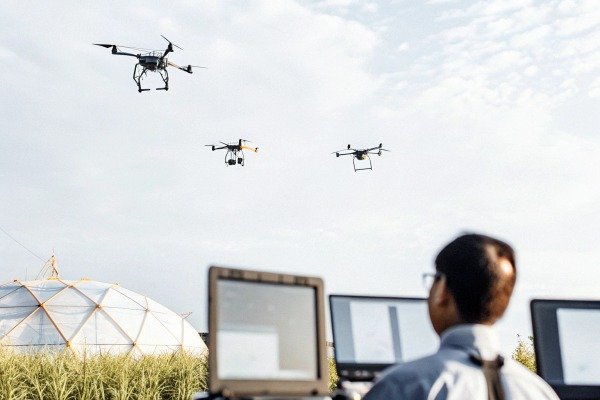
An SDK, or Software Development Kit, is essentially a set of tools مجموعة تطوير البرمجيات 3 مجموعة تطوير البرمجيات 4 that allows your developers (or a third-party software provider) to write custom code for the drone. For a single farmer, this might not matter. But for a procurement manager buying a fleet for a large operation, this is a game-changer. It allows the drone to talk to other machinery or farm software directly.
Mobile SDK vs. Onboard SDK
You should clarify which type of SDK is available. A Mobile SDK allows you to build a custom app for the remote controller. This lets you change how geofencing warnings are displayed or how the pilot interacts with boundaries. An مجموعة تطوير البرمجيات (SDK) المدمجة is more powerful; it runs on the drone itself. This can allow for real-time decision-making, such as detecting a new obstacle and dynamically updating the geofence without pilot input.
Liability and Safety
This is the double-edged sword of flexibility. If a manufacturer gives you full SDK access to modify flight restrictions, they will likely shift the liability to you. If your custom code turns off a safety geofence and the drone flies into a protected area, the manufacturer is not responsible. You need to ask specifically: "If we use the SDK to modify geofence parameters, does this void our hardware warranty?"
Data Integration
SDKs also allow for better data flow. Instead of manually checking if a field is in a geofence, your farm management system could automatically check the drone's status and upload the cleared flight zones for the day. This reduces human error.
| SDK Access Level | What You Can Do | Typical User Profile |
|---|---|---|
| No SDK (Closed) | Use only the manufacturer's official app. | Individual farmers, hobbyists. |
| Mobile SDK | Create custom flight planning apps on tablets. | Service providers, crop consultants. |
| مجموعة تطوير البرمجيات (SDK) المدمجة | Modify flight behavior and internal restrictions. | Large ag-tech companies, system integrators. |
We have seen harvest operations stall because a pilot in a rural area could not get a cellular signal to authorize a flight in a “warning zone.” At our R&D center, we prioritize creating unlocking mechanisms that work even when the cloud is unreachable, but not every system is built this way.
To confirm the unlocking process, request a step-by-step demonstration of the manufacturer’s Fly Safe portal or app. Specifically, ask about the turnaround time for approval and whether the system supports “offline licenses” that can be downloaded in advance for areas with poor cellular connectivity.

Many agricultural zones border sensitive areas like regional airports, military bases, or power plants. Drone manufacturers use color-coded systems (often Red, Blue, and Yellow) to restrict flight in these areas. However, as an agricultural operator, you may have legal permission to spray right up to the boundary. The critical question is: how hard is it to tell the drone that you are authorized?
The Online vs. Offline Trap
Most unlocking systems assume you have a strong internet connection. You submit a request, the server approves it, and the token is sent to the drone. But in the middle of a 500-acre cornfield, you might have zero signal. You must ask the supplier about Offline Unlocking Licenses. Can you request the unlock from your office computer the night before, download the certificate to the controller, and unlock the drone in the field without internet? If the answer is no, you risk significant downtime.
Unlocking Categories
You should understand the three levels of unlocking typically found in the industry:
- Self-Unlock (Yellow Zones): You simply check a box in the app taking responsibility. This usually requires a live internet connection to verify your phone number.
- Custom Unlock (Blue/Red Zones): You must submit documents (like FAA authorizations) to the manufacturer. FAA authorizations 5 Ask how long this takes. Is it 30 minutes or 3 business days? For ag work, 3 days is too long.
- Country-Wide Unlock: For government entities, some manufacturers can disable the geofencing database entirely. This is rare but worth asking if you represent a government agency.
متطلبات التوثيق
Ask exactly what documents are needed. Do they need the specific serial number of the flight controller? If you swap controllers due to a malfunction, does the unlock transfer, or do you have to re-apply? This administrative friction can kill your efficiency.
Will the supplier allow me to update the No-Fly Zone database for local compliance?
Regulations change faster than we can manufacture hardware, and our export team constantly deals with varying airspace rules varying airspace rules 6 across the US and Europe. We know that relying on a global firmware update to fix a local map error is inefficient and can leave your fleet non-compliant for weeks.
Suppliers should allow you to update the No-Fly Zone database to reflect the latest local compliance data, but they rarely let you modify the core safety database manually. Ask if the system integrates with local aviation authority data feeds or requires periodic firmware updates to refresh the airspace maps.

A drone’s internal database of No-Fly Zones (NFZs) is only as good as its last update. Aviation authorities frequently change airspace classifications. A temporary flight restriction (TFR) might be put in place for a VIP visit temporary flight restriction (TFR) 7 or a wildfire, or a previously restricted military zone might be opened up for civilian use. If your drone’s database is six months old, you are flying blind.
The "False Positive" Problem
A common issue in agriculture is the "phantom airport." This happens when a small, private landing strip on a neighboring farm is listed in the database as a major airport, preventing you from taking off. You need to ask the supplier: "How do I report a database error, and how fast is the fix?" Some manufacturers allow you to temporarily override these errors with a waiver; others hard-lock the drone until the next firmware update.
Manual vs. Automatic Updates
Does the drone need to be plugged into a computer to update the fly-safe database, or does it update over-the-air (OTA) via Wi-Fi? OTA is preferred for ease of use. Furthermore, ask if the database is global or regional. A smaller, regional database downloads faster and is often more accurate for local nuances than a massive global file.
Integration with Remote ID
In the US and Europe, Remote ID is becoming standard. المعرف عن بُعد 8 Remote ID is becoming standard 9 This system broadcasts your drone's location. Future geofencing systems may rely on real-time data rather than static databases. Ask the supplier if their hardware is "Remote ID ready" and if the geofencing system uses this real-time data to ensure compliance dynamically.
Database Update Methods Comparison
| Update Method | How it Works | الإيجابيات | السلبيات |
|---|---|---|---|
| Firmware Bundled | Database updates only come with major system updates. | Stable, tested by manufacturer. | Very slow; cannot react to new TFRs quickly. |
| App-Based (OTA) | Updates download via the flight app when Wi-Fi is available. | Faster, keeps maps current. | Requires pilot to remember to sync before leaving the office. |
| Real-Time (LAANC) | Integrates with aviation authority servers live. | Most accurate, instant compliance. | Requires constant internet connection; rare in current hardware. |
الخاتمة
When purchasing agricultural drones, flexibility in geofencing is not just a convenience purchasing agricultural drones 10—it is an operational necessity. By asking the right questions about polygon customization, offline unlocking, SDK access, and database updates, you ensure that your fleet remains compliant without sacrificing the efficiency needed for modern precision farming.
الحواشي
1. General background concept of geofencing technology. ︎
2. Technical research on GPS-based geofencing for unmanned aerial vehicles. ︎
3. Leading industry platform defining SDK capabilities for agricultural drone automation. ︎
4. Example of a major manufacturer’s SDK documentation for drone customization. ︎
5. Official government resource for commercial drone waivers and airspace authorizations. ︎
6. Official FAA guidance on airspace restrictions and geofencing for drone pilots. ︎
7. Official FAA definition of TFRs affecting drone operations. ︎
8. Official government guide on Remote ID compliance and technical requirements. ︎
9. Official UK Civil Aviation Authority explanation of Remote ID requirements. ︎
10. ISO standard for unmanned aircraft systems, relevant to agricultural drone safety. ︎

 English
  Spanish
  German
  French
  Dutch
Dutch  Arabic
