
When our engineering team designs firefighting drones, we constantly hear from fire departments struggling with fragmented screen displays RTSP (بروتوكول البث في الوقت الحقيقي) 1. Thermal feeds freeze. Video lags behind. Incident commanders lose precious seconds switching between disconnected monitors. This chaos costs lives.
To confirm multi-screen interaction capability, request live demonstrations showing simultaneous video feeds across multiple displays, verify software API compatibility with your existing systems, test latency under real conditions, and ensure the manufacturer provides customization options and remote technical support before purchase.
This guide walks you through the exact steps to verify multi-screen capabilities. We cover software integration, latency benchmarks, customization options, and remote support testing. Let’s dive into each critical checkpoint.
How do I ensure the drone's software integrates seamlessly with my command center's multi-screen display?
Our production team has worked with over 50 fire departments across the US and Europe. One lesson stands out clearly. Software integration fails more often than hardware. Many buyers focus only on camera specs. They forget that a drone is useless if its data cannot reach your screens smoothly.
To ensure seamless software integration, verify the drone supports standard protocols like RTMP and RTSP, confirm API compatibility with your incident management systems, request a pilot integration test with your existing GIS platforms, and check for native support of multi-stream output to independent displays.

Understanding Protocol Compatibility
Your command center likely runs specific software. This could be CAD systems, GIS mapping tools 2, or custom incident management platforms. The drone must speak the same language. Standard streaming protocols form the foundation.
RTMP (Real-Time Messaging Protocol) 3 handles live video transmission. RTSP (Real-Time Streaming Protocol) enables on-demand access to feeds. Most professional firefighting drones support both. However, some budget models only offer proprietary streaming. This creates integration headaches.
Ask vendors these direct questions:
- Does your drone output RTMP streams natively?
- Can I pull RTSP feeds from multiple cameras simultaneously?
- What SDK or API documentation do you provide?
Software Platform Evaluation
Leading platforms like DroneSense, FlytBase, and DJI FlightHub offer different integration depths. Here is a comparison:
| المنصة | Multi-Screen Support | Third-Party Integration | Cloud Dashboard |
|---|---|---|---|
| درونز سنس | Native multi-display | Open API available | نعم |
| فلايت بيس | Unlimited screens | REST API + Webhooks | نعم |
| DJI FlightHub | Limited to ecosystem | Restricted API | نعم |
| Skydio Cloud | Flexible layout | Partner integrations | نعم |
When our team configures drones for US fire departments, we always recommend testing with FlytBase or DroneSense first. These platforms handle multi-drone fleets and push feeds to any connected screen without proprietary locks.
Testing Before You Buy
Never sign a purchase order without a pilot integration test. Set up your actual command center equipment. Connect the drone's output to your existing screens. Run a 30-minute test flight. Watch for these red flags:
- Video stuttering when switching between thermal and optical feeds
- Telemetry data 4 appearing on wrong monitors
- Map overlays failing to sync with live positions
- Audio channels crossing or dropping
Our engineers always recommend creating a simple checklist document. Share this with the vendor before testing. This ensures both parties understand success criteria.
What latency benchmarks should I require to guarantee real-time data synchronization across my monitoring screens?
In our factory testing labs, we measure latency obsessively. Every millisecond matters when a roof is about to collapse. Incident commanders need information now. Not two seconds from now. We have seen departments reject drones with beautiful cameras simply because the delay made them unusable.
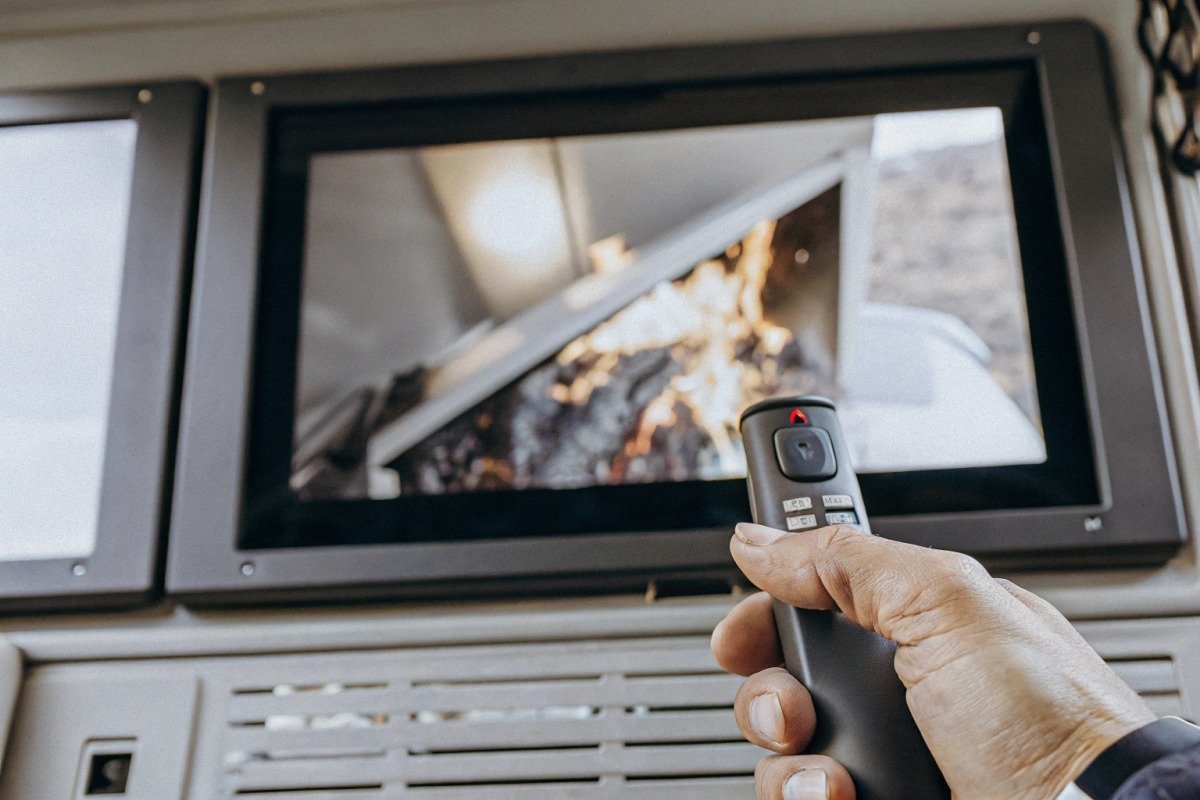
Require end-to-end latency under 200 milliseconds for critical firefighting operations. Video feeds should stay below 150ms, telemetry data under 100ms, and thermal imaging synchronization within 50ms of optical feeds. Test these benchmarks at maximum operational range, not just close distances.
Breaking Down Latency Components
Total latency includes multiple stages. Each stage adds delay. Understanding this helps you ask smarter questions during vendor evaluations.
| Latency Component | النطاق المقبول | العتبة الحرجة |
|---|---|---|
| Camera capture to encoder | 20-40 مللي ثانية | >60ms problematic |
| Encoding and compression | 30-50 مللي ثانية | >80ms unacceptable |
| Transmission to ground | 50-100ms | Varies by distance |
| Decoding at receiver | 20-40 مللي ثانية | >60ms causes sync issues |
| Display rendering | 10-30ms | >50ms noticeable lag |
| Total End-to-End | 130-260ms | >300ms unusable |
When we calibrate our flight controllers, we optimize for the lowest possible encoding delay. This gives more headroom for transmission distance. Budget drones often use slow encoders. They save costs but sacrifice response time.
Testing Latency Properly
Vendors often quote latency numbers from ideal conditions. Short range. No interference. Perfect weather. Your fireground looks nothing like this. Demand testing under realistic conditions.
Set up your test at maximum operational range. For most firefighting drones, this means 3-5 kilometers. Add obstacles like buildings or trees. Run the test during high radio frequency traffic times. Morning rush hour in urban areas creates significant interference.
Use a simple synchronization test. Point the drone camera at a digital clock. Display this feed on your command center screen. Compare the time shown on the drone feed versus the actual clock. The difference reveals true latency.
Multi-Stream Synchronization
Command centers often display thermal and optical feeds side by side. These must stay synchronized. If thermal shows a hotspot two seconds before optical shows flames, operators get confused. They waste time reconciling conflicting information.
Ask vendors about their synchronization architecture. Professional systems use hardware timestamping 5. Each frame gets a precise time marker. The display system aligns frames from different cameras using these markers. Consumer-grade drones lack this feature. Their feeds drift apart over time.
Our engineering team implemented frame-level synchronization in our latest models. We found this reduced operator confusion significantly. Fire chiefs told us their teams made faster decisions. The technical investment paid off in operational efficiency.
Can I collaborate with the manufacturer to customize the multi-screen interface for my specific firefighting protocols?
When we work with distributors in the United States, customization requests come up in every conversation. No two fire departments operate identically. Phoenix uses different protocols than San Diego. Rural volunteer departments have different needs than urban career departments. Off-the-shelf solutions rarely fit perfectly.
Yes, reputable manufacturers offer interface customization through modular software architecture, open APIs, and dedicated engineering support. Look for vendors willing to modify dashboard layouts, data overlay priorities, alert configurations, and integration points to match your department's specific incident command protocols.

مستويات التخصيص المتاحة
Not all customization requires rewriting software. Most adjustments fall into manageable categories. Understanding these helps you negotiate realistic modifications.
| مستوى التخصيص | أمثلة | الجدول الزمني النموذجي |
|---|---|---|
| Configuration only | Screen layouts, alert thresholds, color schemes | ساعات إلى أيام |
| Integration work | Connecting to existing CAD, adding data feeds | Days to weeks |
| Feature development | Custom AR overlays, specialized AI alerts | Weeks to months |
| Full custom build | Entirely new interface design | Months |
Our development team handles configuration-level requests routinely. We can adjust dashboard layouts within a single day. Integration work takes longer because it involves your existing systems. Full custom builds require significant investment from both sides.
Working with Manufacturers on Protocol Alignment
Fire departments follow Incident Command System (ICS) protocols 7. Your multi-screen setup should mirror this structure. The incident commander needs different information than sector supervisors. Division leaders need different views than safety officers.
Share your ICS structure with the manufacturer. Explain what information each role needs. Good vendors will create role-based display templates. Each login or workstation shows only relevant data. This reduces screen clutter. It speeds up decision making.
We recently worked with a California distributor serving multiple departments. They needed three standard templates: urban structural, wildland interface, and hazmat response. Our team created these templates with appropriate defaults. Each department could then fine-tune from a solid starting point.
أسئلة لطرحها حول التخصيص
Before committing to a purchase, ask these specific questions:
- Do you provide source code access or only compiled applications?
- What documentation exists for your API?
- How many engineering hours are included in my purchase for customization?
- What is your response time for customization requests?
- Can I hire third-party developers to modify your software?
Manufacturers who answer these questions confidently have mature customization programs. Those who hesitate may deliver rigid systems. Rigid systems create frustration when your protocols evolve.
اعتبارات التكلفة
Customization costs money. Budget for this explicitly. Some manufacturers include basic customization in the purchase price. Others charge hourly engineering rates. Clarify this before signing anything.
A common pricing structure looks like this: 20 hours of customization included with purchase, additional hours billed at $150-250 per hour. Major feature development gets quoted separately as fixed-price projects.
Our approach at SkyRover involves understanding requirements deeply before quoting. We find this prevents scope creep and budget surprises. Customers appreciate knowing the full cost upfront.
How do I verify the stability of the multi-screen interaction through remote technical support before finalizing my purchase?
Our customer support team handles calls from fire departments at all hours. Equipment problems don't wait for business hours. A drone refusing to connect to command screens during an active incident creates dangerous information gaps. Remote support capability separates professional manufacturers from hobbyist suppliers.
Verify remote support stability by conducting a pre-purchase technical audit: test the manufacturer's remote diagnostic tools, simulate connection failures and observe response times, confirm 24/7 support availability with documented SLAs, and request references from existing customers who have used remote support during critical operations.

قدرات التشخيص عن بُعد
Professional drone systems include remote diagnostic features. These allow manufacturer technicians to view system status without physical access. This speeds troubleshooting dramatically.
Key remote diagnostic features include:
- مراقبة القياس عن بعد في الوقت الفعلي
- Log file access and analysis
- Configuration verification
- Firmware version checking
- Network connectivity testing
Ask vendors for a demonstration of their remote diagnostic console. Have them show you what they can see and do remotely. Quality systems provide detailed visibility. Poor systems offer only basic connection status.
Testing Support Response Before Purchase
Do not wait until after purchase to test support quality. Create support scenarios during your evaluation period. Call the support line with technical questions. Send emails with integration problems. Track response times and solution quality.
نوصي ببروتوكول الاختبار هذا:
| سيناريو الاختبار | الاستجابة المتوقعة | العلم الأحمر |
|---|---|---|
| Phone call during business hours | Answer within 5 minutes | Voicemail or hold beyond 15 minutes |
| Email with technical question | Reply within 4 hours | No response within 24 hours |
| After-hours emergency call | Callback within 30 minutes | No after-hours option available |
| Complex integration issue | Escalation to engineering within 1 day | Support unable to escalate |
Our support team at SkyRover maintains documented response time targets. We share these openly with potential customers. Manufacturers who hide their SLAs may not meet acceptable standards. documented SLAs 9
References and Case Studies
Ask for references from existing customers. Specifically request contacts who have used remote support during actual incidents. Their experience reveals reality better than sales presentations.
أسئلة لطرحها على المراجعين:
- How quickly did the manufacturer respond when you had a problem during an incident?
- Were technicians able to resolve issues remotely, or did they require on-site visits?
- Did remote support ever fail to connect when you needed it?
- How would you rate the technical knowledge of support staff?
- Would you purchase from this manufacturer again?
Fire departments generally share information willingly. The fire service community values mutual aid. Use these connections to validate vendor claims.
Documentation and Training
Remote support works best when your team understands the system. Comprehensive documentation and training reduce support calls. They also speed resolution when problems occur.
Evaluate the manufacturer's documentation quality. Look for:
- Written user manuals with clear screenshots
- Video tutorials covering common procedures
- Troubleshooting guides organized by symptom
- Regular webinar training sessions
- Certification programs for operators
Our technical writers create documentation in plain language. We avoid jargon where possible. Fire departments don't need engineering degrees to operate our equipment effectively.
الحماية التعاقدية
Include support commitments in your purchase agreement. Verbal promises disappear. Written commitments create accountability.
Essential contract clauses include:
- Defined support hours and contact methods
- Maximum response time guarantees
- Escalation procedures and timelines
- Penalties for missed SLAs
- Support term length and renewal options
Have your procurement team or legal counsel review these terms. Manufacturers who resist committing to service levels may underdeliver after the sale closes.
الخاتمة
Confirming multi-screen interaction for firefighting drones requires systematic verification. Test software integration, demand latency benchmarks, explore customization options, and validate remote support before purchase. These steps protect your investment and ensure your command center operates effectively when lives depend on it.
الحواشي
1. Explains the Real-Time Streaming Protocol for controlling media servers. ︎
2. Authoritative source defining Geographic Information System (GIS) technology. ︎
3. Provides a comprehensive overview of the Real-Time Messaging Protocol. ︎
4. Replaced HTTP 404 link with an authoritative IBM page providing a comprehensive definition and explanation of telemetry data. ︎
5. Details the function and benefits of hardware timestamping for precise data timing. ︎
6. Defines end-to-end delay in network communication. ︎
7. FEMA’s official page explaining the National Incident Management System and ICS. ︎
8. Official site for the OpenAPI Specification, defining industry standards for APIs. ︎
9. Replaced HTTP 404 link with an authoritative IBM page explaining Service Level Agreements (SLAs). ︎

 English
  Español de México
  Deutsch
  Français
  Русский
  العربية
