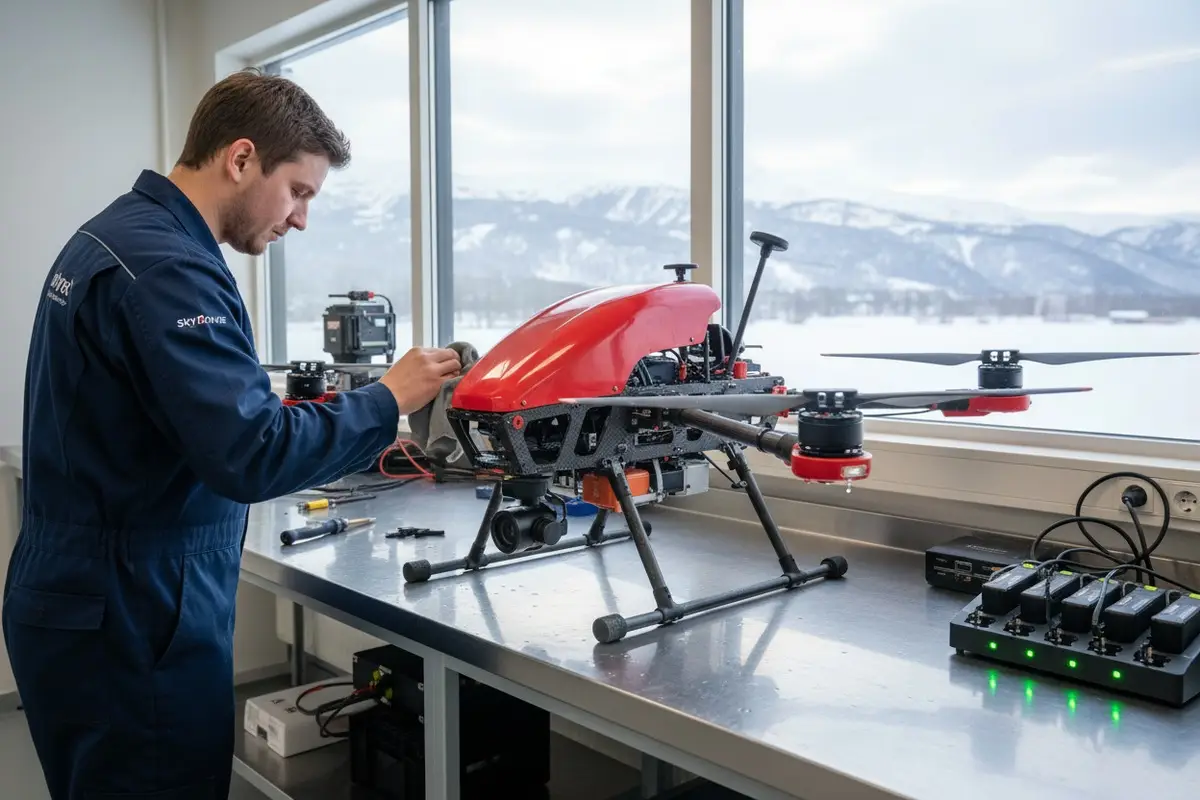

Every time our production line ships a firefighting drone 1 into harsh winter climates, we know the real challenge begins after the fire is out. Water, ice, and freezing temperatures are silent killers for drone electronics 2 and batteries.
Maintaining firefighting drones in rainy and snowy weather requires immediate post-flight drying, careful battery storage in temperature-controlled environments, regular inspection of waterproof seals, and anti-corrosion treatments after each mission. These steps protect internal electronics, extend battery life, and ensure reliable performance during critical emergency operations.
This guide walks you through the exact maintenance routines our engineers recommend waterproof seals 3. Whether you operate in Pacific Northwest rains or Rocky Mountain snowstorms, these practices will keep your fleet mission-ready.
How should I clean and dry my firefighting drone after it operates in heavy rain?
When we calibrate our flight controllers before shipment, we always stress one thing to customers: what you do in the first 30 minutes after a wet flight determines your drone's lifespan. Rain exposure is unavoidable in firefighting, but water damage is not.
After heavy rain operations, immediately power off your firefighting drone, remove the battery, and move the aircraft to a dry, covered area. Use compressed air to blow water from motors, vents, and ports. Wipe all surfaces with microfiber cloths and allow 24 hours of air drying before the next flight or storage.

Why Speed Matters
Water does not cause instant damage. The problem is corrosion and short circuits that develop over hours. Minerals in rainwater leave residue on circuit boards. If you leave a wet drone powered on or stored without drying, these minerals create conductive paths between components.
Our engineering team tested drones left wet for different periods. Those dried within 30 minutes showed no degradation. Those left overnight had visible corrosion on motor windings and gimbal connectors.
Step-by-Step Cleaning Process
Follow this sequence every time:
- Land in a sheltered area if possible
- Power off immediately
- Remove the battery first
- Tilt the drone to drain water from openings
- Use compressed air 4 on motors, USB ports, and cooling vents
- Wipe the frame with lint-free microfiber cloths
- Remove the camera and gimbal if detachable
- Place all components in a dry room with good airflow
Recommended Drying Tools
| Tool | Purpose | Notes |
|---|---|---|
| Compressed air canister | Blow water from tight spaces | Use short bursts, not continuous streams |
| Microfiber cloths | Absorb surface moisture | Avoid paper towels that leave fibers |
| Silica gel packets | Absorb ambient humidity | Place near drone during storage |
| Portable dehumidifier | Control room humidity | Ideal for permanent drying stations |
| Soft-bristle brush | Clean debris from propellers | Do not use on lenses or sensors |
Drying Time Guidelines
Do not rush this step. Even if the drone looks dry, internal moisture may remain. In our experience exporting to the US, customers who skip proper drying face more warranty claims.
For light rain exposure, allow 12 hours. For heavy rain or submersion, wait 24 to 48 hours. Use a moisture indicator if available. Some professional teams use infrared thermometers to check for cold spots that suggest trapped water.
What steps can I take to protect my drone's battery performance in freezing snowy conditions?
Our R&D department has tested batteries in climate chambers down to minus 20 degrees Celsius. The results are clear: cold batteries lose capacity fast and can suffer permanent damage if charged while frozen.
Protect drone batteries in freezing conditions by pre-warming them to at least 20°C before flight, using insulated battery compartments during operation, removing batteries immediately after landing, and storing them in temperature-controlled cases. Never charge a cold battery, as this causes irreversible cell damage and capacity loss.

How Cold Affects Lithium Batteries
Lithium-polymer batteries 5 rely on chemical reactions. Cold slows these reactions. At 0°C, expect 20 percent less flight time. At minus 10°C, capacity drops by 30 to 40 percent. Below minus 20°C, the battery may refuse to deliver enough current for takeoff.
Worse, charging a cold battery causes lithium plating on the anode. This permanently reduces capacity and creates internal short-circuit risks.
Pre-Flight Warming Methods
Before winter missions, warm your batteries using safe methods:
- Store batteries in a heated vehicle until launch
- Use hand warmers in insulated bags
- Invest in battery warming stations
- Keep spare batteries close to your body
Our production team includes thermal data in every battery shipment. We recommend customers never attempt flight with batteries below 15°C internal temperature.
Temperature Thresholds for Battery Operations
| Temperature Range | Flight Recommendation | Charging Allowed |
|---|---|---|
| Above 20°C | Normal operations | Yes |
| 10°C to 20°C | Reduced flight time expected | Yes, monitor closely |
| 0°C to 10°C | Short missions only | Wait until battery warms |
| Below 0°C | Not recommended | Never charge cold batteries |
In-Flight Battery Management
Cold air flowing over the battery during flight can lower its temperature further. Some operators use insulated battery covers or internal heating systems. High-end models like the DJI Matrice 300 RTK include self-heating batteries, but even these need initial warming.
Monitor battery temperature via telemetry during flight. If the temperature drops below safe thresholds, land immediately. Do not push low-temperature warnings.
Post-Flight Battery Care
After snowy missions, follow these steps:
- Remove the battery as soon as you land
- Place it in an insulated case
- Allow it to warm to room temperature naturally
- Inspect for any moisture or frost
- Only charge after it reaches 20°C
When we ship to cold-climate customers in Europe, we include insulated battery cases as part of our standard package. This small investment prevents costly battery replacements.
How do I inspect the waterproof seals on my industrial drone to prevent internal moisture damage?
At our factory in Xi'an, quality control inspects every seal before shipment. But seals degrade over time, especially with repeated exposure to rain, UV light, and temperature swings. Knowing how to check them yourself is essential.
Inspect waterproof seals by visually checking for cracks, gaps, or discoloration around hatches, battery compartments, and cable ports. Press gently on seals to test flexibility—brittle or hard seals need replacement. Use a bright flashlight to spot gaps, and perform inspections after every five wet-weather missions or monthly during rainy seasons.

Understanding IP Ratings
IP ratings 6 tell you what level of water exposure a drone can handle. This matters for inspection priorities.
| IP Rating | Water Resistance Level | Common Drone Models |
|---|---|---|
| IPX4 | Splash resistant from any direction | DJI Mavic 3 Enterprise |
| IP45 | Protected against water jets | DJI Matrice 300 RTK |
| IP53 | Protected against spraying water | Parrot Anafi USA |
| IP67 | Submersible to 1 meter for 30 minutes | HexH2O Pro V2 |
Even IP67 drones have limits. Seals wear out. A single cracked seal can let water bypass all other protections.
Key Inspection Points
Focus your inspections on these areas:
- Battery compartment door seals
- Motor mounting gaskets
- Camera gimbal housing seals
- USB and charging port covers
- Antenna base gaskets
- Main body seams and joints
Visual Inspection Technique
Use a bright LED flashlight at an angle. This highlights cracks and gaps that are invisible under normal light. Look for:
- White or gray discoloration on black rubber seals
- Visible cracks or splits
- Seals that have pulled away from housing
- Compression marks that do not spring back
Physical Seal Testing
Gently press on seals with your finger. Fresh seals are soft and flexible. Old or damaged seals feel hard or brittle. They may not return to shape after pressing.
For critical areas, some operators use a damp cotton swab around the outside of seals and then check inside the compartment for moisture transfer.
Seal Replacement Schedule
Our engineering support team recommends this schedule:
- Light use in dry climates: Annual inspection
- Moderate wet-weather use: Inspect every 3 months
- Heavy rain or snow operations: Inspect monthly
- After any submersion or heavy rain: Inspect immediately
We stock replacement seal kits for all our drone models. Seals are inexpensive compared to water-damaged flight controllers or cameras.
What specific maintenance routine should I follow to prevent corrosion after winter firefighting missions?
When we design our firefighting drones, we select materials for corrosion resistance 7. But no material is immune. Salt from road treatments, minerals from fire suppressants 8, and acidic compounds from smoke all accelerate corrosion.
Prevent corrosion after winter firefighting by cleaning all exposed metal surfaces with distilled water, applying anti-corrosion sprays or nano-coatings to connectors and motor housings, lubricating moving parts with silicone-based products, and storing drones in dry environments with humidity below 50 percent. Inspect for early corrosion signs weekly during active winter seasons.

Why Winter Firefighting Causes Extra Corrosion
Winter fires create a harsh chemical environment. Smoke contains sulfur compounds that turn acidic in moisture. Snow and ice may contain road salt. Fire suppressants leave residues. Combined with freezing and thawing cycles, metal components face constant attack.
Our test drones in field trials showed visible corrosion within two weeks of unprotected winter use. Drones with proper maintenance showed no degradation after three months.
Complete Post-Mission Cleaning Protocol
Follow this routine after every winter firefighting mission:
- Remove battery and memory cards
- Rinse accessible surfaces with distilled water
- Wipe with clean microfiber cloths
- Apply compressed air to motors and vents
- Inspect all metal connectors
- Apply anti-corrosion spray to exposed metal
- Lubricate propeller mounts and gimbal joints
- Store in a dry, temperature-controlled space
Recommended Anti-Corrosion Products
| Product Type | Application Area | Reapplication Frequency |
|---|---|---|
| Dielectric grease | Electrical connectors | After every wet mission |
| Nano-hydrophobic spray | Frame and housing surfaces | Monthly |
| Silicone lubricant | Propeller mounts, gimbal joints | Bi-weekly during active use |
| Contact cleaner | Battery terminals, USB ports | After exposure to smoke or chemicals |
| Corrosion inhibitor spray | Motor housings, metal arms | After every winter mission |
Early Corrosion Detection
Catch corrosion early before it causes failures:
- White or green powder on aluminum surfaces
- Discolored or pitted metal connectors
- Stiff or grinding propeller mounts
- Intermittent electrical connections
- Unusual motor sounds during startup
Long-Term Storage Preparation
If you store drones for extended periods after winter season:
- Perform full cleaning as described above
- Discharge batteries to 50 percent
- Apply fresh corrosion protection
- Store in airtight cases with silica gel
- Check monthly during storage
Our customers who follow these routines report drone lifespans 40 to 60 percent longer than those who skip corrosion prevention. The investment in maintenance is small compared to replacement costs.
Building a Maintenance Schedule
Create a calendar for your team:
- Daily: Visual inspection, basic wipe-down
- After each wet mission: Full cleaning and drying protocol
- Weekly during active season: Seal inspection, corrosion check
- Monthly: Anti-corrosion treatment, lubrication
- Quarterly: Comprehensive inspection, seal replacement if needed
- Annually: Professional service and recalibration
Conclusion
Maintaining firefighting drones in harsh weather protects your investment and ensures mission readiness. Follow these cleaning, battery, seal, and corrosion routines consistently. Your drones will perform reliably when emergencies demand it most.
Footnotes
1. Discusses the application and benefits of firefighting drone technology. ↩︎
2. Details electronic components and waterproofing methods for drones. ↩︎
3. Provides a comprehensive overview of watertight seals and their applications. ↩︎
4. Explains the safe and effective use of compressed air for cleaning electronics. ↩︎
5. Explains the working principle and characteristics of lithium-polymer batteries. ↩︎
6. Wikipedia article providing a detailed explanation of IP (Ingress Protection) codes and their meaning. ↩︎
7. Defines corrosion resistance and its importance in material science. ↩︎
8. Explains the chemical composition of various fire suppressant agents. ↩︎


 English
  Español de México
  Deutsch
  Français
  Русский
  العربية
Comments
No comments yet. Be the first to share your thoughts!
Leave a Comment